
Controllers
Monitoring & Control → Controller
What controllers are
Controller is the small computer installed at a site that talks to the equipment: it reads inverters, meters and sensors, and — on EMS sites — carries control commands to them. When an agent is offline, the site is invisible and uncontrollable no matter how healthy the hardware behind it is.
That makes this page the first stop for a whole family of symptoms: a site that has gone quiet, a policy that saves but does nothing, an EMS site stuck at Pending, diagnostics that return nothing.
The overview
Three chips at the top count the fleet of devices — Devices, Online and Offline — and act as filters. Below them, a Locations map places the devices geographically, which is how a regional connectivity problem announces itself.
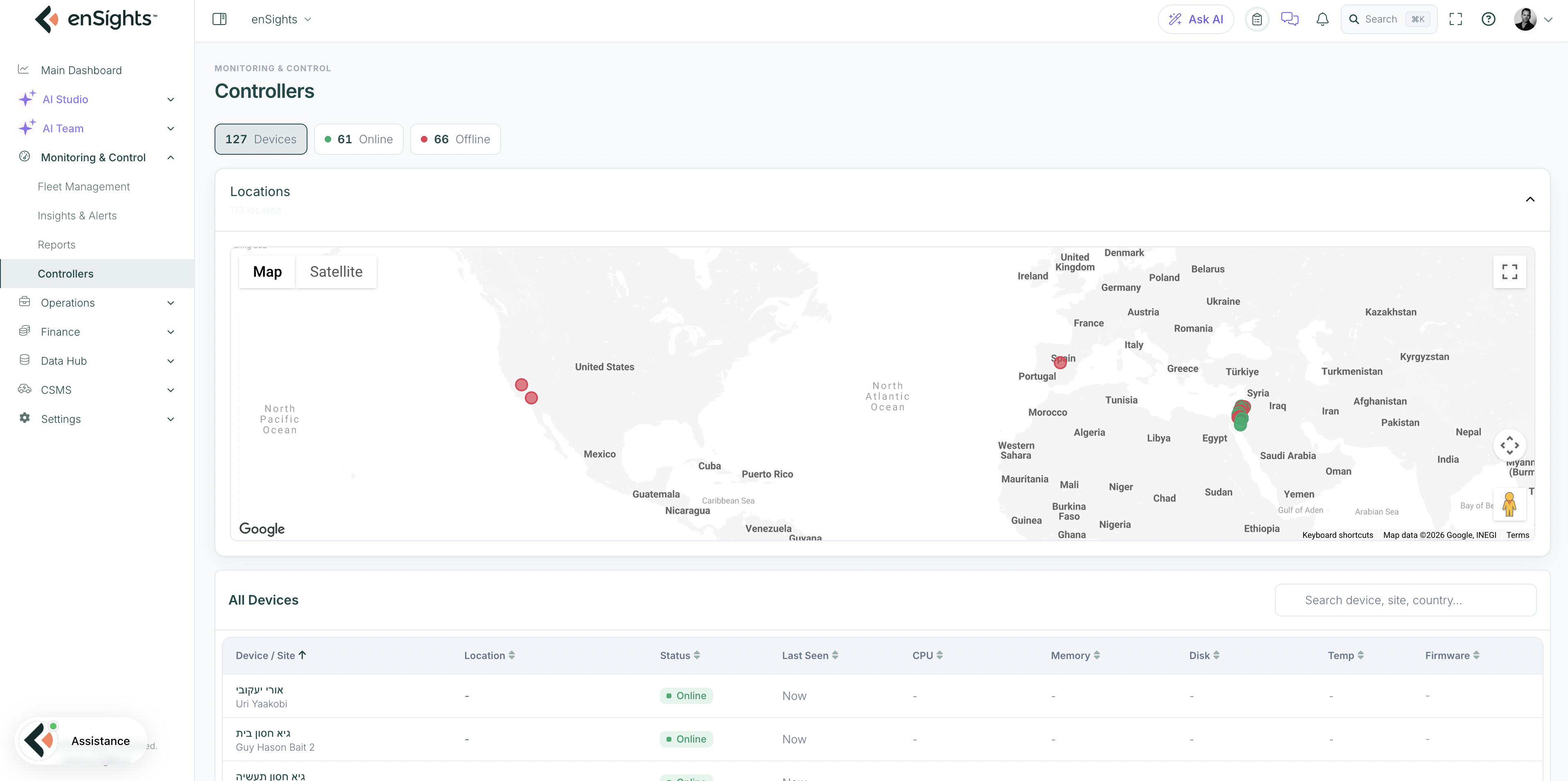
All Devices
The table, with a search box that matches device, site and country:
- Device / Site — the agent and the site it serves.
- Location.
- Status — Online or Offline.
- Last Seen — how long since it reported. "10 months ago" is a decommissioned or forgotten device, not a transient fault.
- CPU, Memory, Disk, Temp — the device's own health. A full disk or a pegged CPU is a common cause of missing data from a site that looks connected.
- Firmware — the running version, so a fleet-wide update can be tracked.
Inside one agent
Clicking a device opens its page. The header shows status and Last Seen with two actions:
- Fetch Logs — pull the device's logs for inspection.
- Restart — restart the agent remotely. This is the safe first remedy for a stuck agent; it does not touch the inverters or the battery, only the monitoring device. It does interrupt data collection briefly.
The body gives:
- A KPI row — IP Address, CPU, Memory, Disk, Temperature, Uptime. Short uptime on a device you did not restart means it is rebooting on its own, which is usually power or thermal.
- Resources — CPU, memory and disk over the last 60 minutes.
- Network — Port 1 and Port 2 activity, Local IP, Public IP and VPN tunnel state. The tunnel is how enSights reaches the device; if it is down, nothing else will work.
- Bandwidth and Device panels — traffic and hardware detail.
- Latest Error Logs — the most recent errors without fetching the full log.
- Raw data (JSON) — the complete payload, for support tickets.
How this connects to EMS sites
An EMS site's Controller tab names the agent assigned to it, or says No agent is assigned to this site. The site's Diagnostics tab goes one step further: it commands the agent to collect device logs and has AI analyse them into a health report. Both depend on the agent being reachable, which is what this page tells you.
Common tasks
A site has gone quiet. Filter Offline → find the site's device → check Last Seen and the VPN tunnel → Restart → if it does not return, the site needs a local check of power and network.
Data arrives with gaps. Open the device and look at Resources: memory or disk pressure produces exactly that pattern.
Prepare a support ticket. Fetch Logs, copy the Raw data (JSON), and note Last Seen and firmware.
Plan a firmware rollout. Sort by Firmware to see which devices are behind.
Common questions
Is restarting an agent risky?
It restarts the monitoring device only, not the generating or storage equipment. Data collection pauses for a minute or two.
The agent is online but the site shows no data.
The agent is reachable but may not be reading the equipment — check the device's error logs and the site's vendor integration.
Do all sites need an agent?
No. Sites monitored through a vendor's cloud do not, but any site enSights controls does.