
CMMS: Calendar
Operations → CMMS → Calendar
What the calendar is for
The service call list answers "what is outstanding". The calendar answers a different question — when is it happening, and can we actually do it. Three jobs on the same Thursday for one technician is obvious here and invisible in a list.
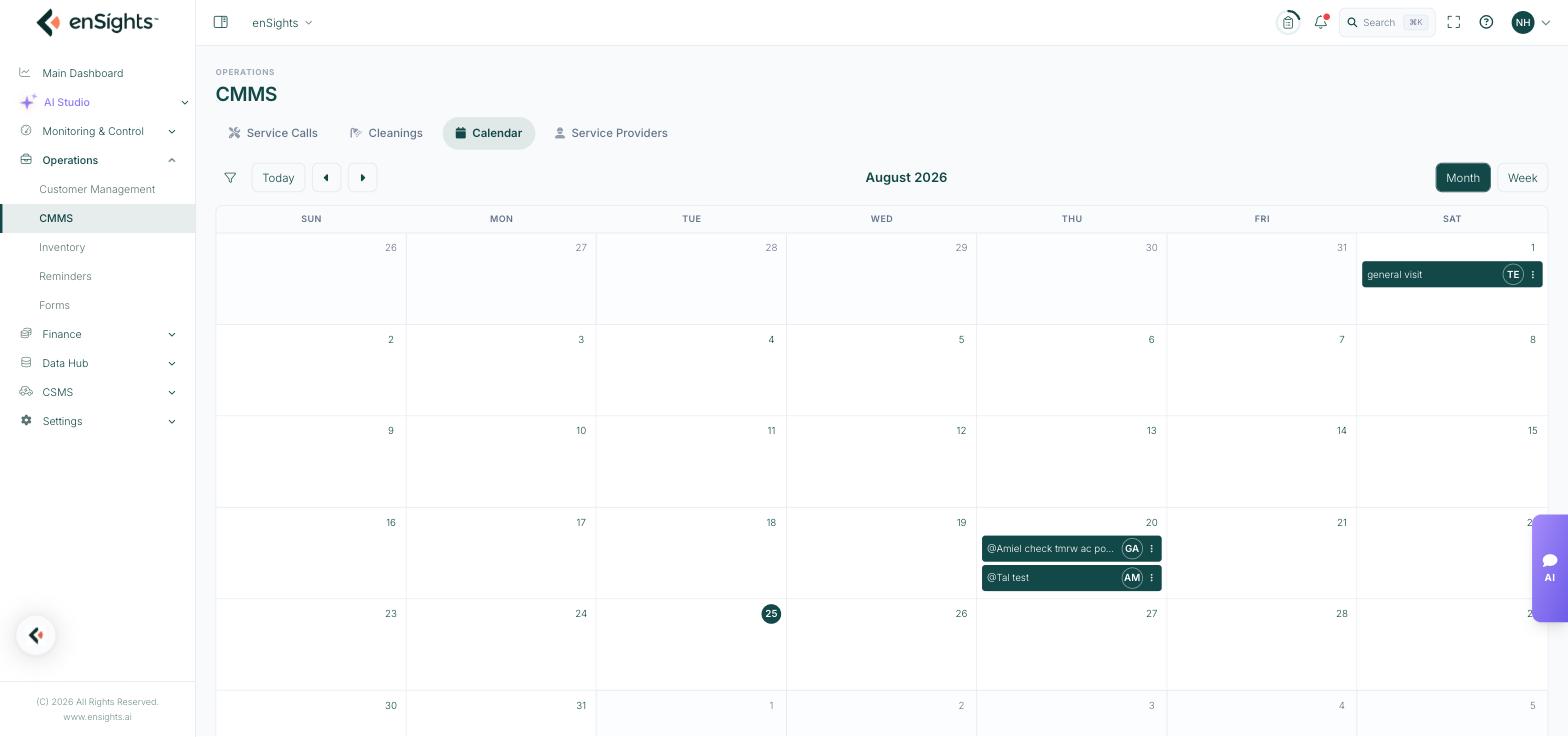
The month view, with jobs on their due dates and the assignee's initials on each.
Reading it
- Each block is a service call, placed on its due date and labelled with its title.
- The circle on the right of a block carries the assignee's initials, so a technician's day reads at a glance.
- The ⋮ on a block opens the same actions as the list — edit, notify, close.
- Today is highlighted in the grid.
Moving around
- Month and Week switch the granularity. Month is for planning, Week is for dispatch.
- The arrows step forward and back; Today returns to the current period.
- The filter icon applies the same filters as the service call list — type, status, overdue, technician, customer, system. Filtering by technician turns the calendar into that person's schedule.
Common tasks
Plan next week's dispatch. Switch to Week, filter by technician, and look for days that are empty or overloaded.
Find a slot for a new job. Check the month before promising a customer a date, then set that date as the due date on the service call.
Group visits by geography. Filter by customer or system, then schedule nearby sites on the same day to save travel.
Spot the crunch. Annual maintenance tends to cluster; the month view shows it early enough to spread the load.
Common questions
A job is missing from the calendar.
It has no due date, or a filter is hiding it. The calendar places jobs by due date only.
Can I drag a job to another day?
Change the due date on the service call itself; the block follows.
Cleanings do not appear.
Cleanings logged on the Cleanings tab are a separate record. Raise a service call of type Cleaning if you want the work scheduled here.