
System Settings: Integrations, Financials, Products and Warranties
Fleet Management → a system's ⋮ menu → Edit → Integrations / Financials / Products & Warranties
Integrations
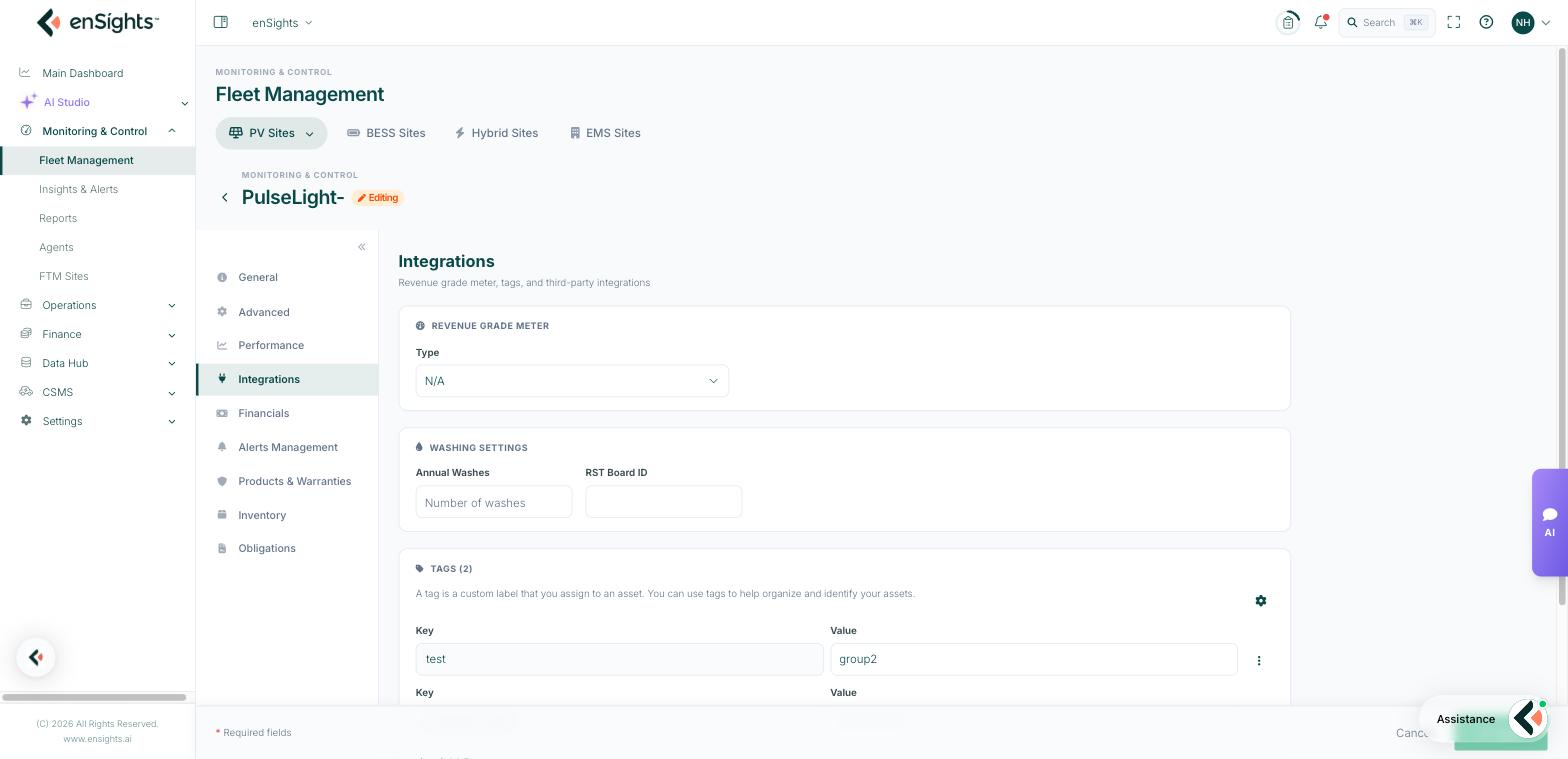
Revenue Grade Meter
The Type of revenue-grade meter installed, or N/A. Setting it is what allows the portal to treat meter readings as billable: the Meter Energy, Meter Var. and RGM columns, and the meter comparison on the Invoices tab, all depend on it.
Washing Settings
Annual Washes — how many cleanings the site is contracted for per year. This feeds the cleaning report and the Annual Cleanings column, so soiling recommendations can be compared against the contract.
Tags
As the panel says, a tag is a custom label you assign to an asset, used to organise and identify assets. Add Tag creates a label with a value.
Tags are the portal's flexible classification system. Anything your organisation cares about but the standard fields do not carry — portfolio, fund, contract type, region, installer, roof type — becomes a tag. Once set, a tag can be shown as a column, filtered on in every list, and used to scope reports.
Financials
The financial model for the site. It is what turns kWh into money on the fleet list, in reports and on the P&L Tracker.
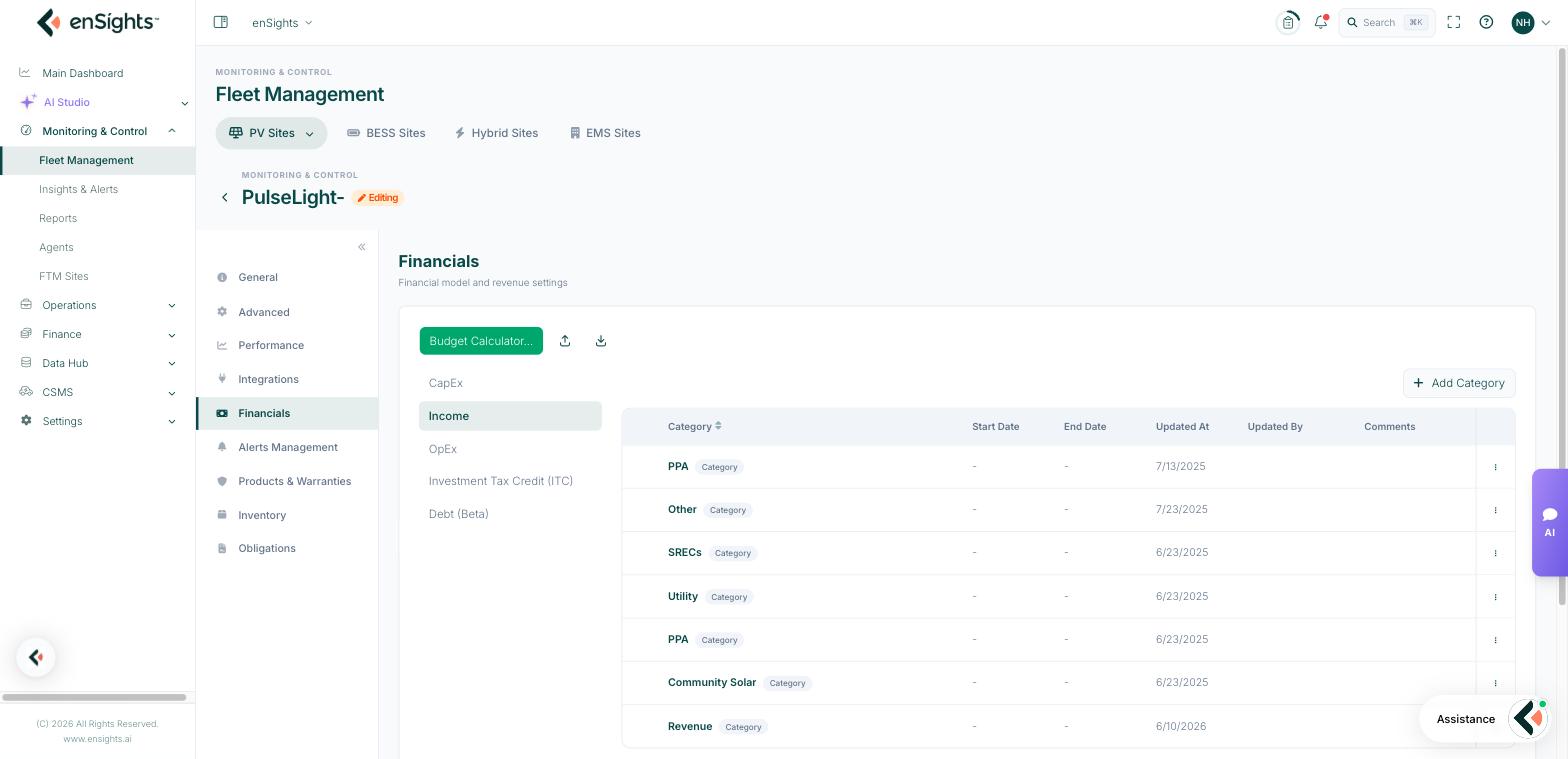
Categories are grouped as CapEx, Income, OpEx, Investment Tax Credit (ITC) and Debt (Beta), with a Budget Calculator to help build them. Add Category creates a line — typical income lines are PPA and SRECs; typical OpEx lines are asset management fee, insurance, O&M, lease and property taxes.
Each category carries a Start Date and End Date, so a tariff that changes in year six is modelled as two rows rather than one average, and the table records Updated At, Updated By and Comments for auditability.
Two things to know:
- A site with no income configured contributes zero to Total Revenue rather than an error. That is the usual reason a fleet revenue figure looks low.
- Every row in the P&L Tracker corresponds to a category here. Dashes in the tracker mean the category does not exist for that month.
Products & Warranties
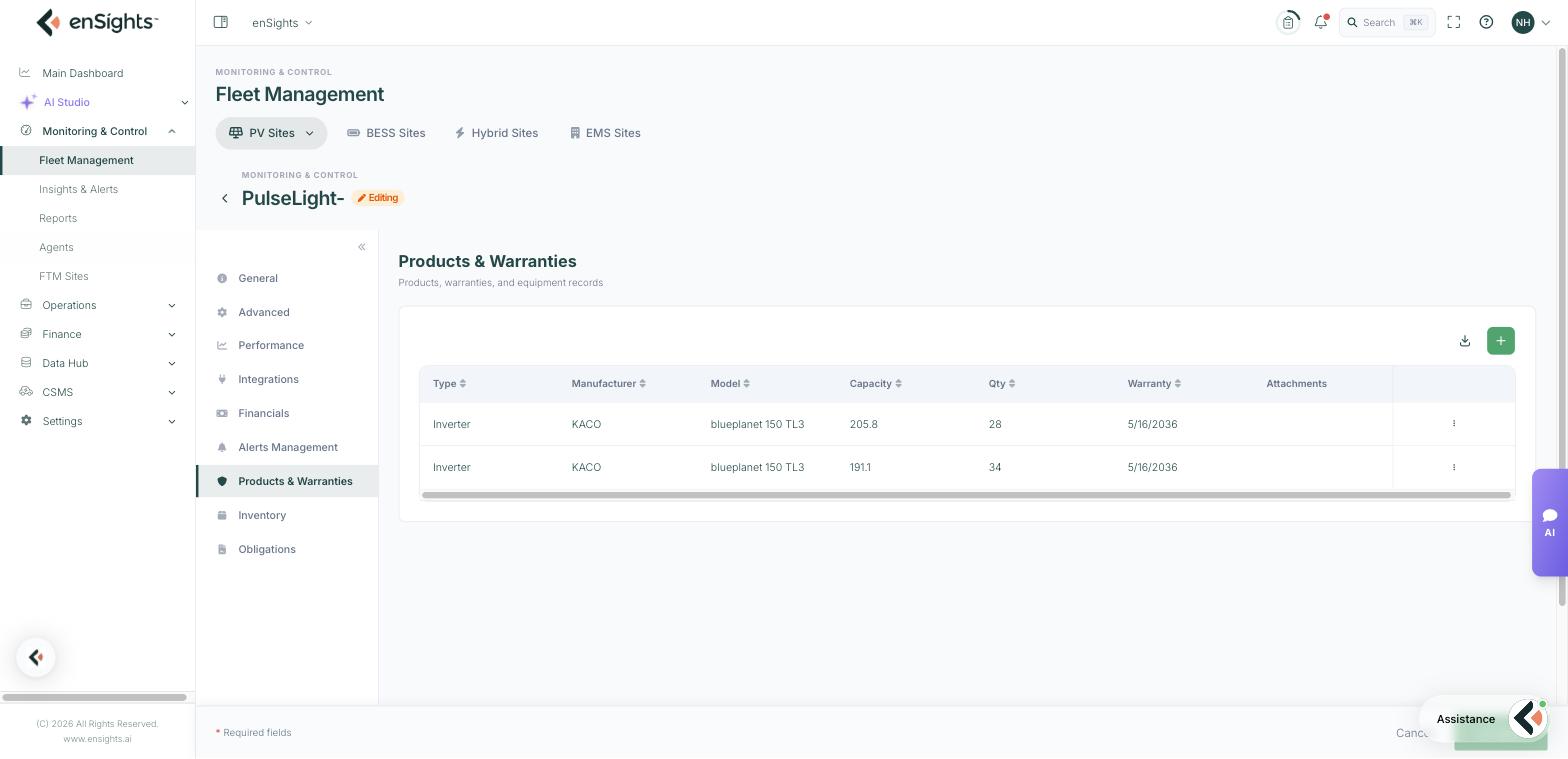
The equipment register for the site: Type, Manufacturer, Model, Capacity, Qty, Warranty and Attachments.
Recording modules, inverters, optimisers, meters and trackers here gives you three things you otherwise chase by email: what is actually installed when a technician asks, whose warranty covers a failure, and which sites share a component when a manufacturer issues a bulletin. Attachments keep the certificates with the record.
Common tasks
Make revenue appear for a site. Financials → Add Category under Income with the tariff and its start date. Check the fleet list's Total Revenue afterwards.
Model a tariff change. End-date the existing income category the day before the change and add a new one starting the next day.
Build a portfolio view. Tag the sites in Integrations, then filter the fleet list by that tag and save it as a view.
Prepare for a warranty claim. Products & Warranties → confirm the model and warranty end date, and download the attached certificate.
Recognise a bad batch. Add the inverter model as a column or tag and filter — sites sharing the model can be checked together.
Common questions
Revenue is still zero after I added income.
Check the category's start date covers the period you are looking at, and that Basic Revenue Calculation on the Advanced tab is not conflicting with the model you intended.
Do tags affect calculations?
No. Tags organise and filter; they never change a metric.
Meter Energy is empty although a meter is installed.
The meter type here is probably still N/A, or the meter is not mapped in the integration.