Webhooks
What this page is for
A webhook is a URL enSights calls when something happens. Instead of your systems asking the platform "anything new?" on a timer, the platform tells them — within seconds of the event.
This is how enSights gets wired into the tools around it: a new service call raised in the portal can open a ticket in your service desk, an opened alert can page whoever is on call, an incoming invoice can be dropped into your finance queue.
The list
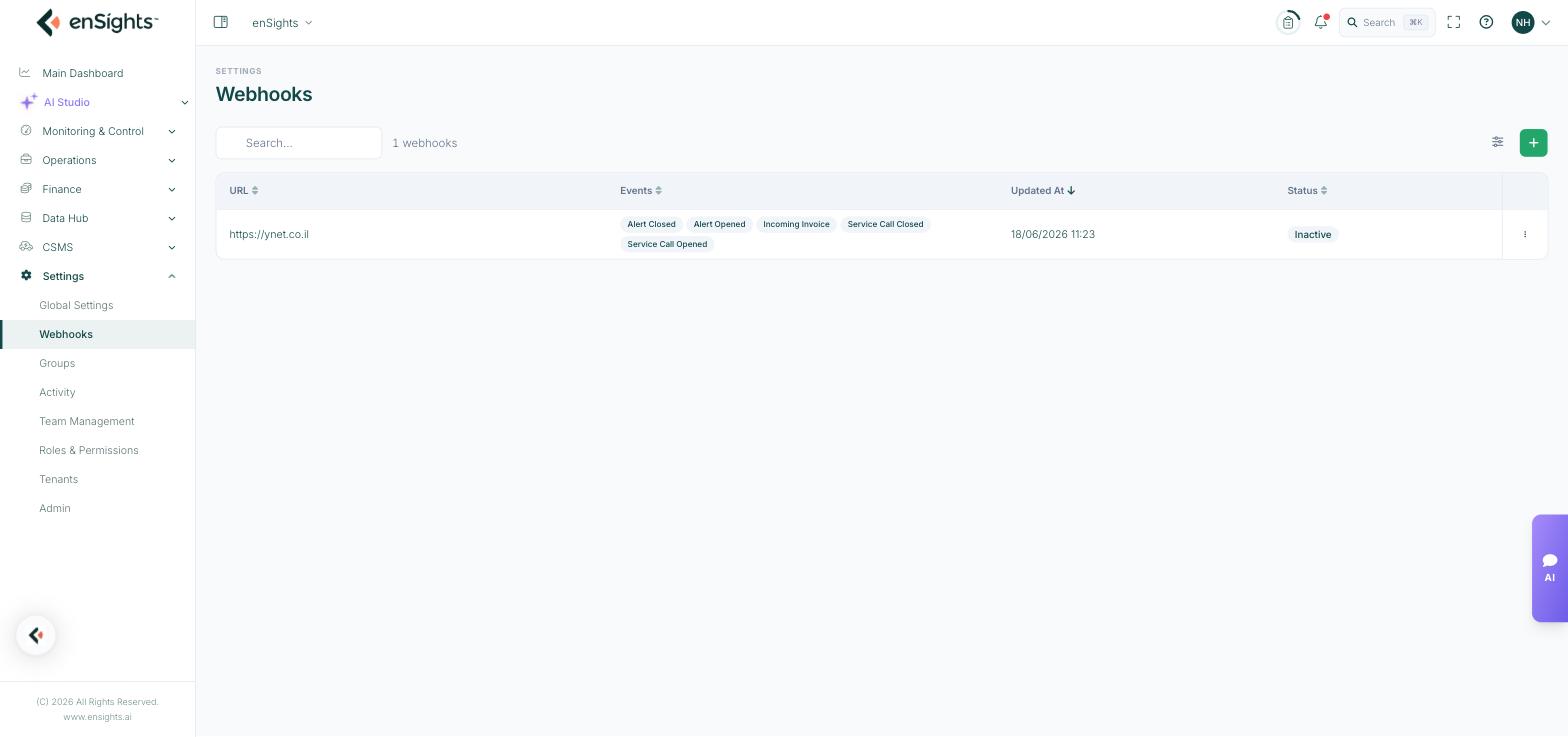
Column | Meaning |
|---|---|
URL | The endpoint enSights posts to. |
Events | Chips showing which events this webhook is subscribed to. |
Updated At | When the webhook was last changed. |
Status | Active or Inactive. Inactive webhooks are kept but never called. |
Above the table: a search box, the webhook count, a column-settings button and the + button that adds a new one. Each row has a three-dot menu with Edit and Delete.
The five events
- Incoming Invoice — an invoice arrives in the platform.
- Service Call Opened — a new service call is raised.
- Service Call Closed — a service call is completed.
- Alert Opened — an alert starts.
- Alert Closed — an alert clears.
A single webhook can subscribe to any combination. Pairing the opened and closed events of the same kind is usually what you want — a system that hears about openings but never closings accumulates phantom open items.
How to add a webhook
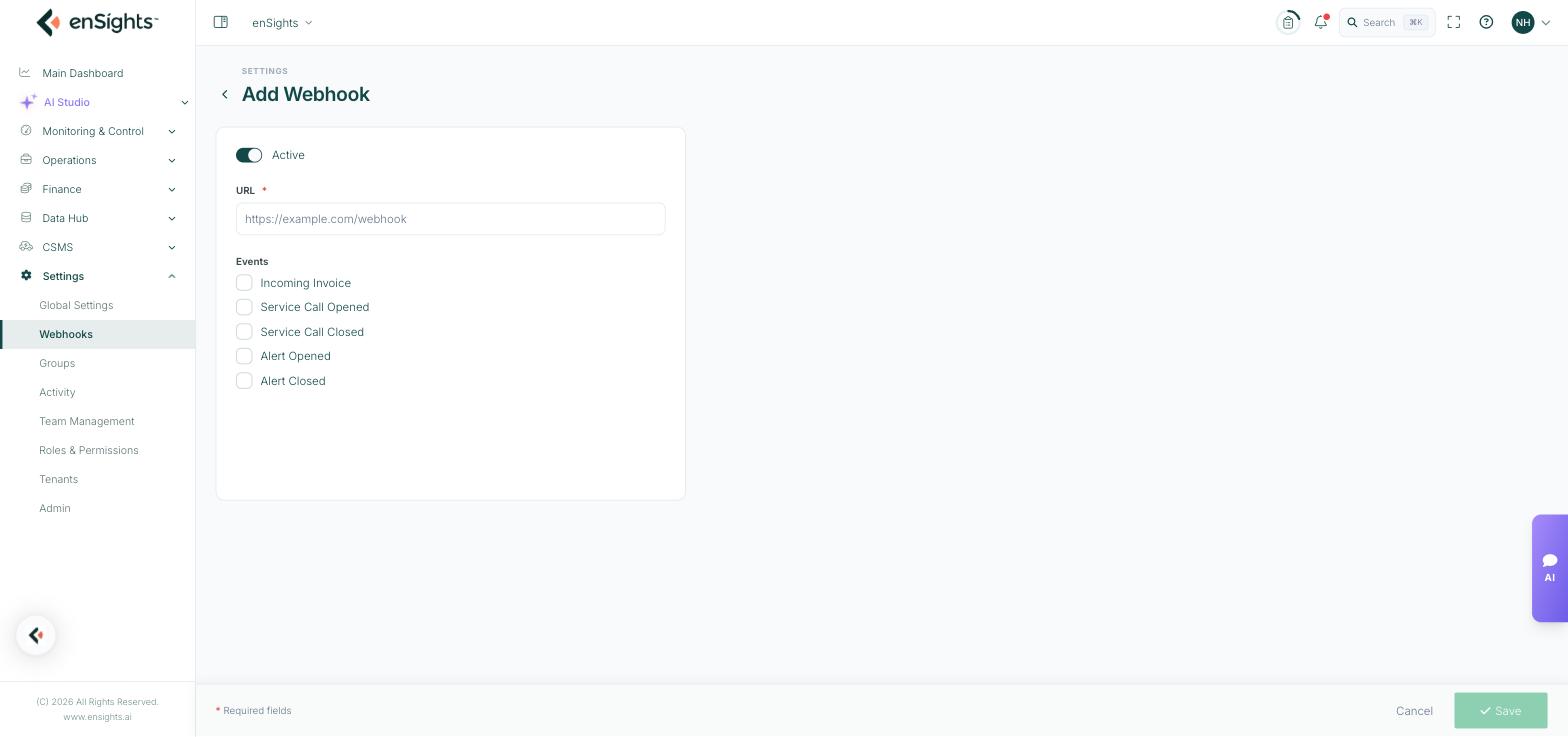
- Go to Settings → Webhooks.
- Press the + button at the top right.
- Leave Active on, or turn it off if you want to configure now and enable later.
- Enter the URL. Required, and it should be an HTTPS endpoint you control.
- Tick the Events you want delivered.
- Press Save.
How to change or remove one
- Edit: open the row's three-dot menu and choose Edit. You can change the URL, the events, and the Active state.
- Pause: edit it and turn Active off. The configuration is kept and no calls are made — better than deleting while you fix a receiving endpoint.
- Delete: open the three-dot menu and choose Delete. This is permanent.
Notes
- Your endpoint should answer quickly and be tolerant of being called more than once for the same event. Treat delivery as at-least-once, not exactly-once.
- Use HTTPS. Webhook payloads carry operational data about your sites.
- If a webhook seems dead, check the Status column first — an Inactive webhook looks configured but is silent.
- An endpoint that is down does not raise an alert in enSights. Monitor the receiving side yourself.
- Access to this page is controlled by the separate Web Hooks permission in Roles & Permissions.