
Global Settings: EV Charging
What this page is for
EV Charging holds the account-wide configuration for charge point operations: who drivers contact for help, what they read on the charger screen, how registration and billing behave, and what the automated emails say. It configures the EV product; it does not manage individual chargers or sessions.
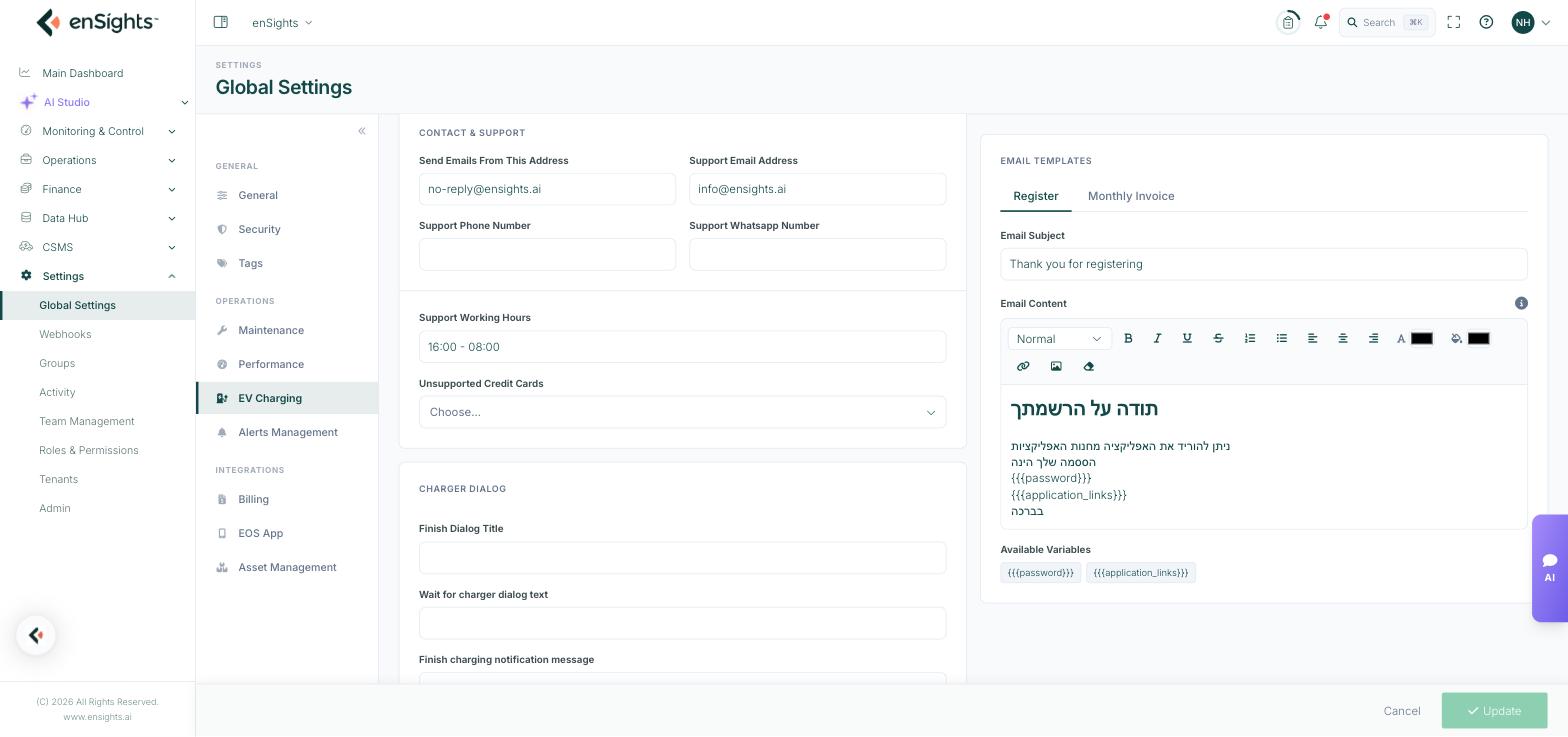
Contact & Support
These details are what drivers see and use when something goes wrong at a charger, so they should point at a channel someone actually watches.
Field | What it does |
|---|---|
Send Emails From This Address | The sender address on automated emails to drivers, typically a no-reply address. |
Support Email Address | The address drivers are told to write to. This one should reach a monitored inbox. |
Support Phone Number | The support line shown to drivers. |
Support Whatsapp Number | A WhatsApp contact, where that is how your drivers prefer to reach you. |
Support Working Hours | Free text, for example 16:00 - 08:00. Sets expectations rather than enforcing anything. |
Unsupported Credit Cards | Card types your payment setup does not accept, so drivers are told before they try. |
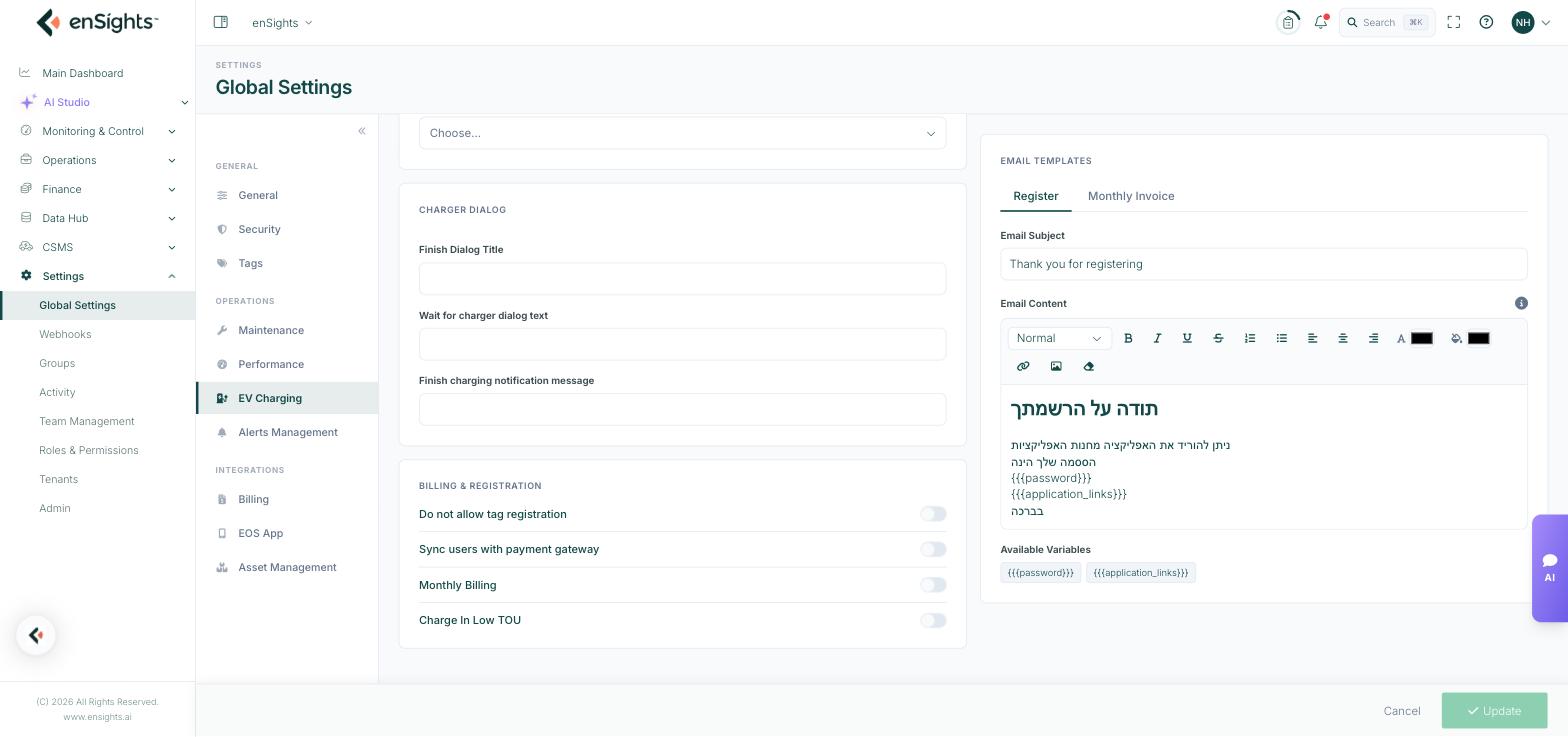
Charger Dialog
Three free-text fields that control the wording drivers see during a charging session:
- Finish Dialog Title — the heading shown when a session ends.
- Wait for charger dialog text — shown while the charger is being contacted, which can take a few seconds.
- Finish charging notification message — the message sent when charging completes.
Write these in the language your drivers use, and keep them short — they are read on a phone, outdoors, usually in a hurry.
Billing & Registration
Four toggles, all off by default:
Toggle | Effect when on |
|---|---|
Do not allow tag registration | Drivers cannot self-register an RFID tag. Tags must be issued by an operator. |
Sync users with payment gateway | Driver records are kept in step with the payment provider, so billing details follow the user. |
Monthly Billing | Charges are accumulated and invoiced monthly rather than settled per session. |
Charge In Low TOU | Charging is steered toward low time-of-use tariff periods, so sessions cost less where the tariff varies by hour. |
Email Templates
Two tabbed templates — Register and Monthly Invoice — each with an Email Subject line and a rich-text Email Content body supporting headings, formatting, lists, colour, links and images.
Variables
Placeholders are substituted when the email is sent. The available ones are listed as chips under Available Variables below the editor — for the Register template these are {{{password}}} and {{{application_links}}}. Type the variable exactly as shown, triple braces included; a typo is sent to the driver as literal text.
How to edit a template
- Choose the Register or Monthly Invoice tab.
- Edit the subject and body. Insert variables from the list beneath the editor.
- Press Update at the bottom of the page.
Notes
- These settings apply to every charge point in the account, not per site.
- Send a test registration to yourself after editing a template — an unsubstituted variable is only obvious once the email lands.
- Turning on Monthly Billing changes when drivers are charged, not what they are charged. Tariffs live with the charge points.
- Nothing saves until you press Update, including template edits.