
Reminders
Operations → Reminders
What reminders are for
Monitoring catches what the data can see. Reminders catch what only the calendar knows: a warranty that lapses in March, a PPA that renews in June, an insurance policy, a licence, a meter recertification. Nothing in the production data will ever warn you about these — and they are expensive to miss.
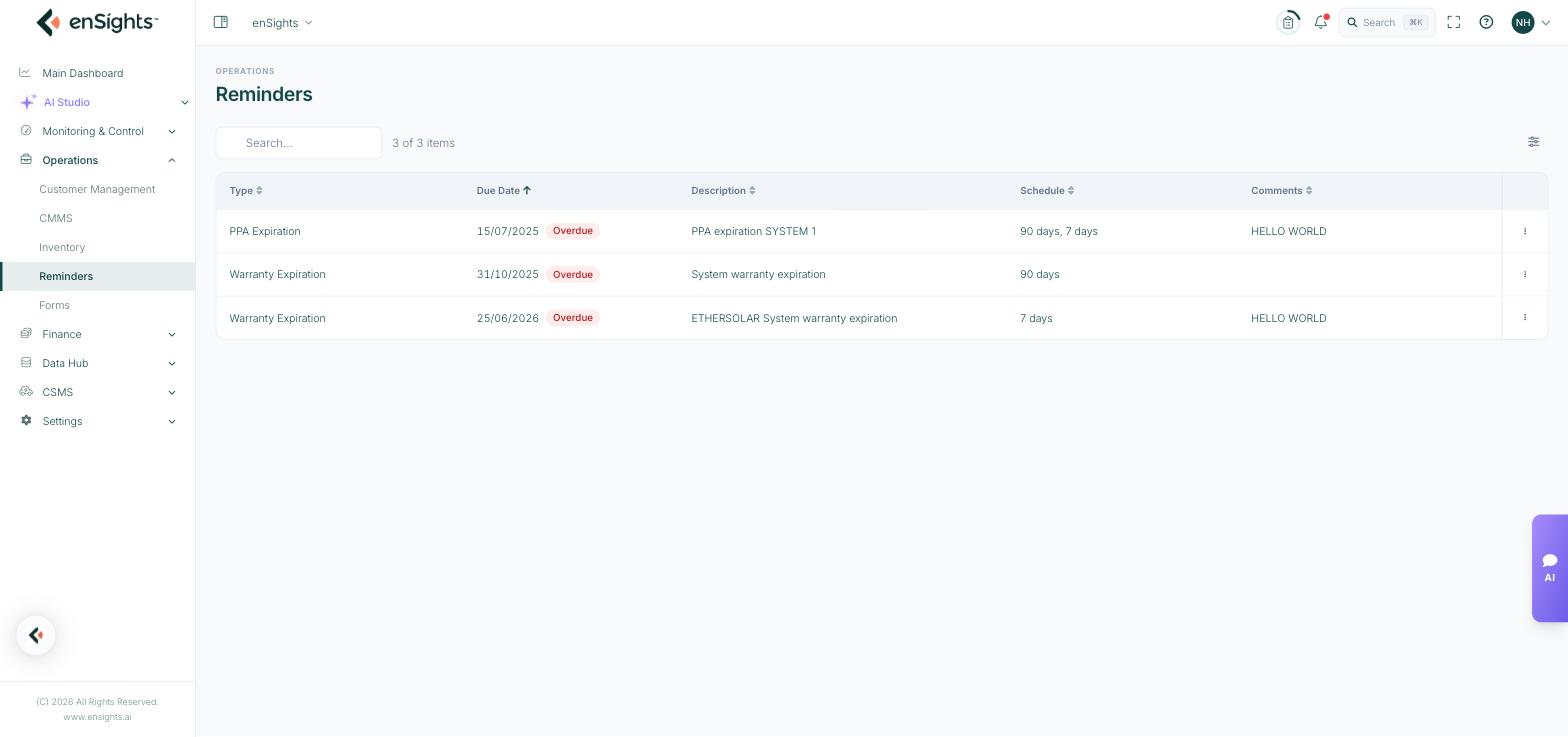
The fleet-wide reminder list, with overdue items flagged.
The list
- Type — what kind of deadline it is, for example Warranty Expiration or PPA Expiration.
- Due Date — with an Overdue badge once the date has passed.
- Description — which asset or contract it concerns.
- Schedule — how far in advance you are warned, for example "90 days, 7 days". Two lead times give you one warning while there is still time to negotiate, and one just before the date.
- Comments — context for whoever picks it up.
This page collects reminders from every asset in the fleet. The same records also appear on each site's own Reminders tab.
Acting on one
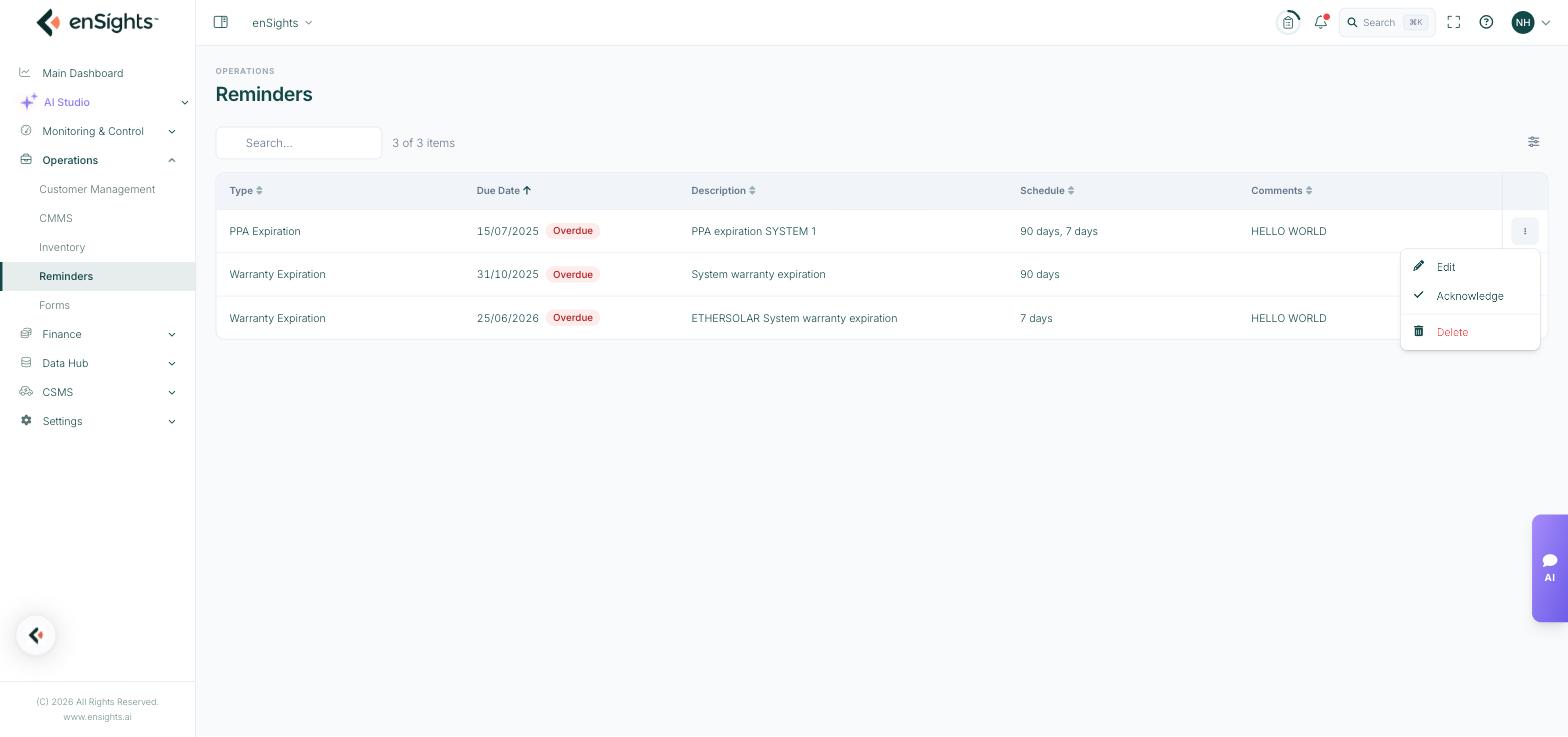
Row actions: edit, acknowledge, delete.
- Edit — change the date, the schedule or the note.
- Acknowledge — mark it as seen and handled. This is the action that clears an overdue item honestly, rather than deleting it.
- Delete — remove a reminder that should never have existed.
Creating reminders
Reminders are created against the asset they concern — from a site's Reminders tab, or from a battery's or report's own reminder setting. That is deliberate: a reminder without an asset is a note, and notes get lost.
The dates that most often deserve a reminder are already recorded elsewhere in the portal: Warranty Expires On in System Settings → General, Contract Expiration on the customer record, and the category end dates in System Settings → Financials.
Common tasks
Clear the overdue list. Sort by Due Date, work top down, and Acknowledge each one you have dealt with.
Set up warranty cover for a fleet. For each site, add a reminder at 90 and 30 days before the warranty date on the Info tab.
Prepare for renewals season. Filter or sort by Type to see all PPA expirations together, then brief the commercial team.
Common questions
Everything says Overdue.
Reminders do not disappear when their date passes — they wait to be acknowledged. Work through them and acknowledge as you go.
Where do I add one?
On the asset: open the site and use its Reminders tab. This page is the fleet-wide view of them all.
Who gets notified?
The schedule controls when a reminder surfaces; recipients follow your tenant's notification settings. Use the Comments field to name the owner explicitly if it matters.