
Data Hub: overview
What Data Hub is for
Every number in enSights arrived from somewhere — an inverter portal, a meter, a SCADA system — and some of it needs to go somewhere else afterwards. Data Hub is where those routes are managed.
Two of its pages bring data in, two take it out, and one tells you whether what came in is complete enough to be useful:
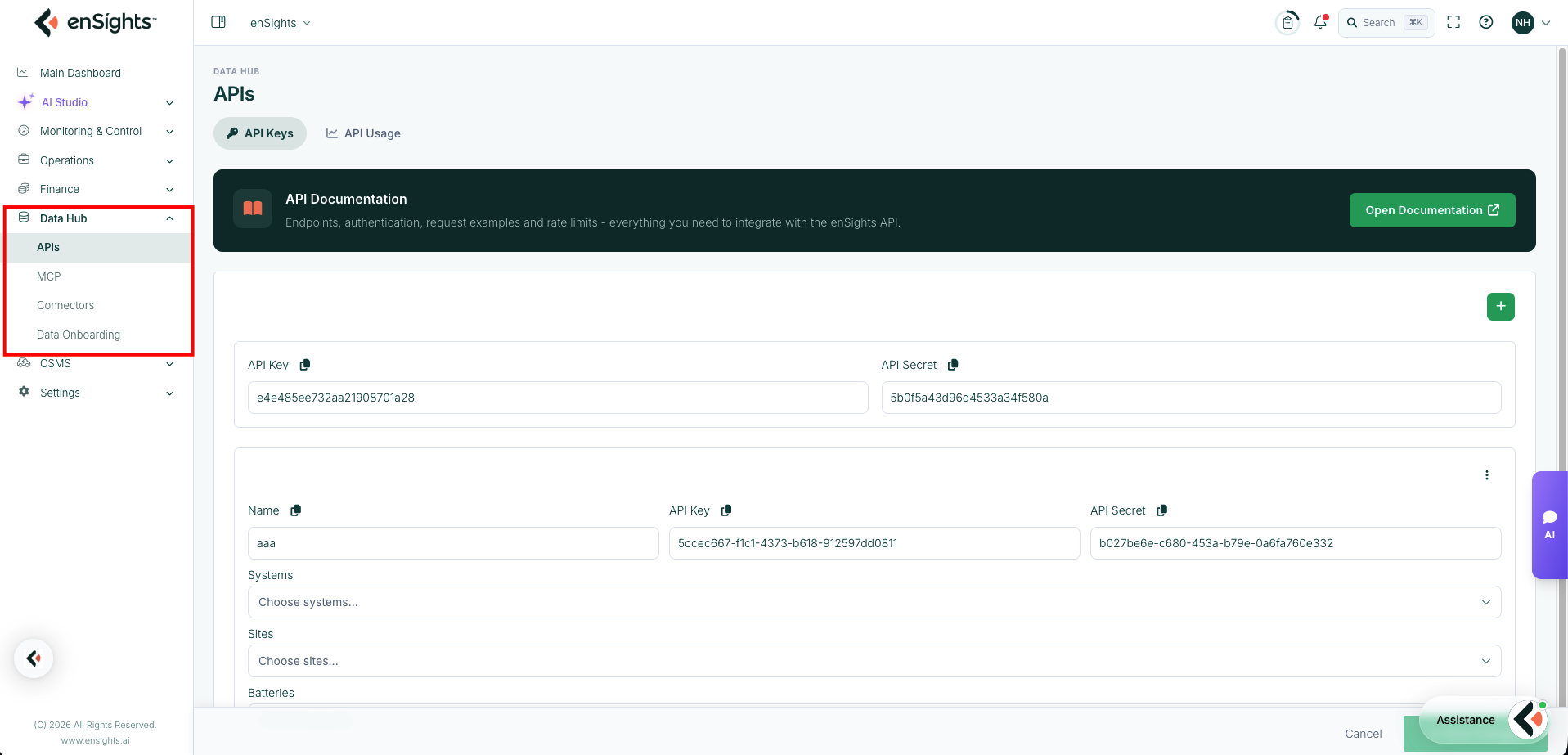
The four pages
Page | Direction | What it does |
|---|---|---|
APIs | Out | API keys your systems use to read enSights data, scoped to particular assets, plus usage statistics per key. |
MCP | Out | The Model Context Protocol endpoint, which lets AI tools such as Claude, ChatGPT or Cursor query your enSights data directly. |
Connectors | In | Credentialed connections to monitoring vendors — SolarEdge, SMA, Enphase, Sungrow and around forty others — that pull production data into the platform. |
Data Onboarding | Quality | How completely each system has been set up, scored field by field, so you can see what is missing before it distorts a report. |
How they fit together
The chain runs in one direction:
- A Connector authenticates to a vendor portal and pulls in readings.
- Those readings become the production, alert and performance figures you see across the platform.
- Data Onboarding scores how much of the surrounding context — capacity, location, expected production, financials — has actually been filled in. Readings without that context can be displayed but not judged.
- APIs and MCP hand the result back out: the API to your own software, MCP to AI tools.
That order matters when something looks wrong. A missing figure is a connector problem; a figure that exists but cannot be compared to anything is an onboarding problem; a figure your own system cannot retrieve is an API scoping problem.
Two things to know before you start
This page holds credentials
Connectors store vendor usernames and passwords, and the APIs page stores keys and secrets, because the platform has to act on your behalf on a schedule. Anyone who can open these pages can read those values. Restrict access accordingly — the relevant permission in Roles & Permissions is Datapoints.
Poll frequency has a cost
Vendor APIs are rate-limited, and most contracts cap how many calls you may make. Connectors therefore let you set the resolution at which each timeframe is fetched, and include an API Call Estimator so you can see the monthly call volume a configuration implies before you commit to it. Setting everything to the finest resolution across a large fleet is the usual way an account runs into a vendor limit.
Where to go next
- Adding a new site's data feed? Connectors.
- A site's data stopped arriving? Connectors first, to check the connector's status, then Settings → Activity → Processes for the failed import.
- Building an integration? APIs, and the linked API documentation.
- Want to ask questions of your fleet from an AI tool? MCP.
- A report has gaps, or performance figures look impossible? Data Onboarding — it is usually a missing field rather than a missing reading.