
Reports: templates and archive
Monitoring & Control → Reports
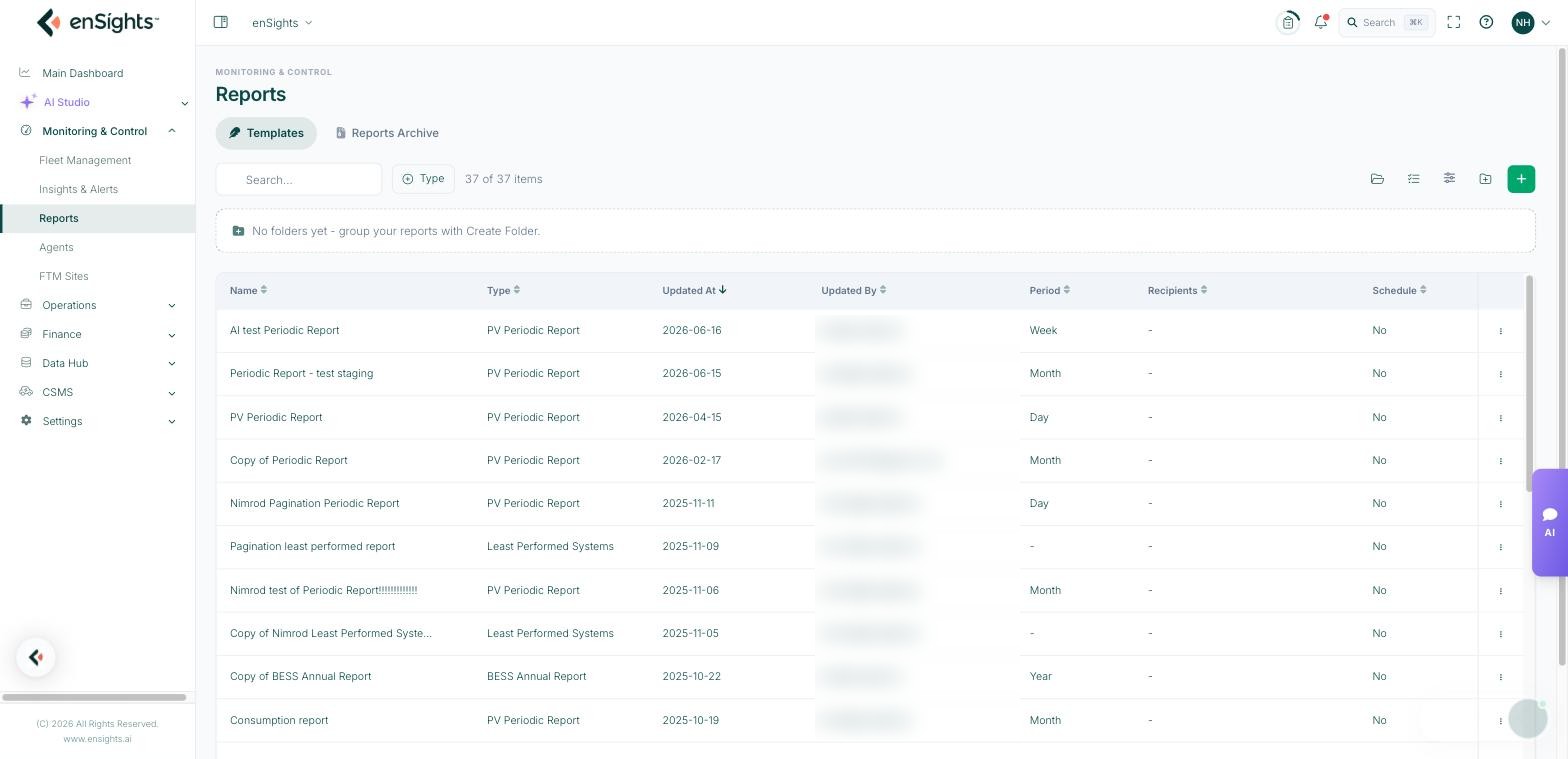
Reports has two tabs: Templates, where your report definitions live, and Reports Archive, the record of what was actually sent.
Templates
A template is a saved report definition — content, styling, the systems it covers and its schedule. Once defined it can run on its own and be reused indefinitely.
The toolbar has search, a Type filter, multi-select, a new-folder button and + to create a report. Folders are worth using early: most teams end up organising by audience (owners, lenders, internal) or by portfolio.
Choosing a template
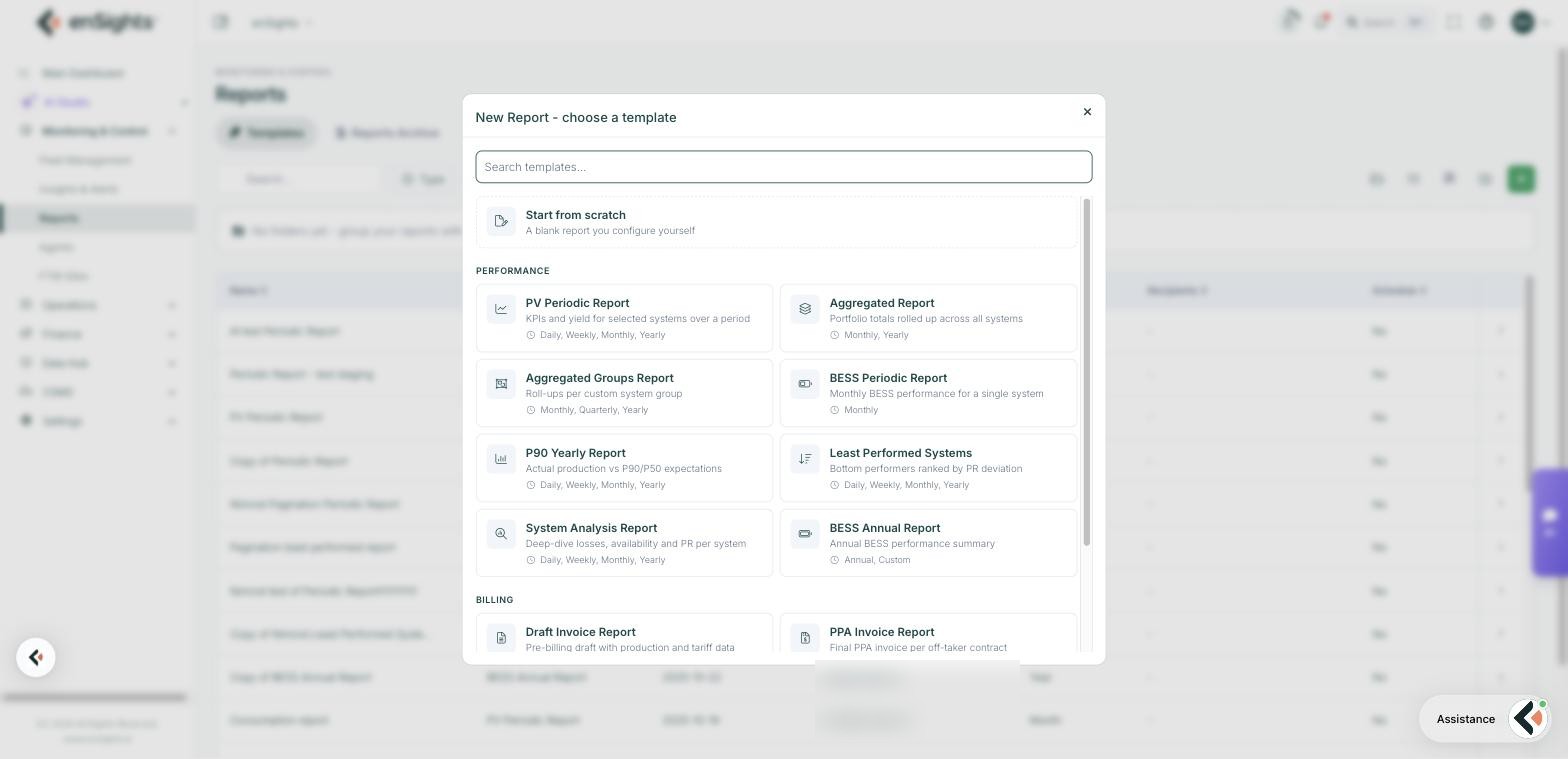
Create Report opens the template chooser. Start from a template rather than from scratch — each one already knows which columns and sections make sense for its question.
Performance
- PV Periodic Report — KPIs and yield for selected systems over a period. Daily, Weekly, Monthly, Yearly. The general-purpose owner report.
- Aggregated Report — portfolio totals rolled up across all systems. Monthly, Yearly. One number per portfolio rather than one row per site.
- Aggregated Groups Report — roll-ups per custom system group. Monthly, Quarterly, Yearly. Use with your groups to report per fund or per region.
- BESS Periodic Report — monthly BESS performance for a single system.
- P90 Yearly Report — actual production against P90/P50 expectations. Daily, Weekly, Monthly, Yearly. The report lenders ask for.
- Least Performed Systems — bottom performers ranked by PR deviation. An operations triage list rather than a customer document.
- System Analysis Report — deep dive into losses, availability and PR per system. For investigating a site properly.
Billing
- Draft Invoice Report — pre-billing draft with production and tariff data, to check before invoices are raised.
- PPA Invoice Report — the final invoice per off-taker contract.
Operations
- Insights & Alerts — open alerts, insights and their resolution status. The monthly operations review in one document.
- Cleaning — soiling losses and the recommended cleaning schedule, which pairs with the Annual Washes setting on each site.
Start from scratch gives a blank report you configure yourself.
Reports Archive
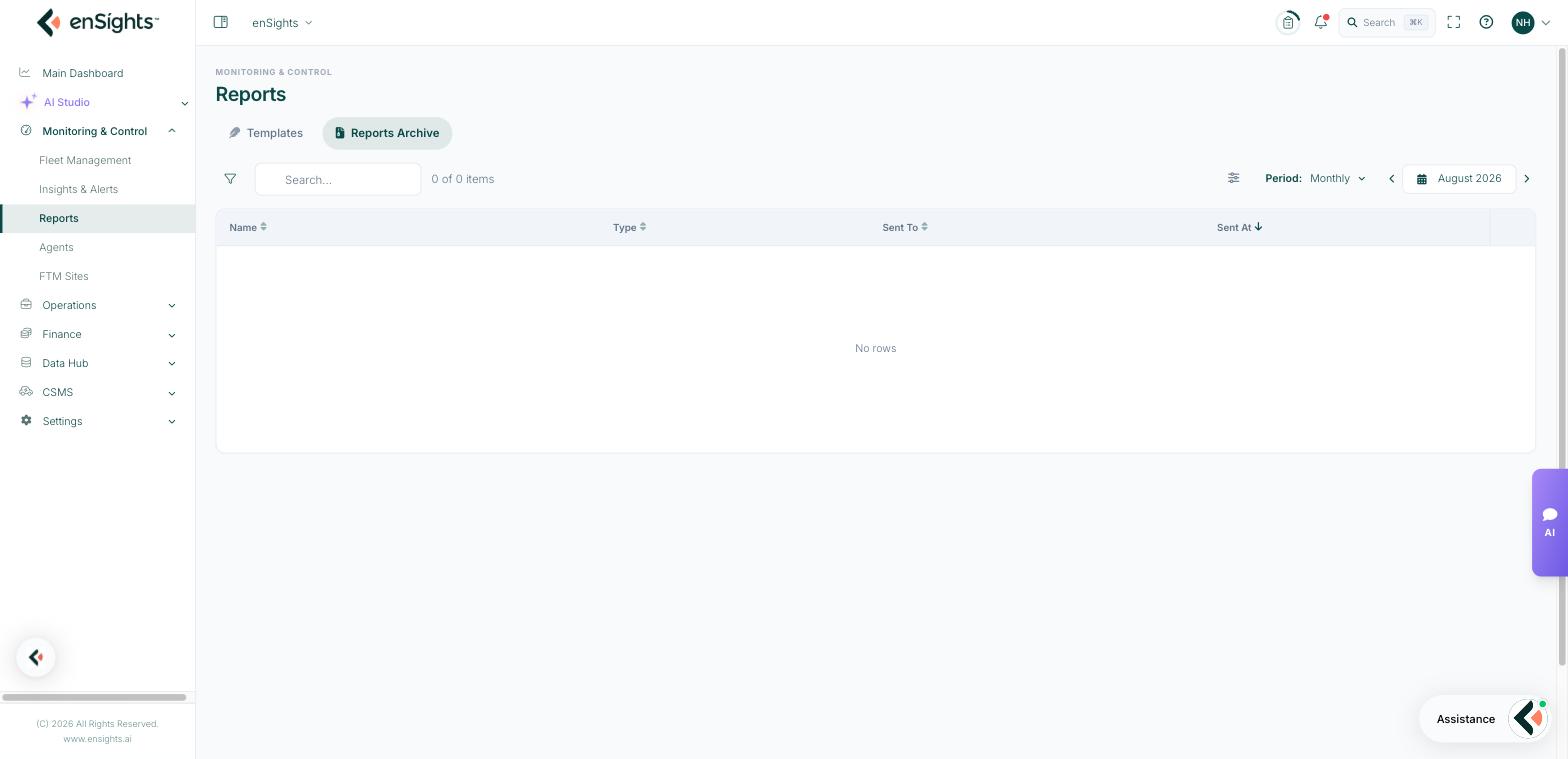
Every generated and sent report, with Name, Type, Sent To and Sent At, plus filter, search and a period control (monthly by default).
The archive matters for two reasons: it proves what a recipient was sent and when — useful in a contractual conversation — and it is the fastest way to re-send a document someone has lost.
Common tasks
Set up monthly owner reporting. Create Report → PV Periodic Report → assign the customer's systems → set the schedule and recipients → save. It then runs without anyone remembering to run it.
Report per fund. Group the systems first, then use Aggregated Groups Report.
Answer a lender's P90 question. P90 Yearly Report over the contract year.
Prove a report was delivered. Reports Archive → filter by period → check Sent To and Sent At.
Keep the library tidy. Create folders per audience and move reports into them; the list grows faster than you expect.
Common questions
Which template for a monthly owner report?
PV Periodic Report for per-site detail, Aggregated Report when the owner only wants portfolio totals.
A scheduled report did not arrive.
Check the Schedule tab of the report (Active, timezone, hour, recipients), then the archive to see whether it was generated but not delivered.
Can I change a template after it has been sent?
Yes — edits apply to future runs. The archive keeps what was already sent.