
Growatt
Note: Growatt US does not support API connectivity.
What needs to be shared with Ensights in order to connect Growatt systems:
- The system's sharing link
- System ID on Growatt
How to get the sharing link:
Before we begin, its important to understand that only the owner of the system can share the system's data.
- Enter the Growatt platform and view the specific site you are interested in.
- Navigate to "Energy" → Plant Management:
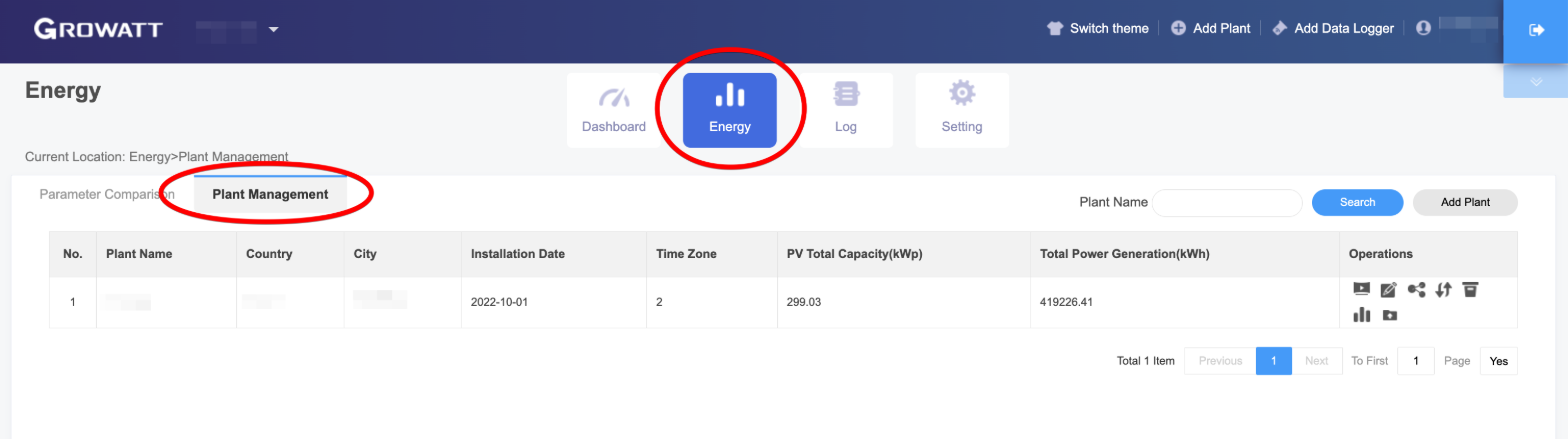
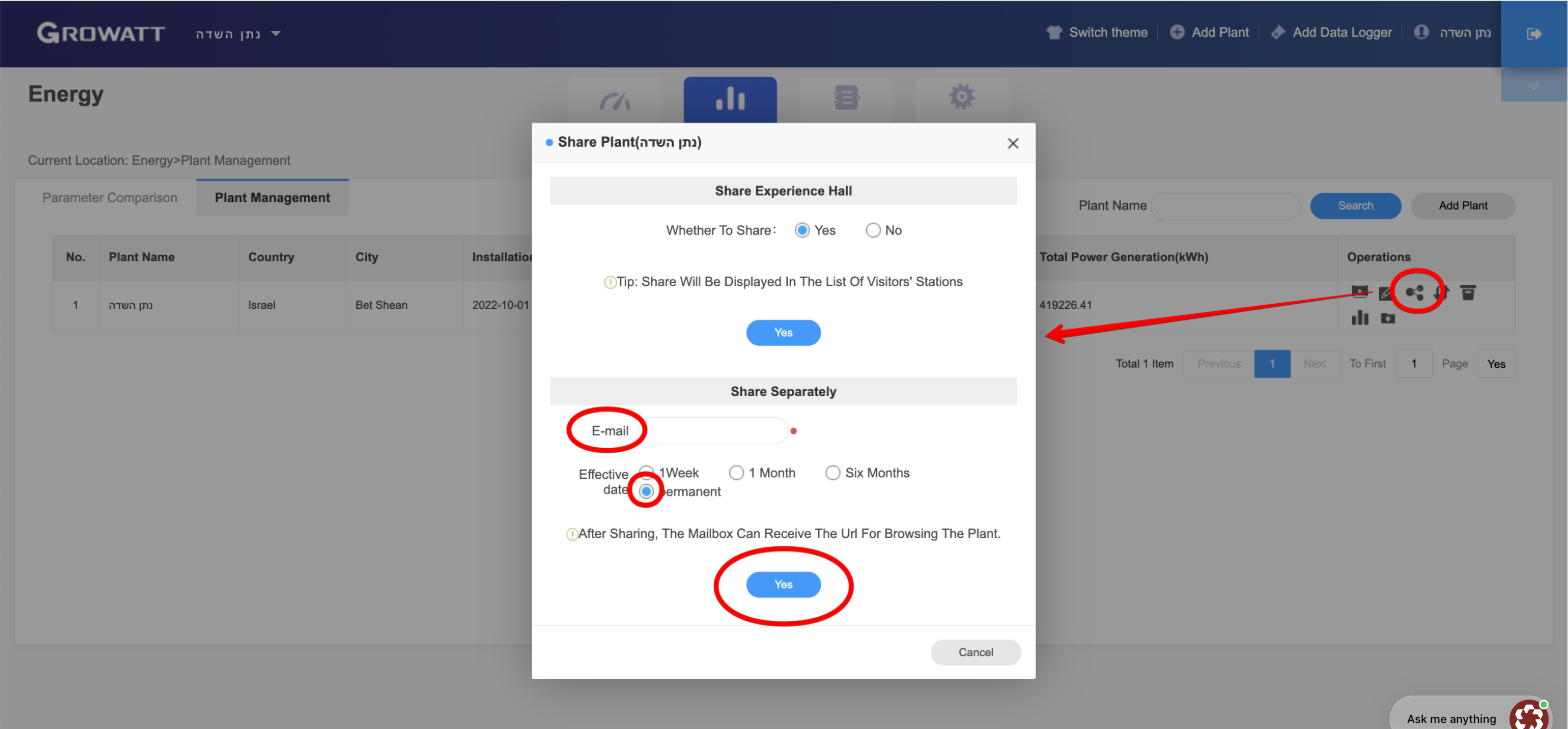
- Click on the sharing icon on the right
- Fill out the fields as follows:
- Emails - any email you have access to.
- Check - permanent
- Click Yes
- An email will be sent to the email you entered with a sharing link that looks like this:
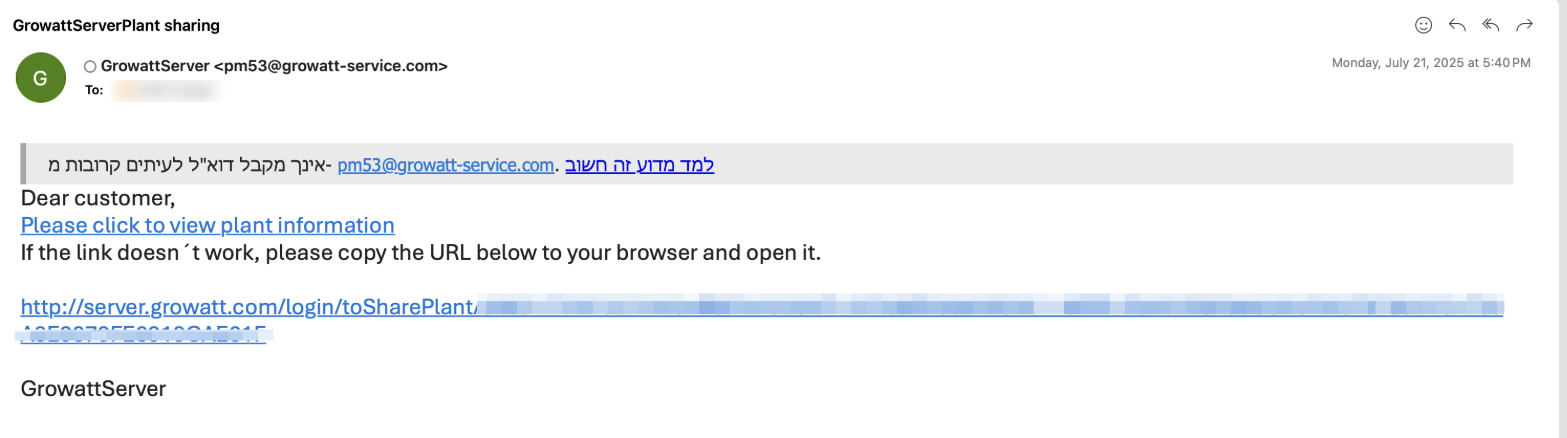
- Copy that link and share it with enSights support
How to get the System ID:
- Navigate to the Dashboard, and click on the arrows on the left-hand side:
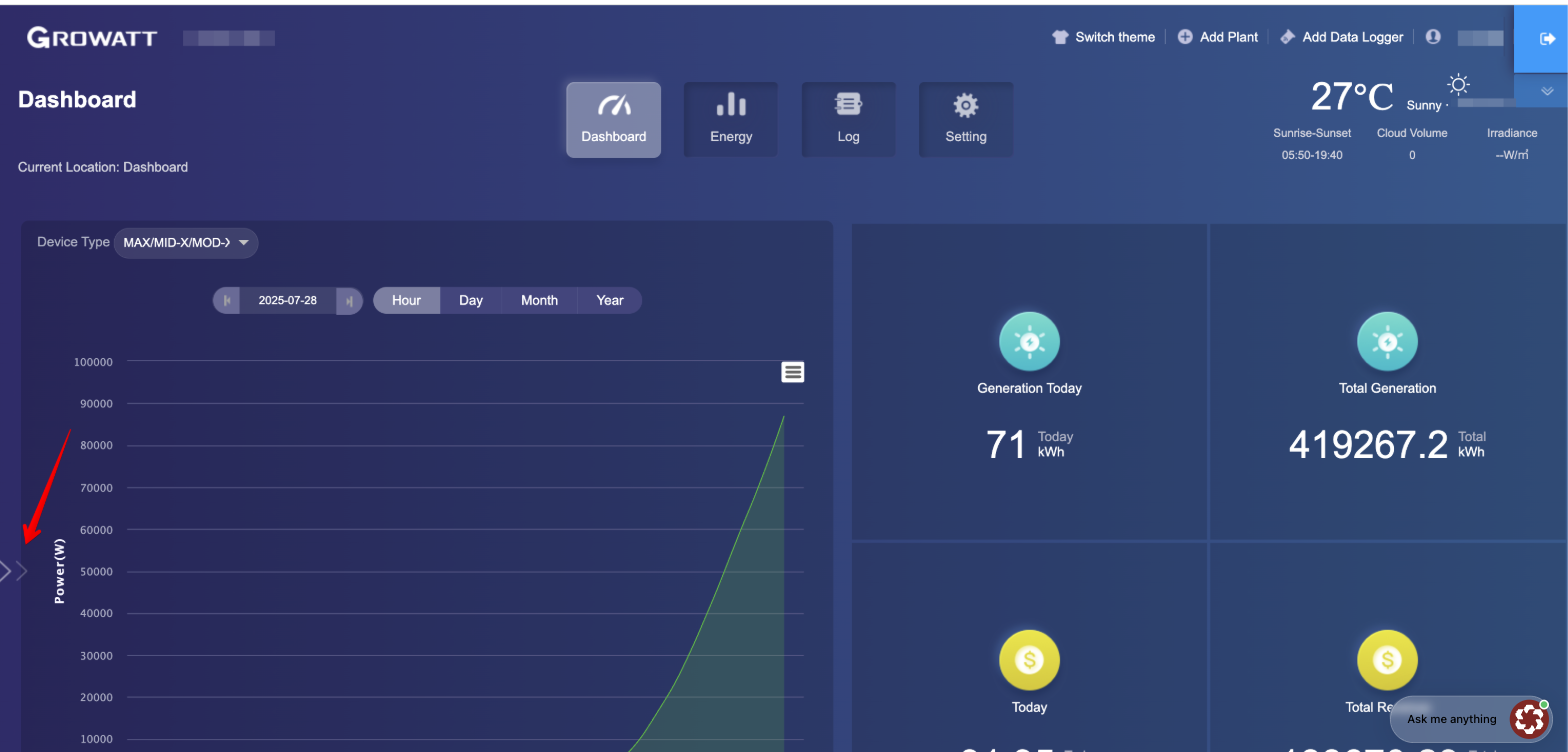
- The system ID will show up in the window that has opened:
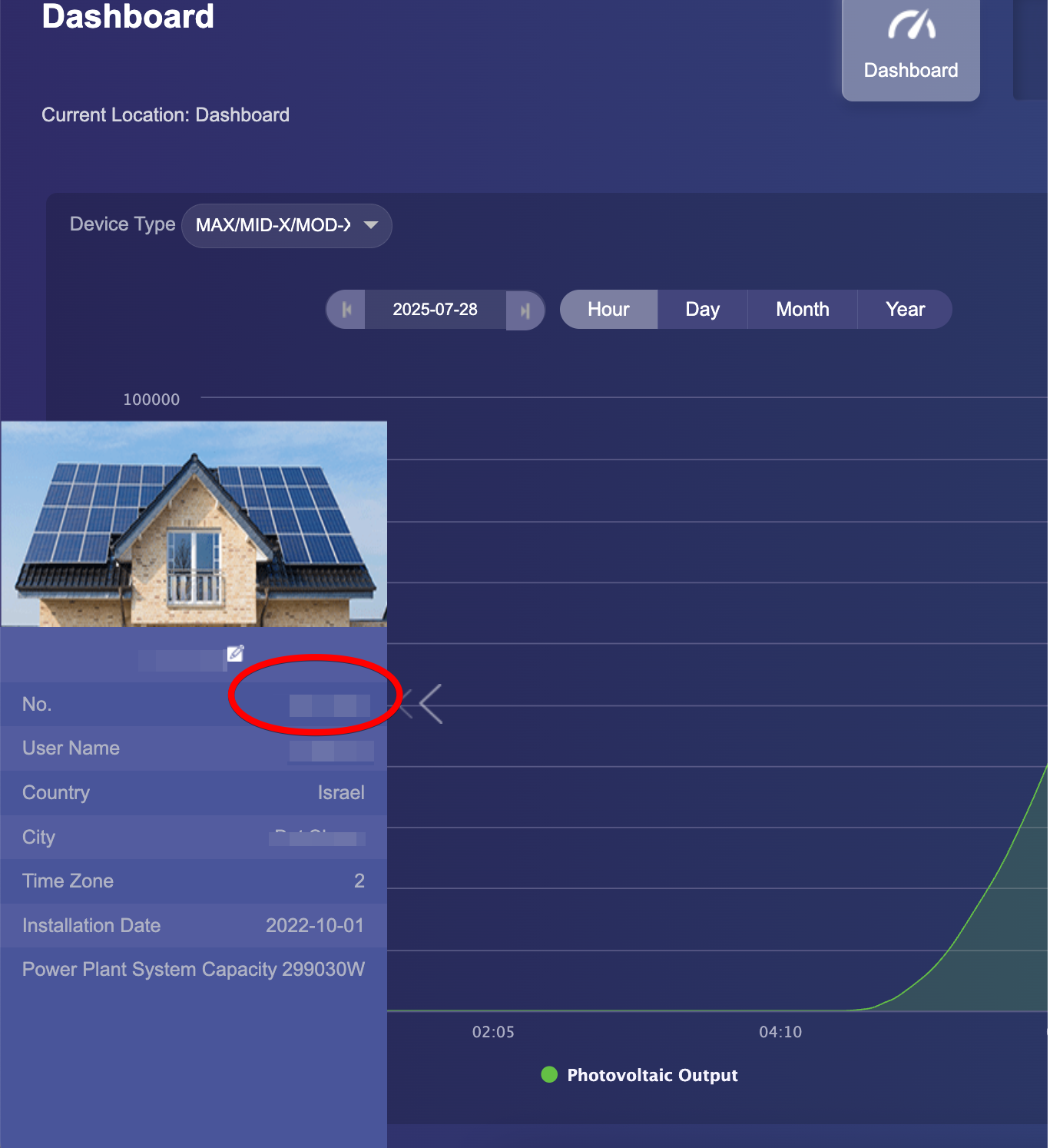
- Send this ID to Ensights