
Inventory
Operations → Inventory
What this page is for
Inventory is the stock of parts you keep for maintenance — inverters, optimisers, meters, connectors, cleaning consumables. It exists so that a service call can commit the parts it needs, and so that "we didn't have one" stops being a surprise.
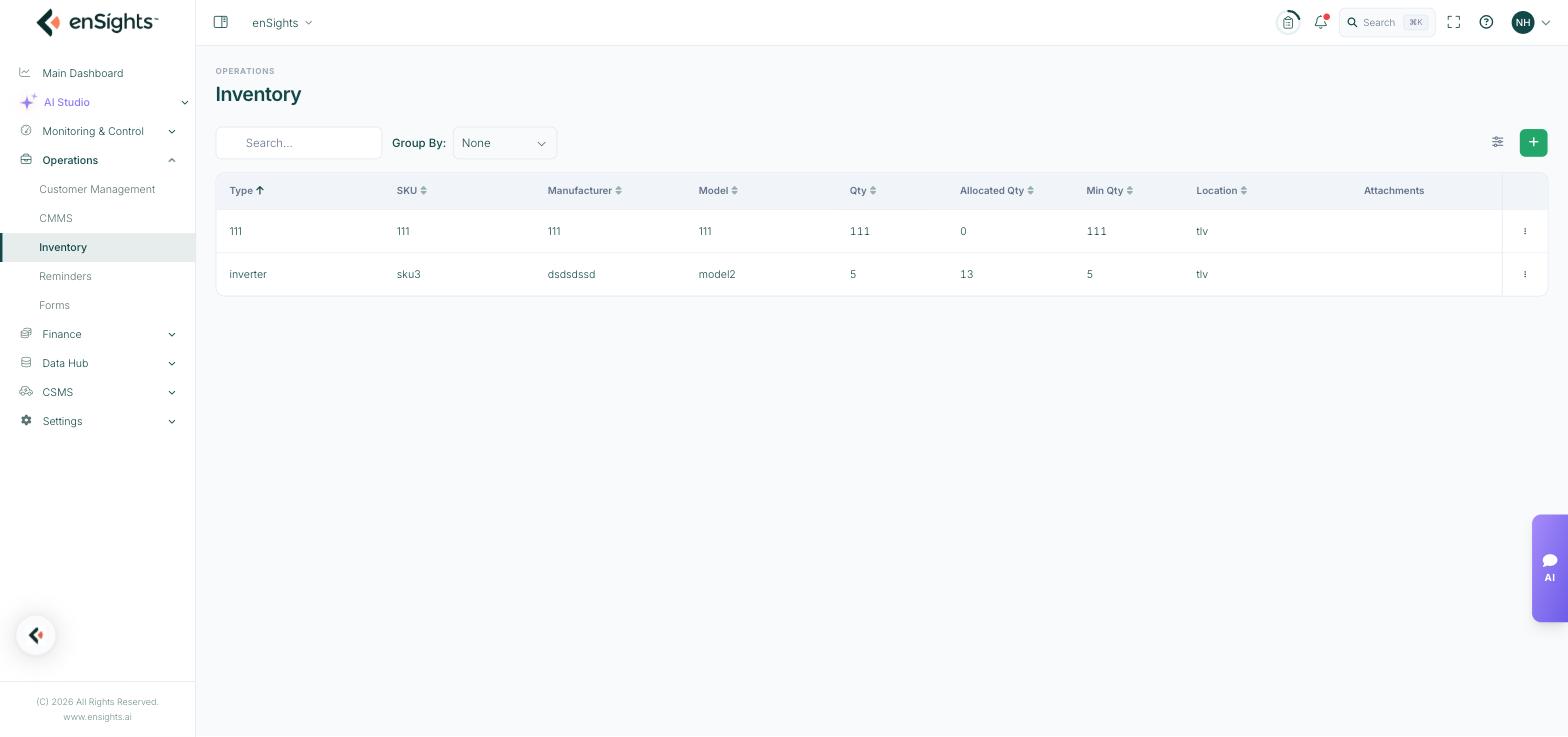
The inventory list.
The list
- Type — the part category, and the field the list groups by.
- SKU, Manufacturer, Model — the identity of the part.
- Qty — how many you hold.
- Allocated Qty — how many are already committed to open service calls. The number that matters: stock minus allocation is what you can actually promise.
- Min Qty — the reorder threshold you set for this part.
- Location — where it is kept.
- Attachments — warranty deeds and datasheets attached to the product.
Group By collapses the list by type or location, which is how a multi-warehouse operation reads it. Search and the column picker work as elsewhere.
Adding a product
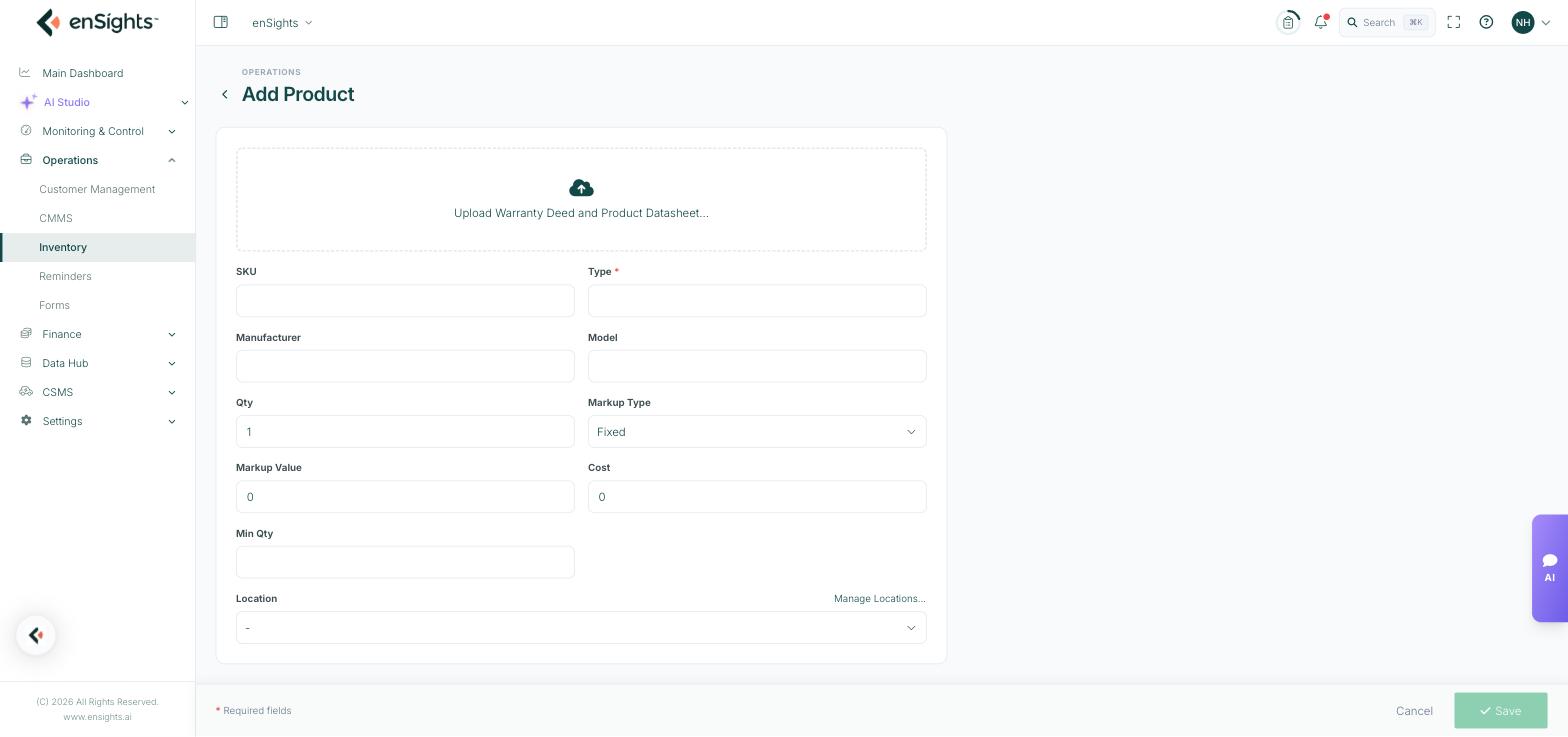
The Add Product form.
- Upload Warranty Deed and Product Datasheet — keep the paperwork with the part.
- SKU, Type (required), Manufacturer, Model.
- Qty — opening stock.
- Markup Type (Fixed or percentage) and Markup Value, with Cost — this is what lets a part consumed on a service call be priced automatically into the job's cost.
- Min Qty — the level at which you want to reorder.
- Location, with Manage Locations… to maintain the list of warehouses and vans.
How inventory reaches a job
On a service call, the Inventory section searches this catalogue and attaches parts to the job. Those parts show up in Allocated Qty here, and their cost flows into the service call's costs. Recording consumption this way — rather than adjusting quantities by hand afterwards — is what keeps the two in step.
Common tasks
See what needs reordering. Compare Qty against Min Qty; anything at or below the threshold is due.
Check real availability. Read Qty minus Allocated Qty before promising a part to a customer.
Set up a new warehouse or van. Add Product → Location → Manage Locations….
Keep warranties findable. Attach the deed to the product record instead of a shared drive.
Common questions
Allocated Qty is higher than Qty.
More parts are committed to open jobs than you hold. Either stock is behind or old service calls are still open with parts attached.
Does the quantity go down automatically?
Parts are committed when attached to a service call; treat closing the job as the point where the stock figure should reflect reality, and adjust the record if it does not.
What is markup for?
It turns cost into the price charged on a job, so service call costs can be produced without a separate price list.