Sungrow
What needs to be shared with Ensights in order to connect Solis systems:
- Username
- Password
- App key
- Secret Ket
If you don't have an API application yet:
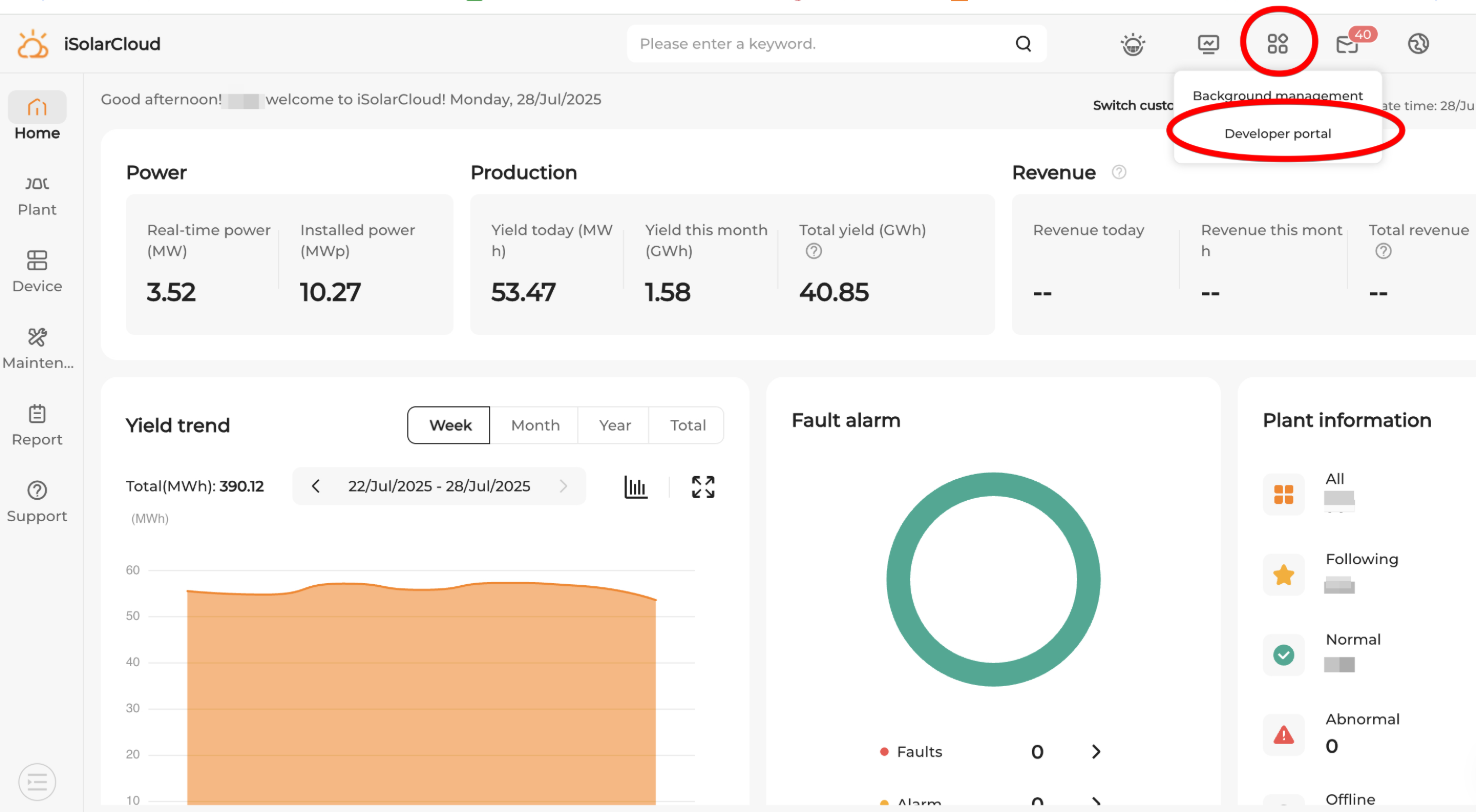
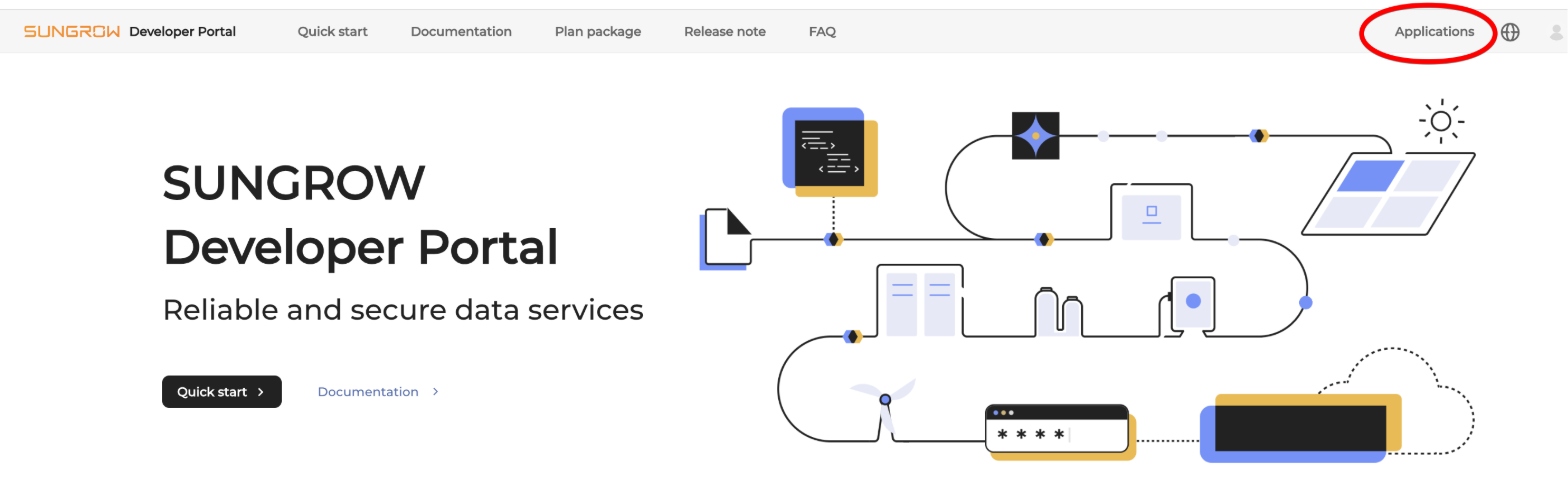
- Log into your iSolarCloud user and navigate to the developer portal:
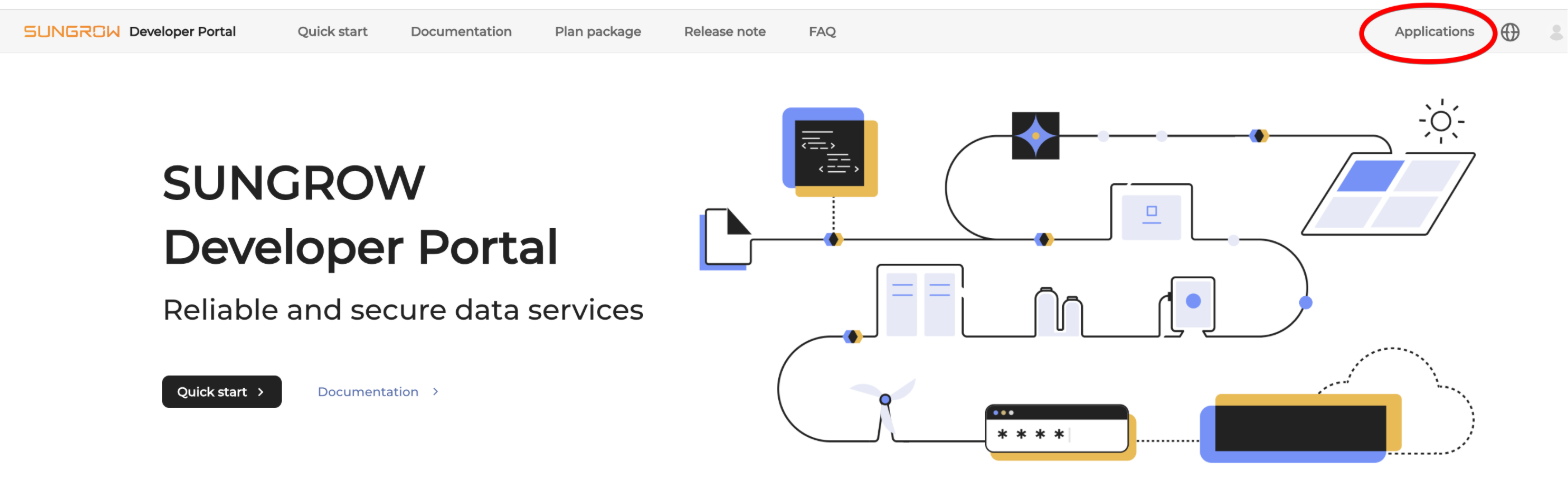
- Click on "Applications"
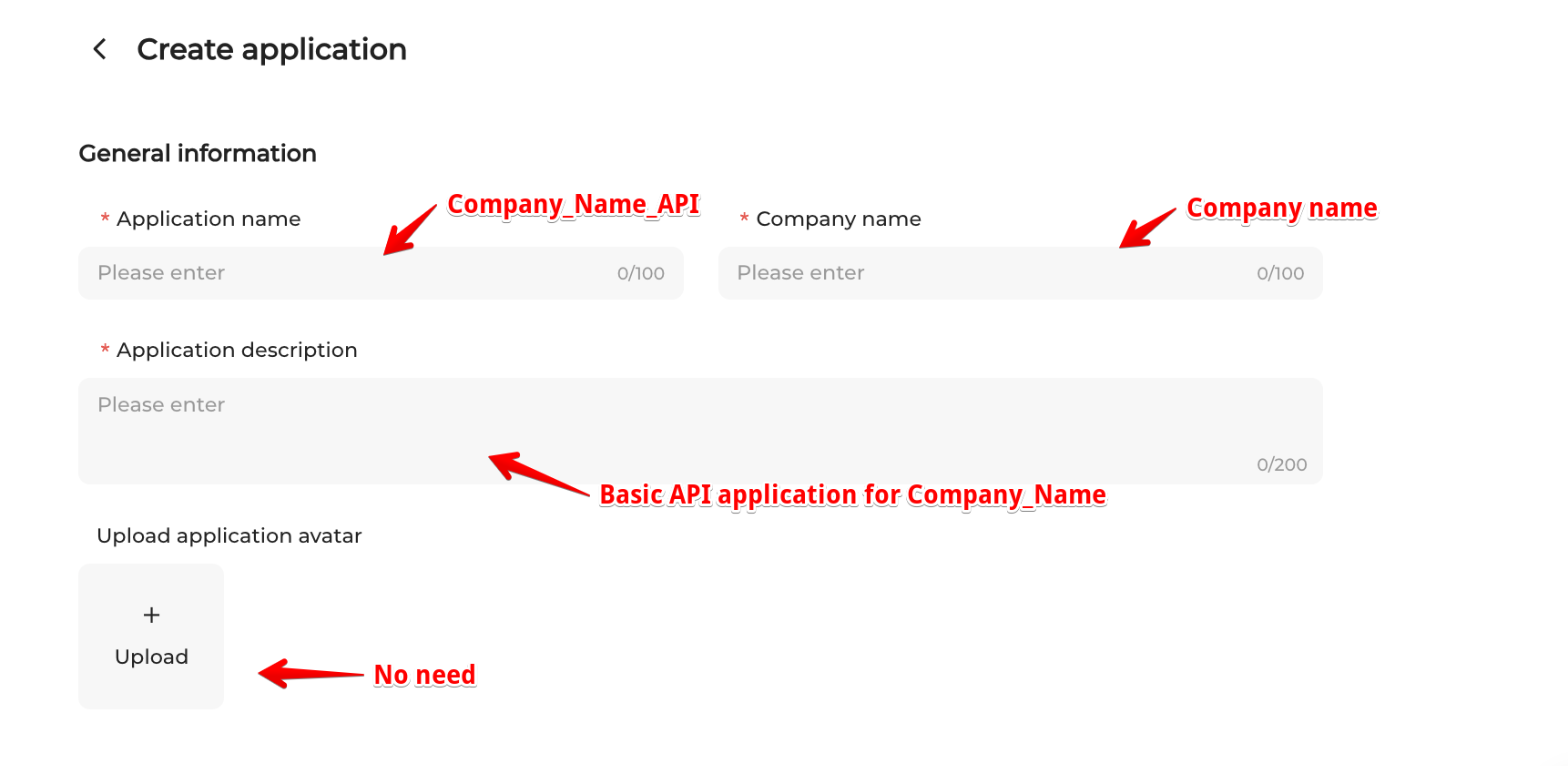
- Click "Create Application":
- Fill in the fields as follows:
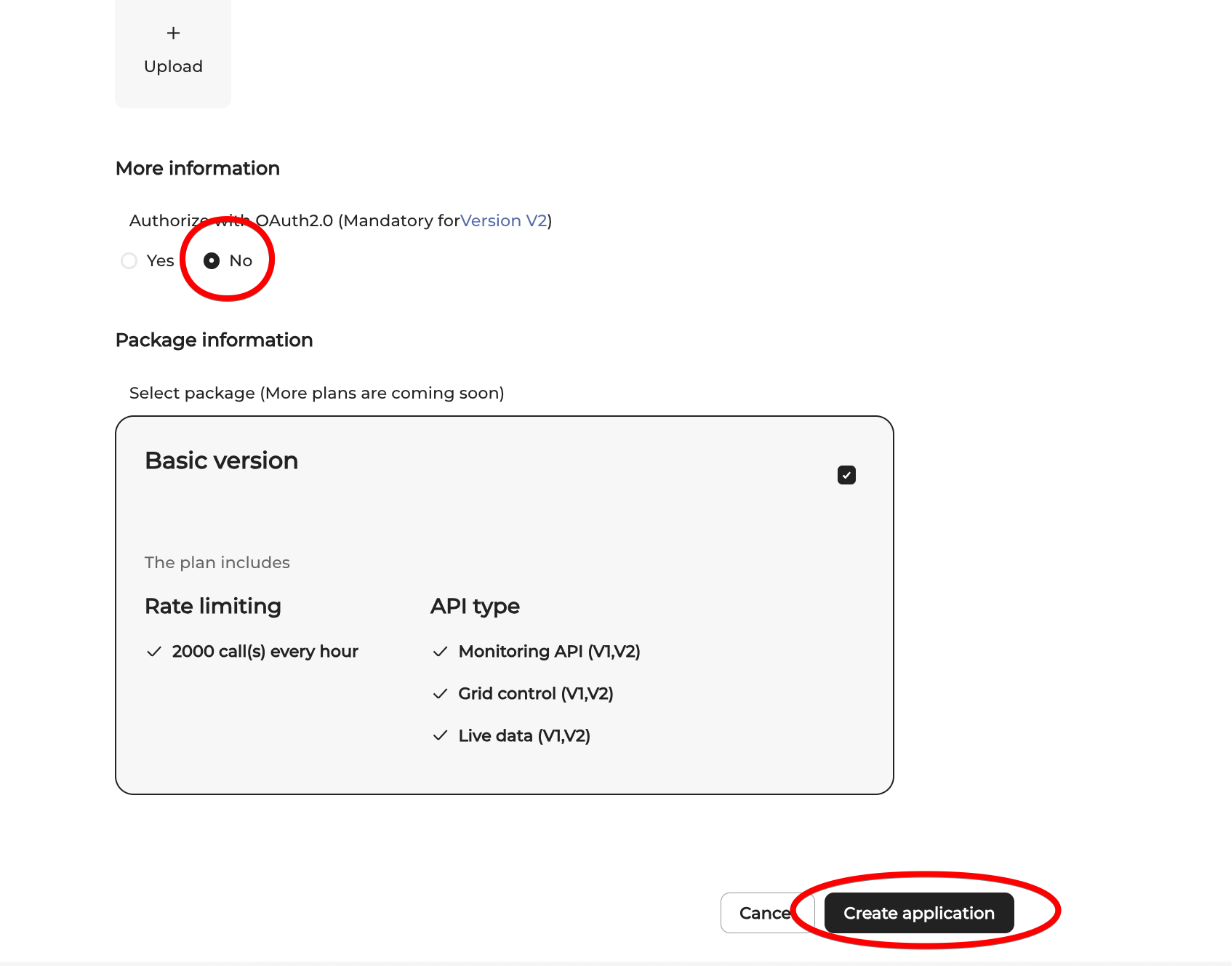
- Click "No" and then "Create Application"
- Move over to the next part of the doc "If you already have an API key" here below.

If you already have an API application:
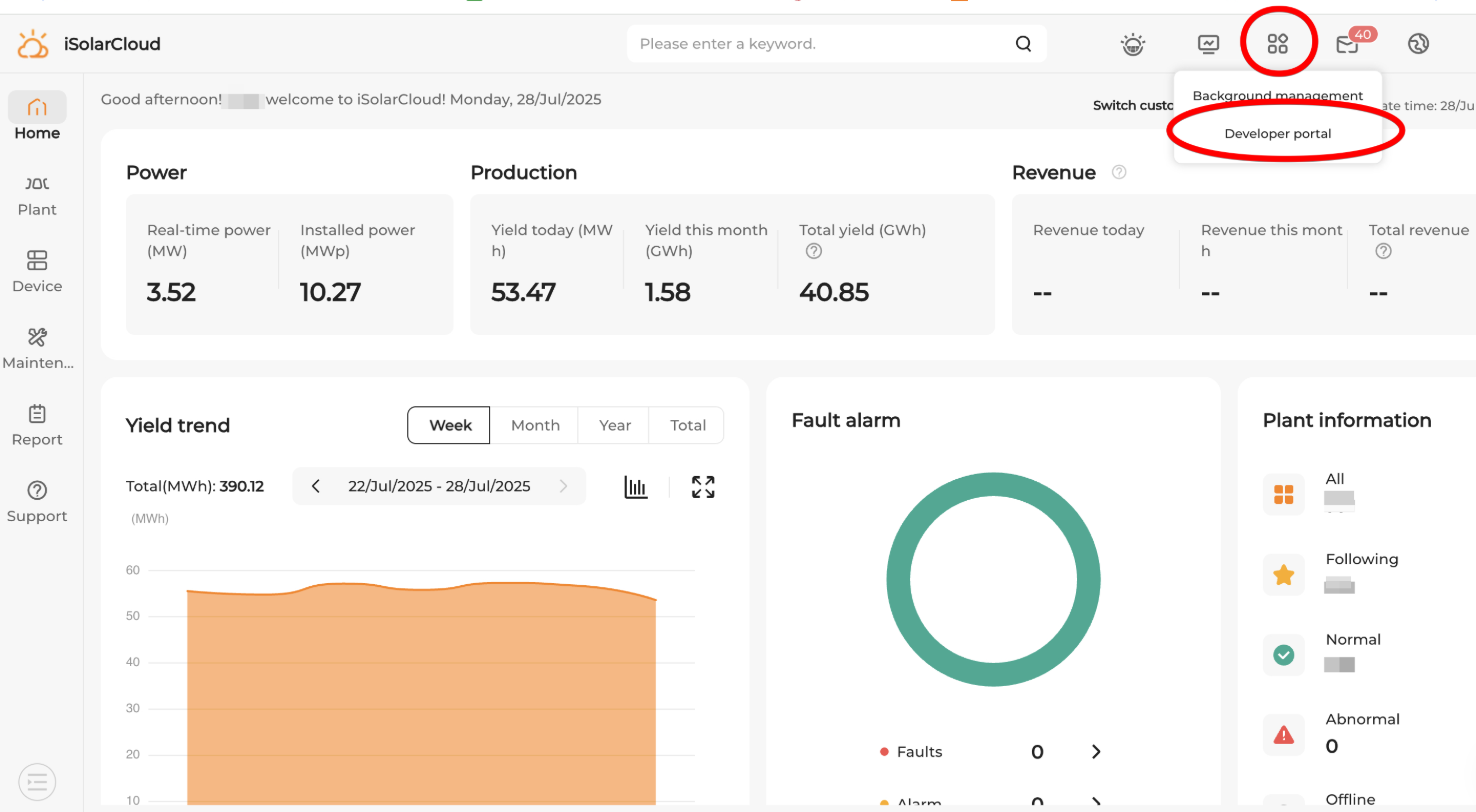
- Log into your iSolarCloud user and navigate to the developer portal:
- Click on "Applications"
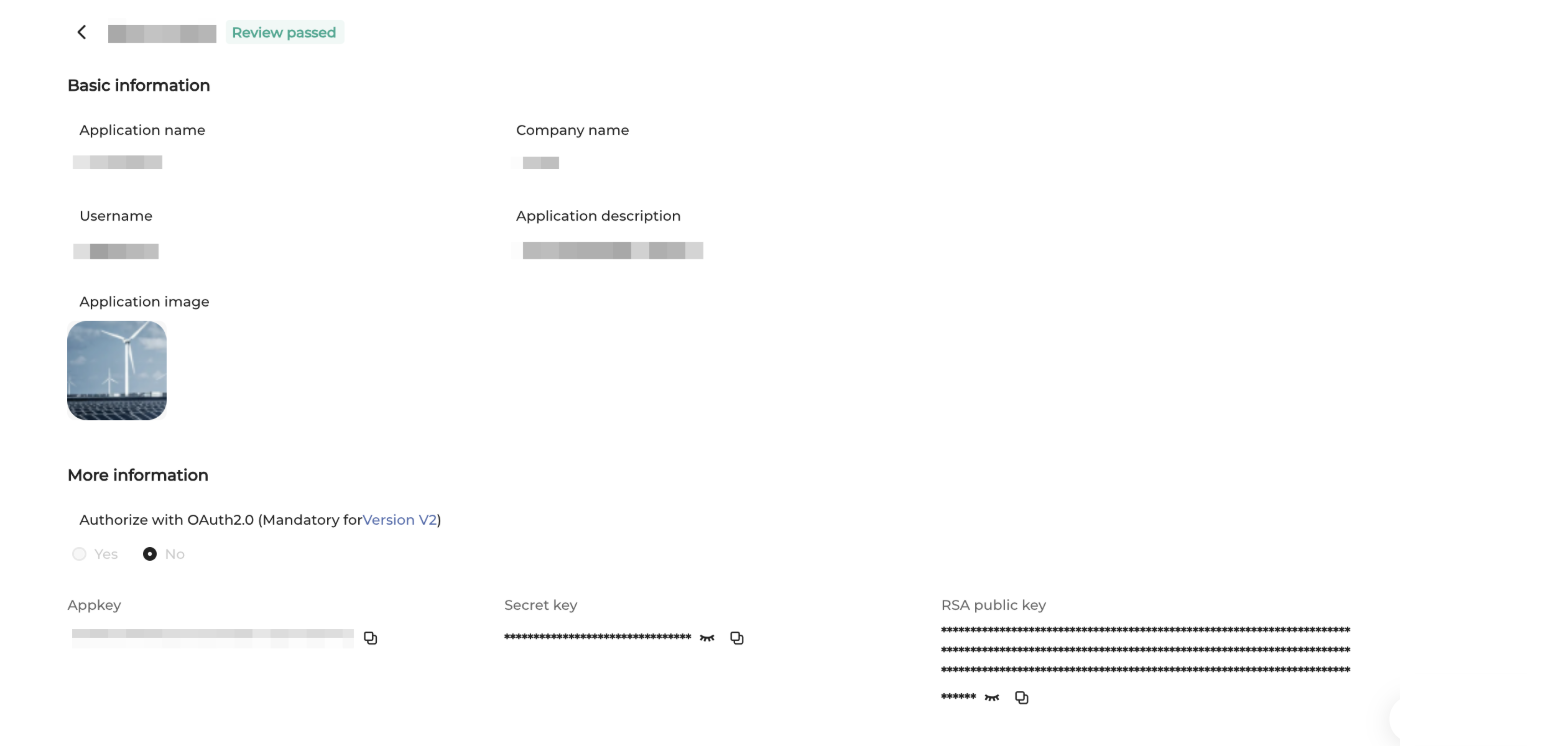
- Click on the "view" icon for your application:
- Copy the AppKey and Secret key: