Enphase
To Connect Enphase systems to enSights, follow the next steps:
If you already have an API application set-up:
In this case, enter your application on the developer portal:
https://developer-v4.enphase.com/admin/applications/
Click on your application, and send Ensights support the following information:
- API key
- Client ID
- Client Secret
- Username and password to the developer platform
- Username and password to the "Enlighten" platform (Enphase monitoring platform: https://enlighten.enphaseenergy.com/dashboard
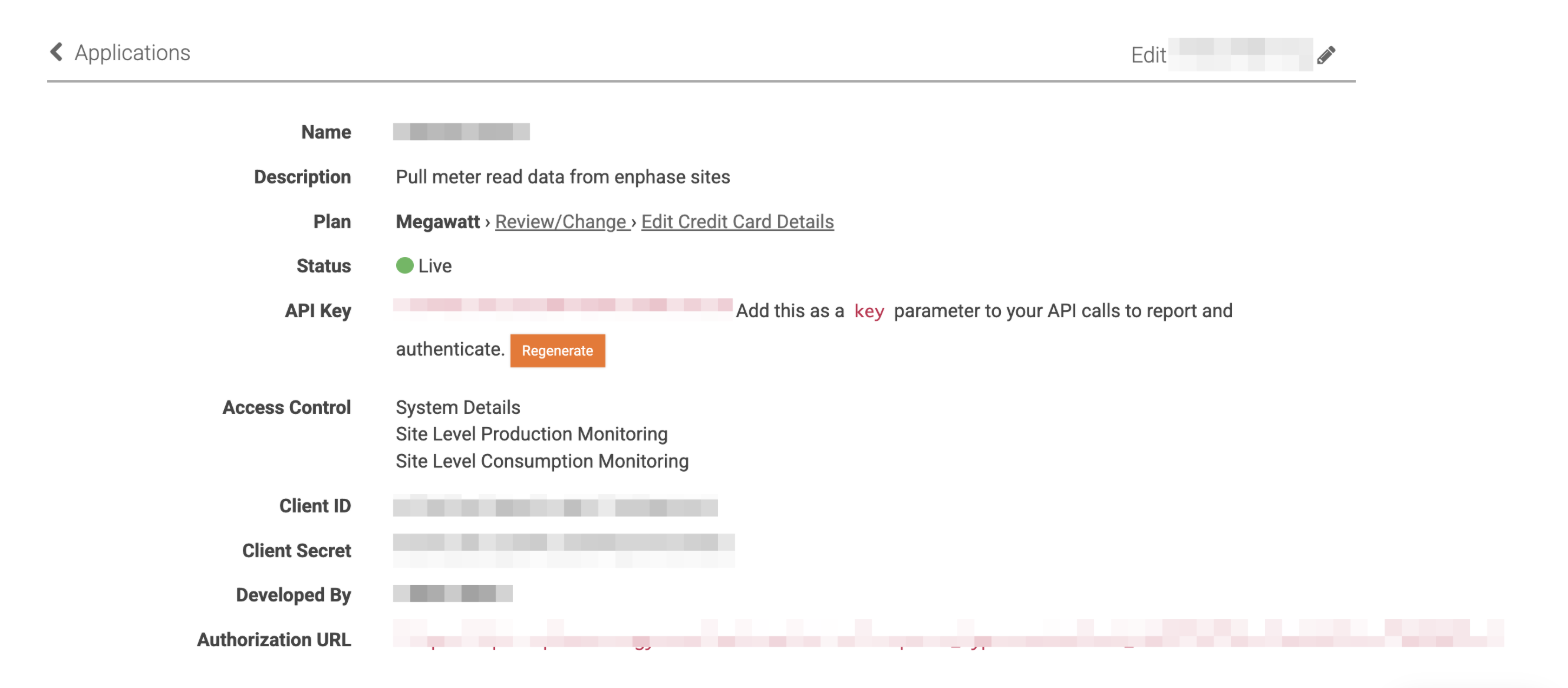
Notice: Only systems where the "Enphase Enlighten" user is an "owner" can be shared via API.
To check for system owner, enter the Enlighten portal, select a system, go to the Settings (gear) tab furthest on the right and check for system owner:
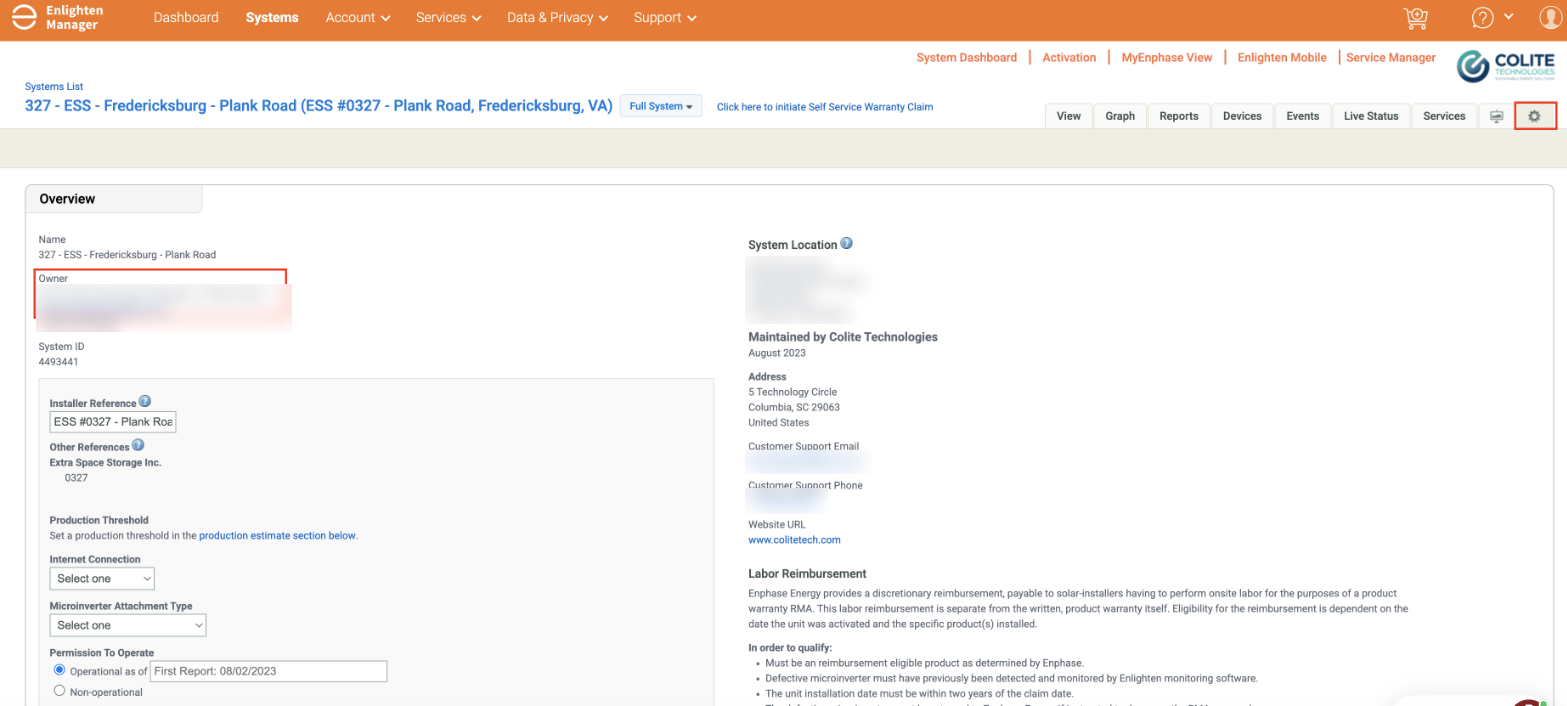
Note: if you don't see 'Owner' information shown in this tab, the user you're logged in as is the owner.
If you don't have an API application set-up yet:
- Sign up for a free developer account.
Visit the sign up link, provide the details required on the page and proceed to sign up. You will receive an email with instructions for activating your account. Follow the instructions provided in the email to activate the account.
Note: By using the API, you agree to the Enphase Energy API License Agreement.
- Enter Application details
After the account is activated, log in to the portal and proceed to the Applications page.
Fill the following fields to create a new application:
• Plan – Indicates the plan chosen. By default, it will be Watt and can be changed to kilowatt or megawatt or partner
• Name – Name of the application. The same name will be presented to the system owners when you request access to their system data. If access is authorized, the name of the application is also shown in Enlighten HO App
• Description – A description of what your application does
• Developed By – Indicates the developer of the app. The same name will be shown in Enlighten HO App
• Access Control – Populated based on the selected plan. By default, everything is unchecked and the selected access controls will be the scope of the application
What type of plan would I need?
The answer to which plan is needed, depends on your specific use case.
There are a few aspects to look at:
- Are you interested in live-monitoring?
- Are you interested in RGM production and consumption data?
- Are you interested in device-level data (inverters)?
- How many systems would you like to connect to this application?
For example a user with:
- 50 systems
- Interested in live-monitoring (60 min intervals)
- Interested in RGM data
- No need for device level data.
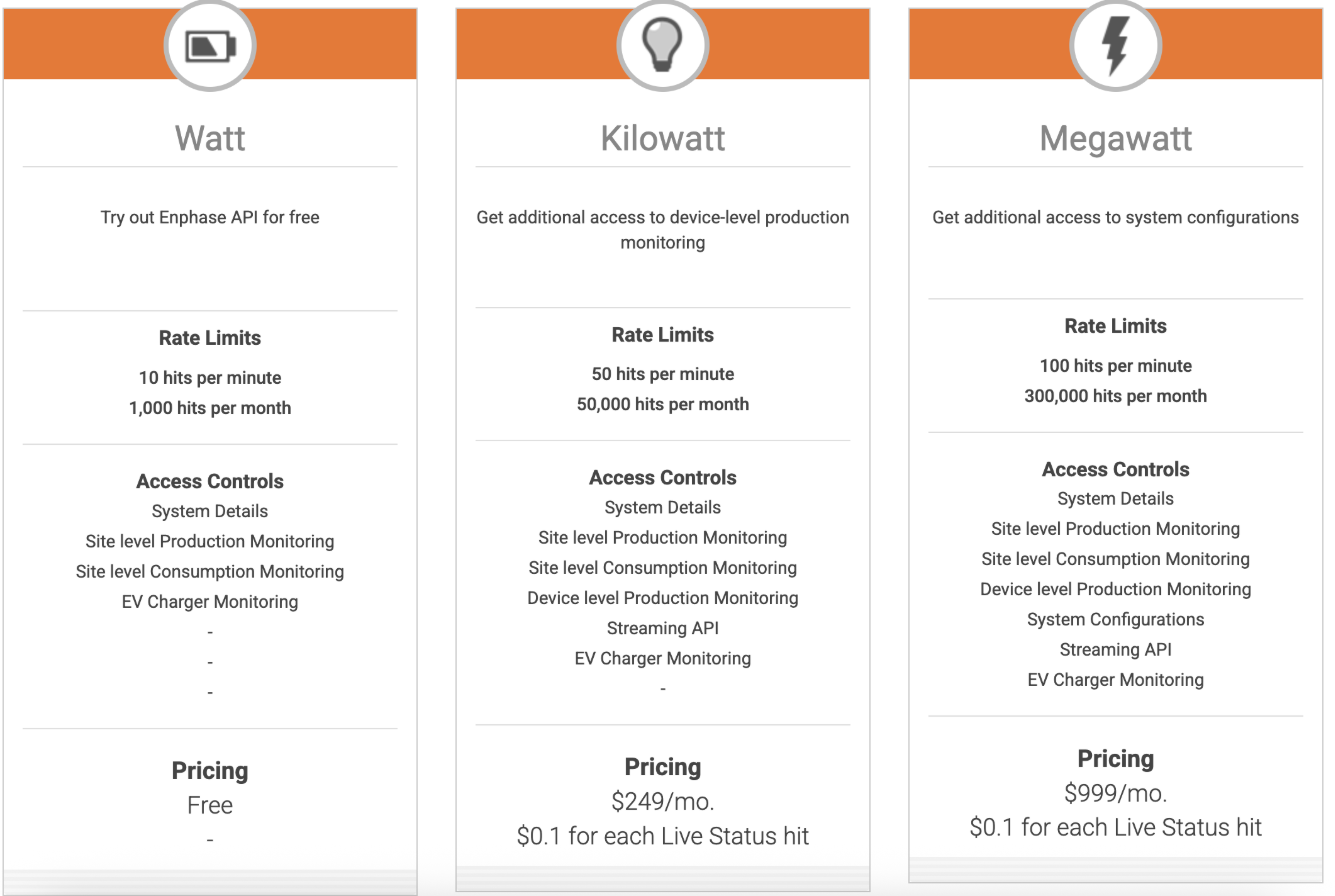
You will need ~ 50,000 API calls per month. The Kilowatt plan would do or the Installer plan.
These are the available plans or developers:
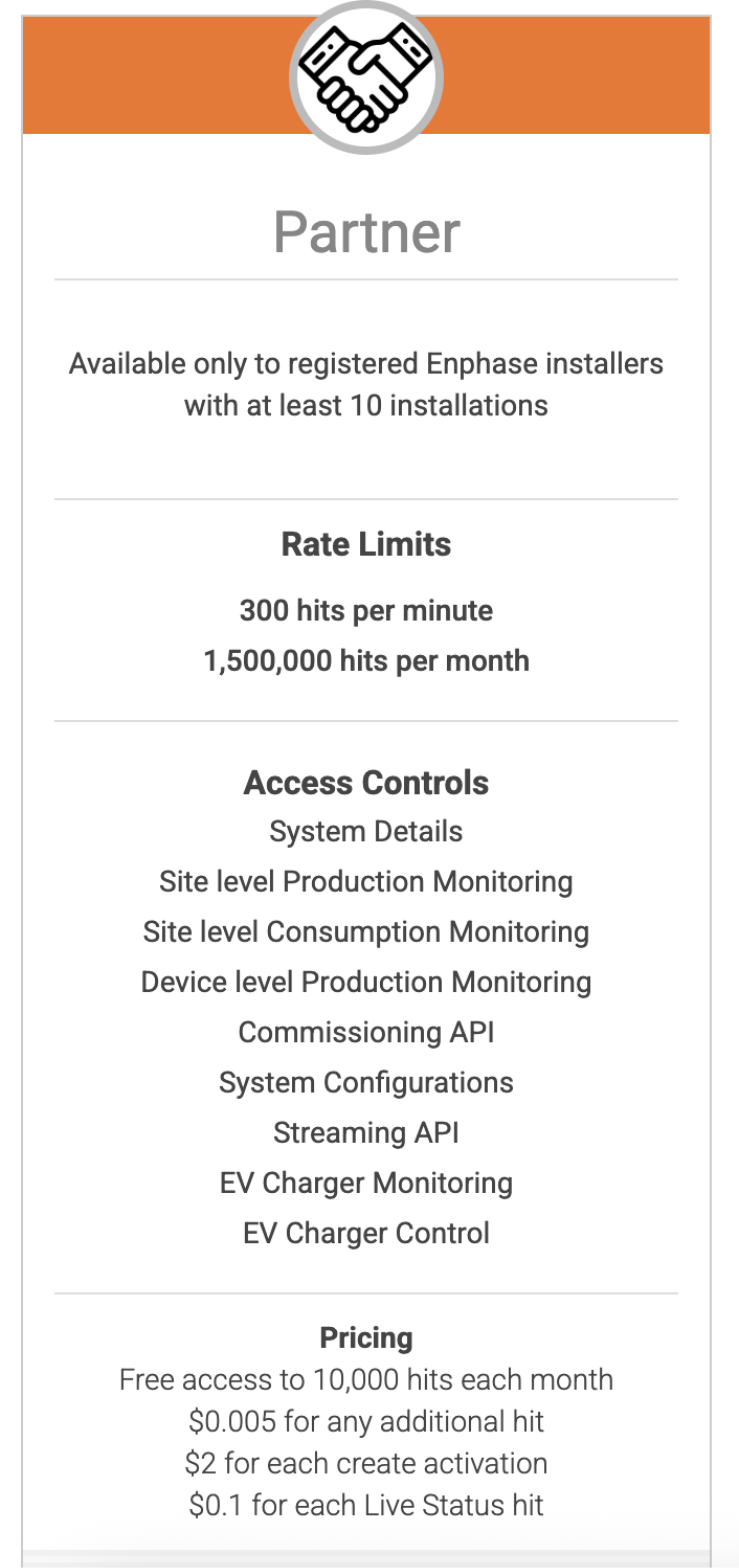
This is the Partner plan: