
Global Settings: Tags
What this page is for
Tags let you attach your own information to assets — anything the platform does not model natively. A tag is a key (the field name) plus a value. Keys are defined here, once, and are then available across every system in the account; the value can be overridden per asset.
Typical uses: the installer or O&M provider, the country or region, the installation date, an internal project or asset number, the site's local name, a contracted revenue figure.
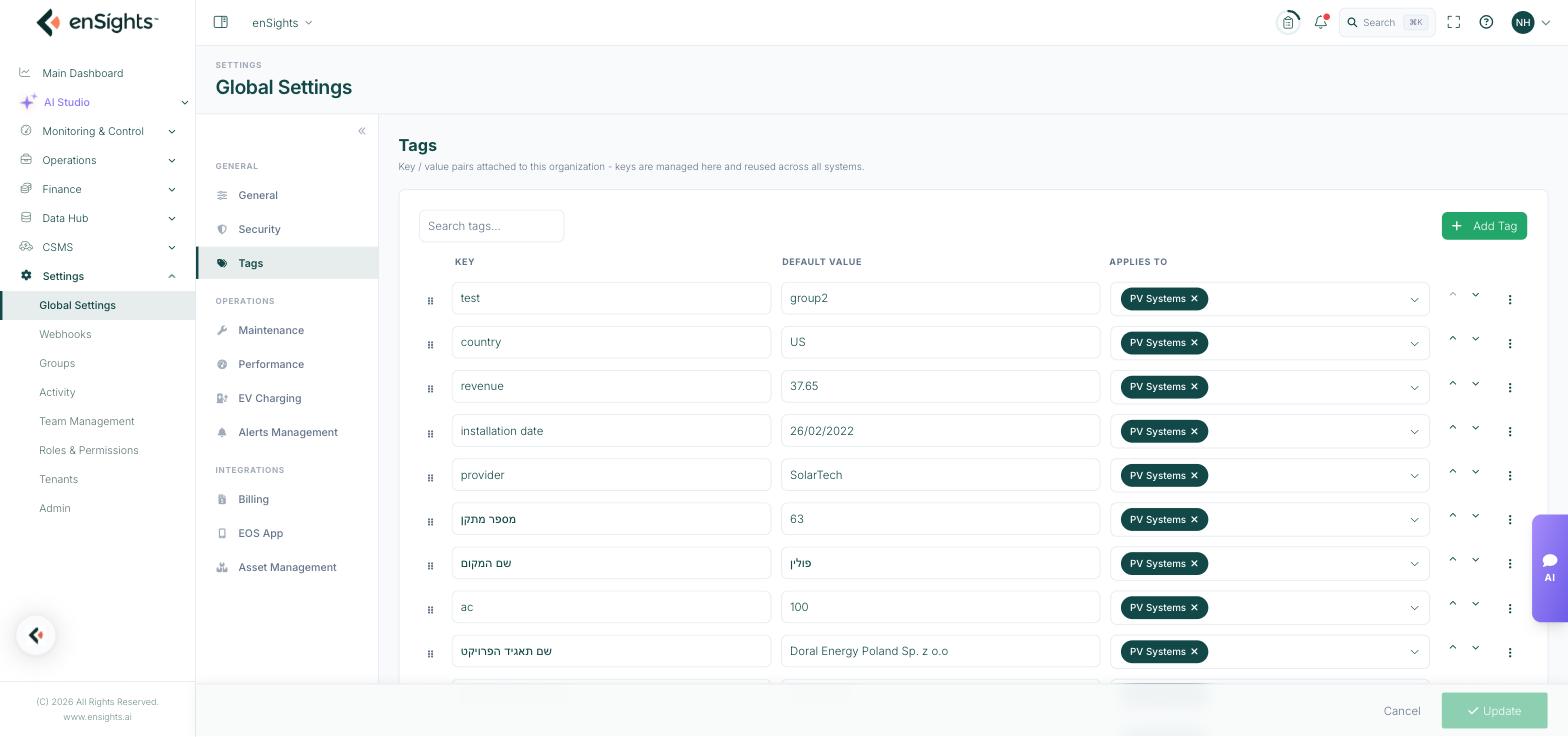
The table
Column | What it does |
|---|---|
Key | The field name, as it will appear wherever tags are shown. Free text, and any language. |
Default Value | The value applied to assets that have not been given their own. Leave blank if there is no sensible default. |
Applies To | Which asset types the key is offered on: All, PV Systems, BESS or Sites. A key can apply to more than one. |
Each row also has up and down arrows, which set the order tags appear in elsewhere in the platform, and a three-dot menu whose single action is Delete.
How to add a tag key
- Go to Settings → Global Settings → Tags.
- Press Add Tag. A new empty row appears.
- Type the Key. Use the wording your team already uses — this name shows up in filters and exports.
- Optionally set a Default Value.
- Open Applies To and tick the asset types it belongs on.
- Press Update at the bottom of the page.
How to find a key in a long list
Use the Search tags… box above the table. Accounts commonly accumulate dozens of keys, so search before adding — duplicate keys with slightly different spellings are the usual way a tag scheme goes wrong.
How to reorder or remove a key
- Reorder: use the up and down arrows on the row, then press Update.
- Delete: open the three-dot menu on the row and choose Delete, then press Update.
Notes
- Deleting a key is account-wide. It removes that field, and the values every asset holds against it. There is no per-asset delete here.
- Renaming a key changes it everywhere at once, including in saved filters and views that referenced the old name.
- Default Value is a fallback, not a bulk edit. Setting it does not overwrite values already entered on individual assets.
- Keys are shared; values are per asset. Set the value on the asset itself, not here.
- Nothing is saved until you press Update — including rows you added or deleted.