
Global Settings: Asset Management
What this page is for
Asset Management holds two things: the connection to your accounting system, and the depreciation schedules the platform uses when it writes down the book value of assets over their life.
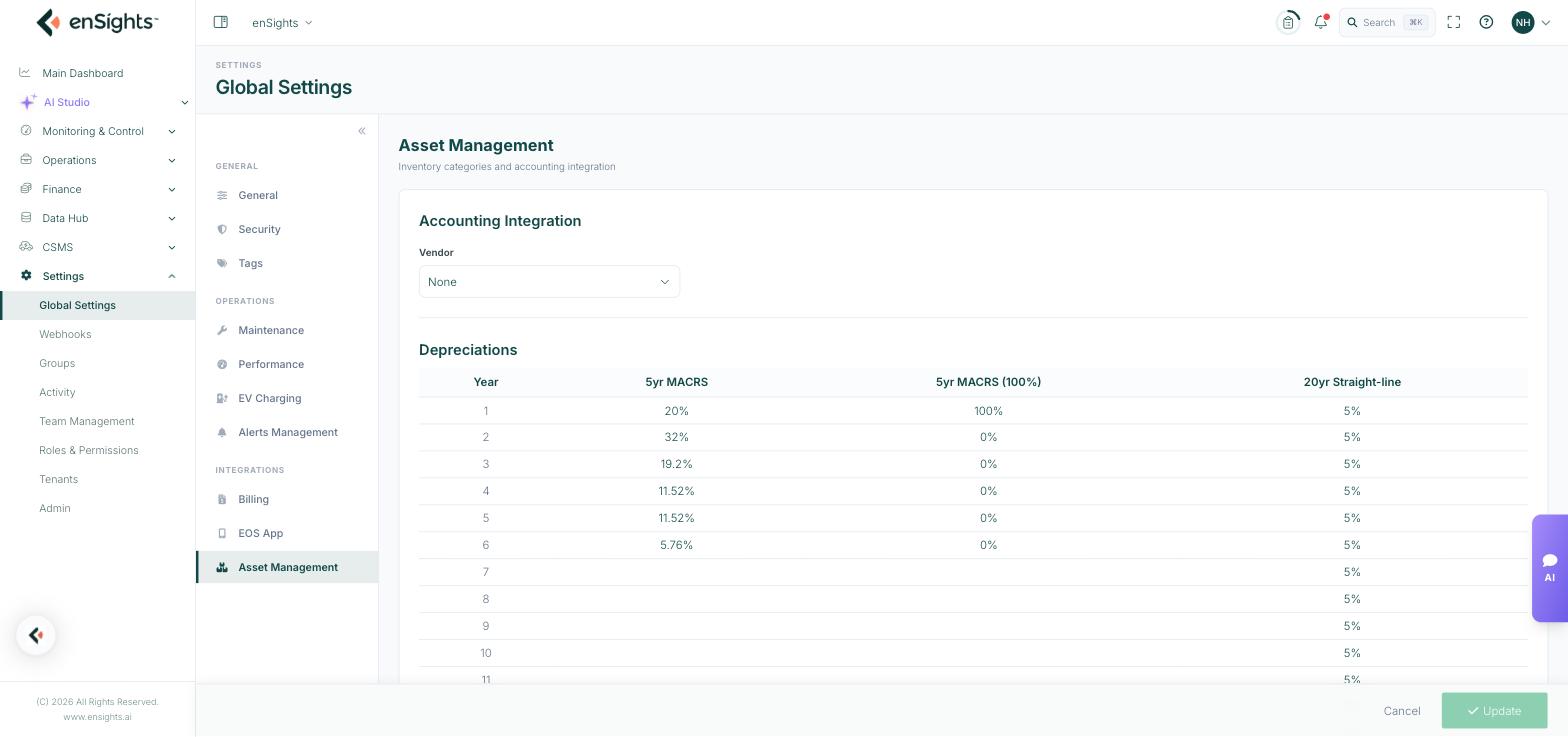
Accounting Integration
A single Vendor selector. With None chosen, asset and depreciation figures stay inside enSights. Choosing a vendor connects the platform to that accounting system so the figures flow into your books, and reveals the credential fields that vendor requires.
Depreciations
A table of depreciation schedules over twenty years. Each column is a method, and each row is a year with the percentage of the asset's value written off in that year.
Schedule | Shape | Typical use |
|---|---|---|
5yr MACRS | 20%, 32%, 19.2%, 11.52%, 11.52%, 5.76% over six years | The accelerated US schedule for solar property. Front-loads the deduction. |
5yr MACRS (100%) | 100% in year one | Full bonus depreciation, where the entire basis is taken immediately. |
20yr Straight-line | 5% a year for twenty years | Even write-down across an assumed twenty-year life. |
The MACRS percentages are the statutory figures, and the six-year span on a "five-year" schedule is the half-year convention at work — the asset is treated as placed in service mid-year, so the deduction spills into a seventh tax year. They are not arbitrary numbers to be tuned.
Which schedule applies
The schedule is chosen per asset or contract, not here. This page defines the schedules that are available for selection; picking one for a given asset happens in the Finance and Asset Management screens.
How to change a schedule
- Go to Settings → Global Settings → Asset Management.
- Edit the year percentages in the relevant column.
- Press Update at the bottom of the page.
Notes
- Depreciation feeds financial reporting. Changing a schedule changes reported figures for every asset using it — agree the change with whoever signs off your accounts first.
- Percentages in a column should total 100% across the years. A column that does not sum to 100 either over-depreciates or leaves residual value behind.
- Depreciation rules are jurisdiction-specific. The shipped schedules reflect US practice; check what applies where your assets are held.
- This is book depreciation for reporting, not tax advice. Confirm treatment with your accountant.