
Battery (BESS) site detail
Fleet Management → BESS Sites → click a battery name
The battery's own workspace has six tabs: Info, Analysis, Activity Logs, Insights, Documents and Maintenance.
Analysis
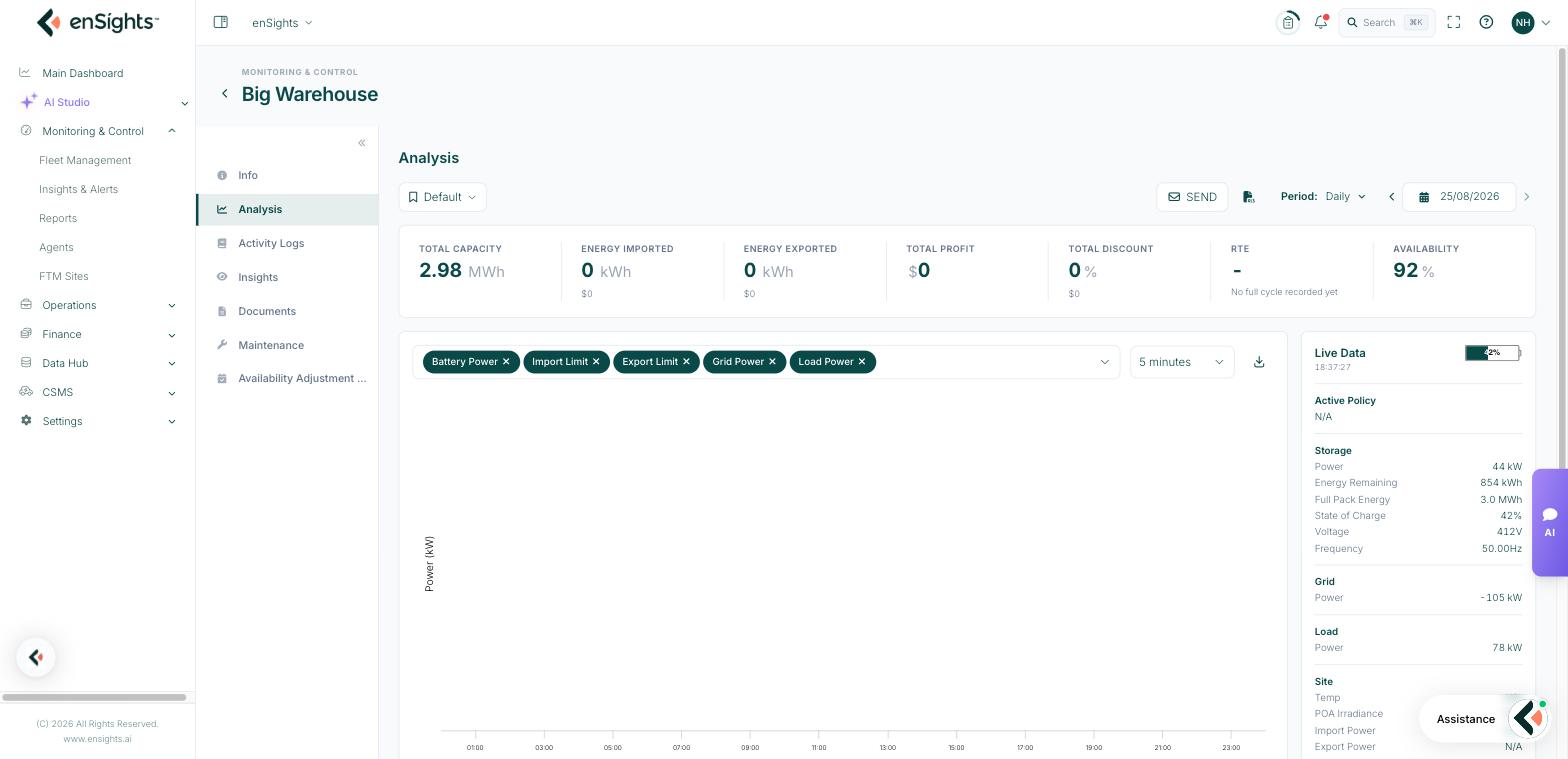
The tab you will spend most time on. Six KPI tiles across the top, all following the period control:
- Total Capacity — installed energy capacity.
- Energy Imported — energy charged in, with its cost.
- Energy Exported — energy discharged, with the revenue earned.
- Total Profit — the net result for the period.
- RTE — round-trip efficiency: energy out divided by energy in. It needs at least one complete charge/discharge cycle and reads No full cycle recorded yet until then, which is normal for a battery that has been idle.
- Availability — the share of the period the battery was able to respond.
The chart
Metric chips build the plot — Battery Power, Import Limit, Export Limit, Grid Power and Load Power — at a granularity you choose (5 minutes by default), with a CSV download.
Plotting battery power against the import and export limits is the quickest way to see whether the battery is being held back by a site constraint rather than by its own state: a curve that flattens exactly on a limit line is a constrained battery, not a faulty one.
Live Data rail
The right-hand rail is the battery's current state, independent of the period:
- Active Policy — what it is being told to do right now. N/A means nothing is scheduled.
- Storage — Power, Energy Remaining, Full Pack Energy, State of Charge, Voltage, Frequency.
- Grid and Load — power at the connection point and at the load.
- Site — Temp, POA Irradiance, Import Power, Export Power, where the site reports them.
Load Detailed Data below opens a column picker (Select All, Unselect All, Expand All, Collapse All) for the raw channels the battery reports — the level of detail you need for a vendor conversation.
SEND in the header shares the current view by email.
Activity Logs
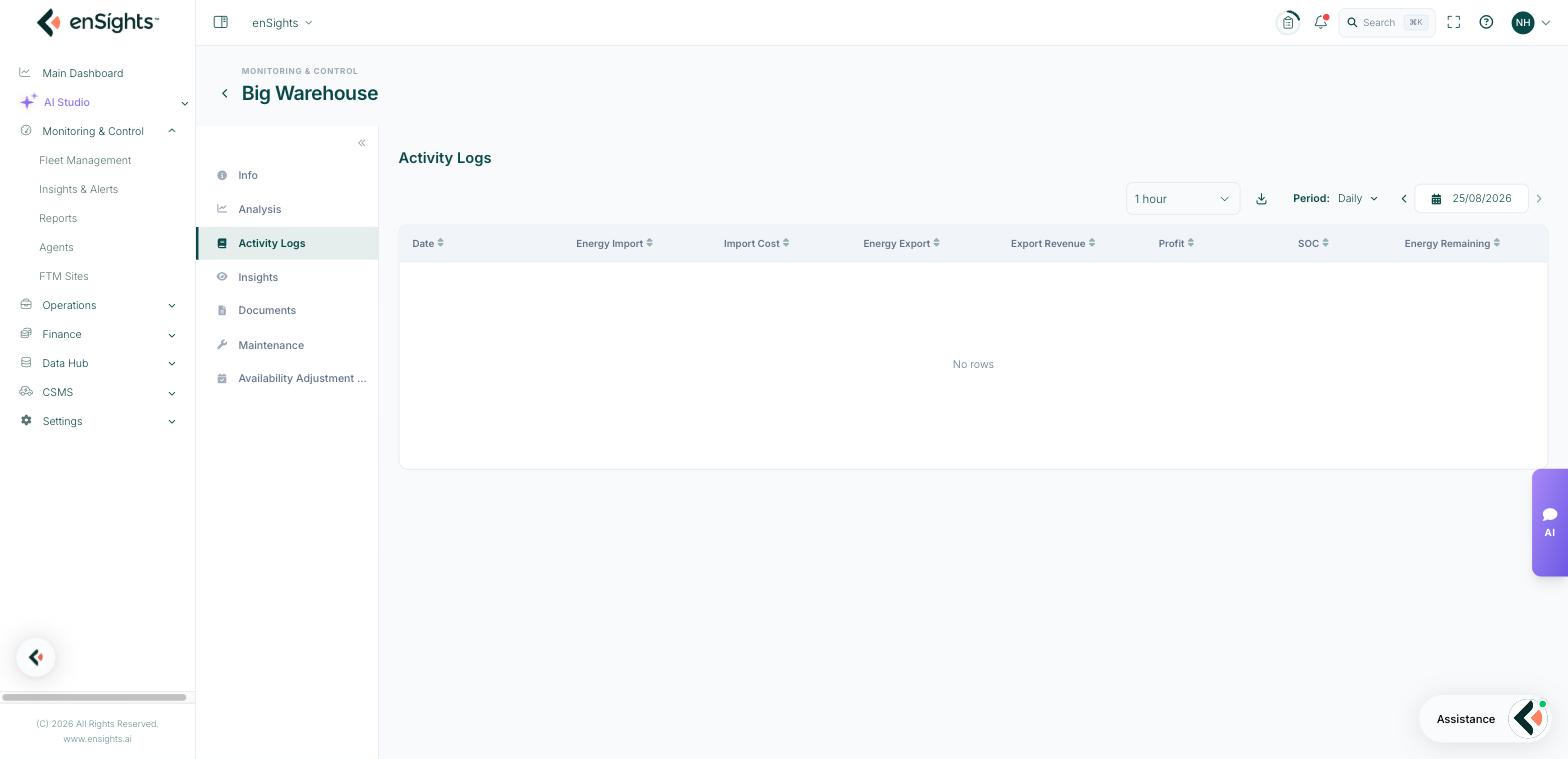
The same period, but interval by interval: Date, Energy Import, Import Cost, Energy Export, Export Revenue, Profit, SOC and Energy Remaining, at a granularity you choose.
This is the evidence table. When a day's profit looks wrong, the log shows which intervals charged at what price and which discharged, so a bad arbitrage decision is distinguishable from a bad price feed.
Info
The battery's record: Name, Capacity (kWh), SN, Battery ID, Battery Reference ID, Comments, Address, Timezone, Vendor, Host and Port.
Host and port are the connection details for the battery's controller — the first thing to check with your integrator when a battery stops reporting.
Insights, Documents and Maintenance
These behave exactly as they do on a PV site: alerts raised against this battery, files attached to it, and the service calls scheduled for it. Battery alert thresholds and recipients are configured from the BESS list's row menu under SLA & Alerts settings….
Common tasks
Explain a day with no activity. Check Active Policy in the Live Data rail, then Activity Logs for the same day. No policy means no dispatch.
Judge whether the battery is healthy. RTE over a month of real cycling, plus SoH on the BESS list, is the honest pair. A single day's RTE on partial cycles is noisy.
Prove a constraint to the grid operator. Plot Battery Power with Export Limit and download the CSV.
Investigate a stale battery. Info → Host and Port, then the site's agent under Agents.
Common questions
RTE says no full cycle recorded.
The battery has not completed a charge and discharge in the period. Widen the period or wait for a full cycle.
Profit is negative.
Charging cost exceeded discharge revenue in the period — either a price move or a policy charging at the wrong hours. Activity Logs shows which intervals caused it.
State of Charge is 0% but the battery is fine.
Check when the battery last reported (Last Seen on the BESS list). A stale feed reads as an empty battery.