
Global Settings: Billing
What this page is for
Billing connects enSights to the invoicing system you already use, so that invoices produced from platform data land in your accounting stack instead of being retyped. It also controls whether tax invoices are generated automatically.
This page holds the connection. The invoices themselves, the contracts behind them and the money live in the Finance section.
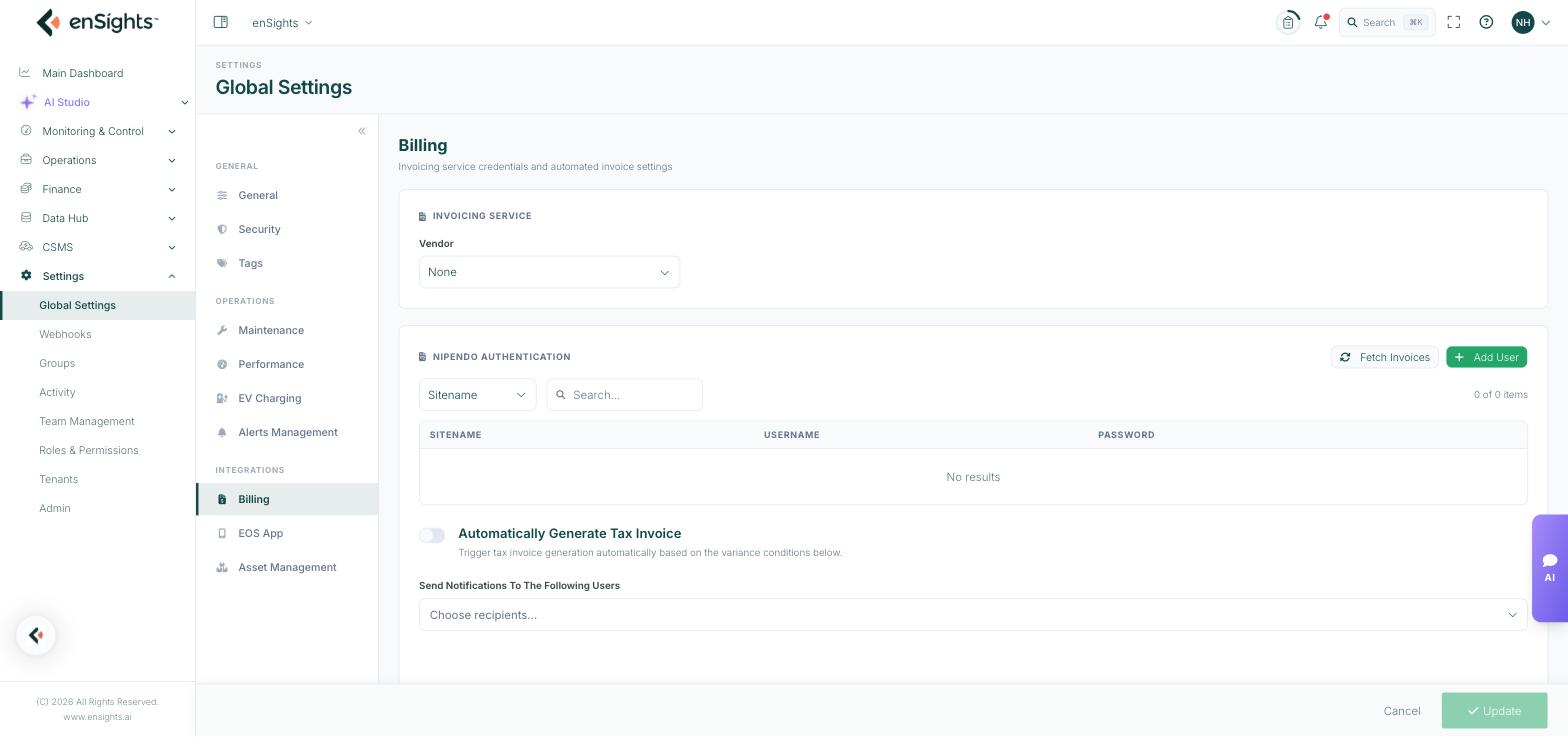
Invoicing Service
A single Vendor choice, which is the invoicing provider enSights will issue documents through. The options are None, ezCount, Cardcom, Invoice4U, Paperless, iCount and Priority.
Choosing a vendor reveals the credential fields that vendor needs. With None selected, invoices stay inside enSights and are not pushed anywhere.
Nipendo Authentication
Nipendo is a supplier-network platform used by some large buyers, which requires a separate login per site rather than one account-wide credential. This panel holds those logins.
Column | Meaning |
|---|---|
Sitename | The site the credential belongs to. |
Username | The Nipendo username for that site. |
Password | The matching password, stored for automated retrieval. |
Above the table: a Sitename filter and a search box for finding a row in a long list, a count of items, an Add User button, and Fetch Invoices.
How to add a Nipendo credential
- Press Add User.
- Choose the site and enter the username and password issued for it.
- Press Update at the bottom of the page.
Fetch Invoices
Pulls invoices from Nipendo on demand, using the stored credentials, rather than waiting for the next scheduled run. Useful when you know a document has been issued and want it now. If it returns nothing, the credentials for that site are the first thing to check.
Automatically Generate Tax Invoice
Off by default. When on, tax invoices are created automatically when the variance conditions configured below are met, rather than someone generating each one by hand.
Beneath it, Send Notifications To The Following Users chooses who is told when an automatic invoice is generated. Name someone — an automated invoice nobody is told about is the kind of thing found weeks later.
Notes
- Credentials on this page are stored so the platform can act on your behalf. Restrict access to this page accordingly — it is gated by the Global Settings permission.
- Test with a single invoice after connecting a vendor. A mis-set credential fails quietly.
- Turning on automatic generation affects documents that carry tax consequences. Agree the variance conditions with whoever owns your accounting before enabling it.
- Nothing saves until you press Update.