What needs to be shared with enSights in order to connect Solectria systems:
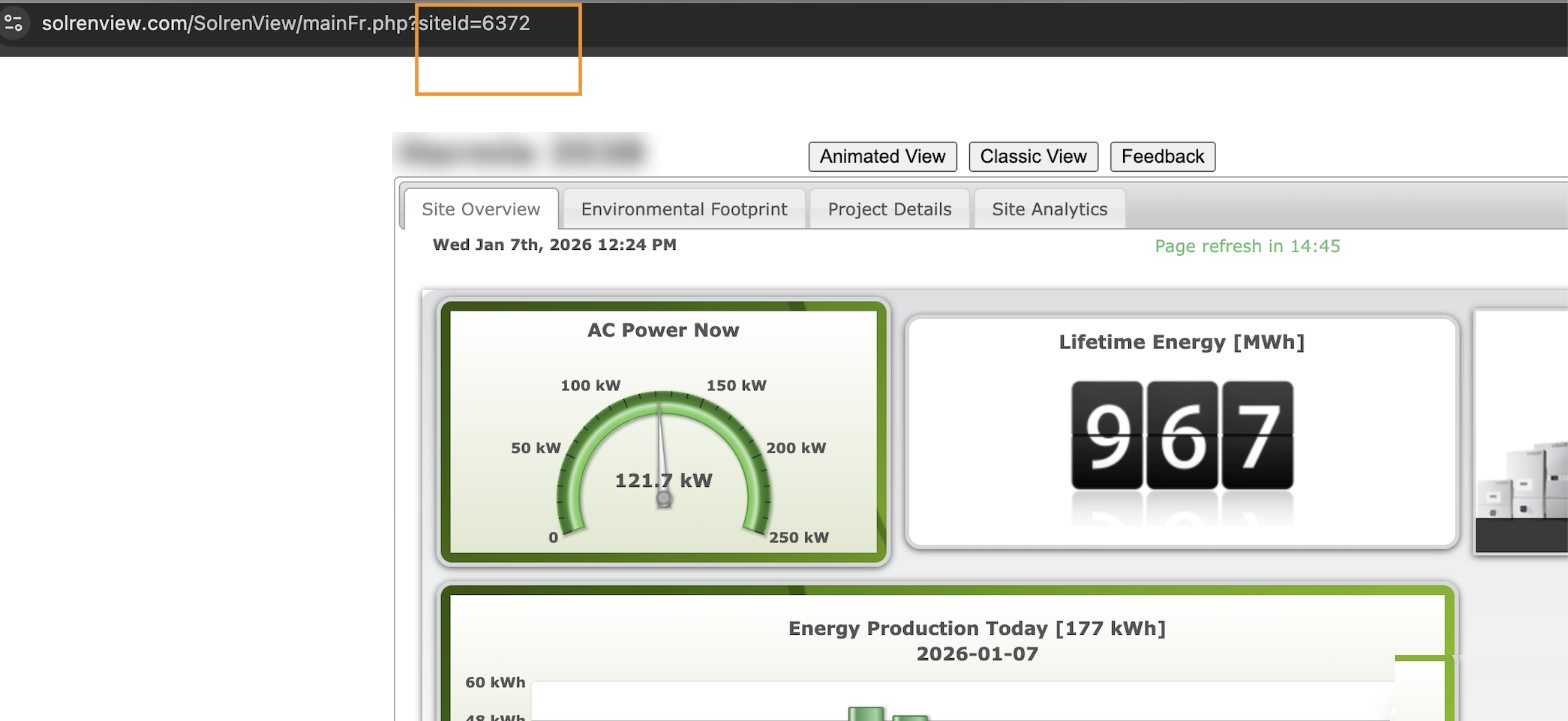
SiteId
Make sure the XML API is enabled by navigating to http://solrenview.com/xmlfeed/ss-xmlN.php?site_id=<the Site Id> if you get such message: Invalid XMLfeed request. Site may not have XMLfeed enabled. Please enable XMLfeed and try again Then you need to email Solectria support to enable the API
Where do I find this information?
Once you are logged in to Solectria portal, you can find the SiteId on the browser address bar
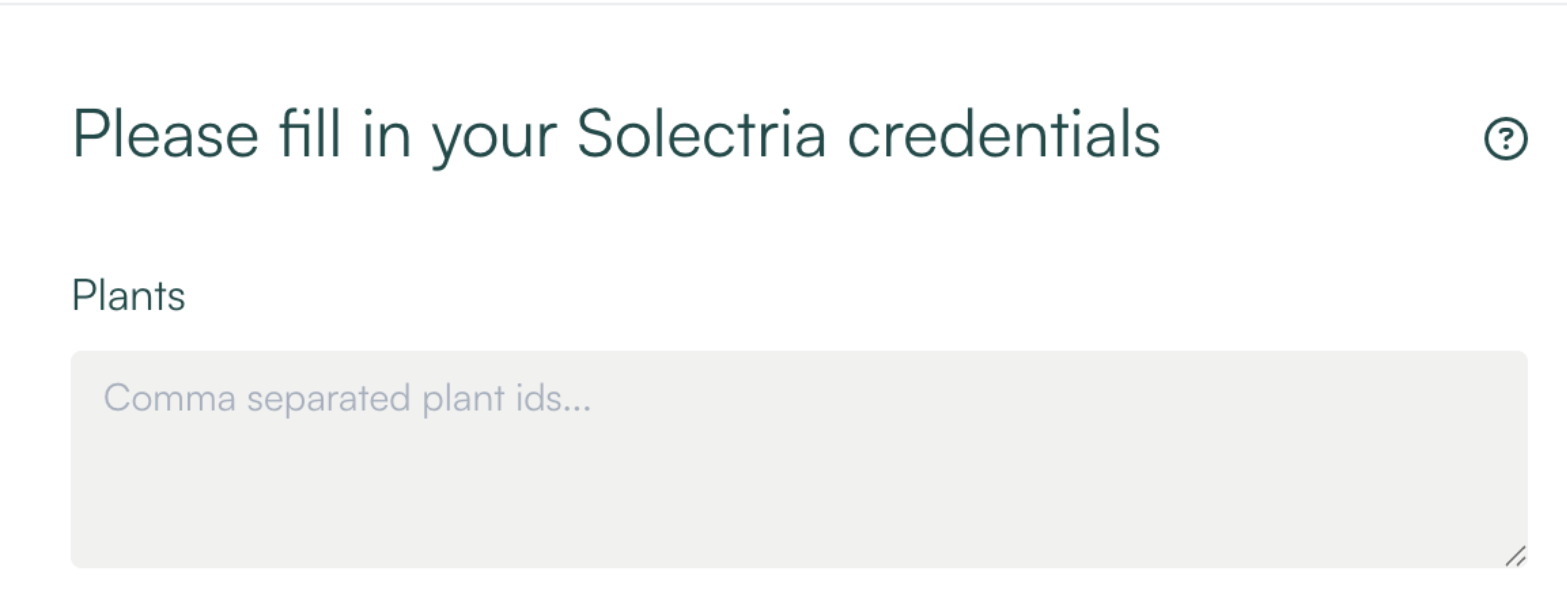
Create a new datapoint and add the Site Id, you can add multiple Site Ids with a comma separator