
Solaredge v1
Notice: SolarEdge disables this API (v1) on November 1st. After that date, systems connected with a v1 key stop sending data to enSights. Contact enSights support to move your systems to the SolarEdge v2 API.
What needs to be shared with Ensights in order to connect Solaredge systems:
- For all system related data: API key
Where do I find the "API key":
Notice: The user needs to have Admin Access to the specific system to see the API key.
If you don't, 3 options are available in this order:
- Ask the installer to assign the user as admin.
- Ask the installer for the API key.
- Ask SolarEdge support for the API key.
If you do have admin access:
Navigate to the Admin page – than click "site access" - "Access Control"
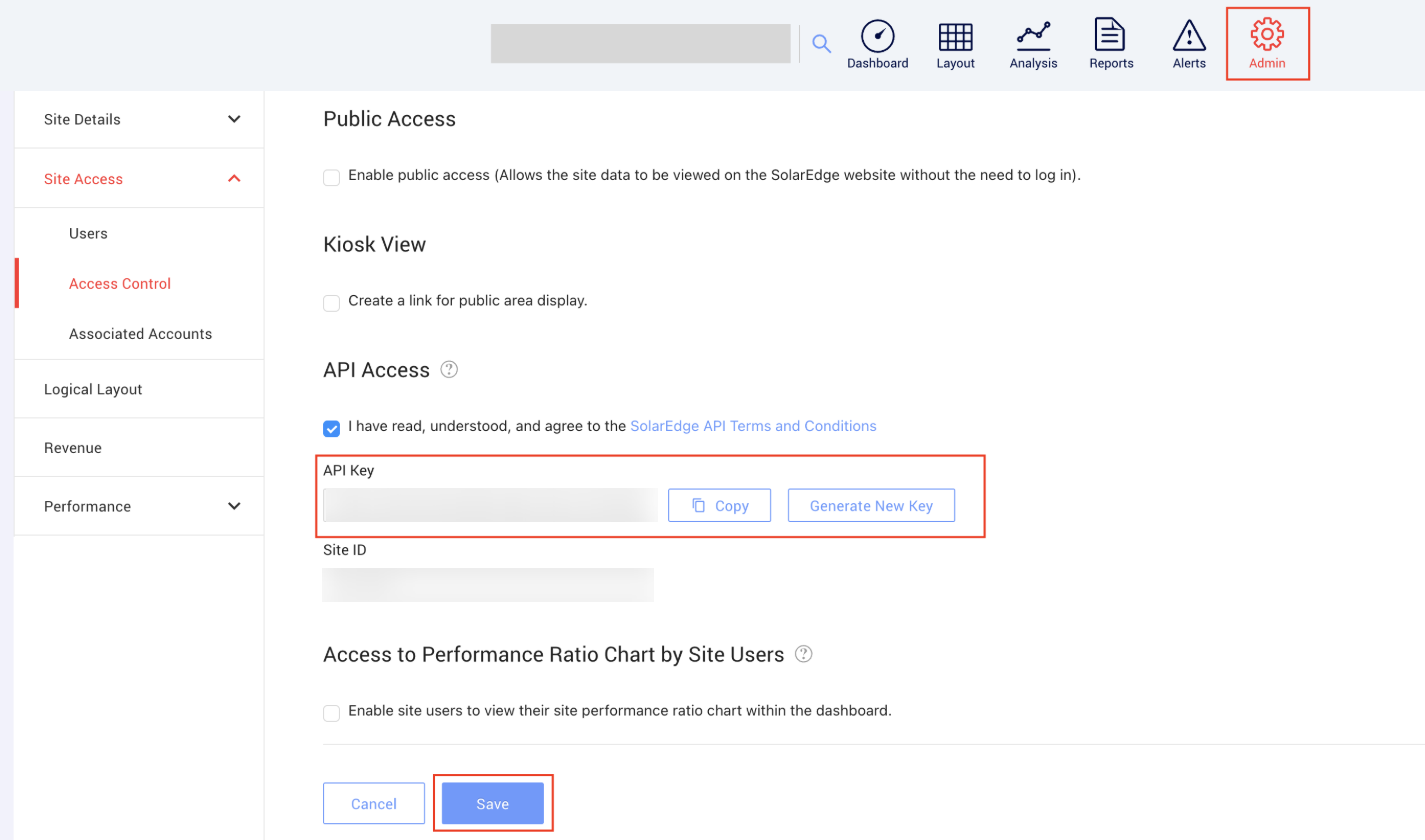
See API access and follow the next steps:
- Click on "I have read.."
- Click on save - This is important and gets missed often.
- Copy the API key and send Ensights support