
Forms: Results
Operations → Forms → Results
What this tab holds
Every submitted form, in one list. Where Templates is the blank, Results is the filled-in record — the inspection that was carried out, the checklist that was signed, the photographs that were taken.
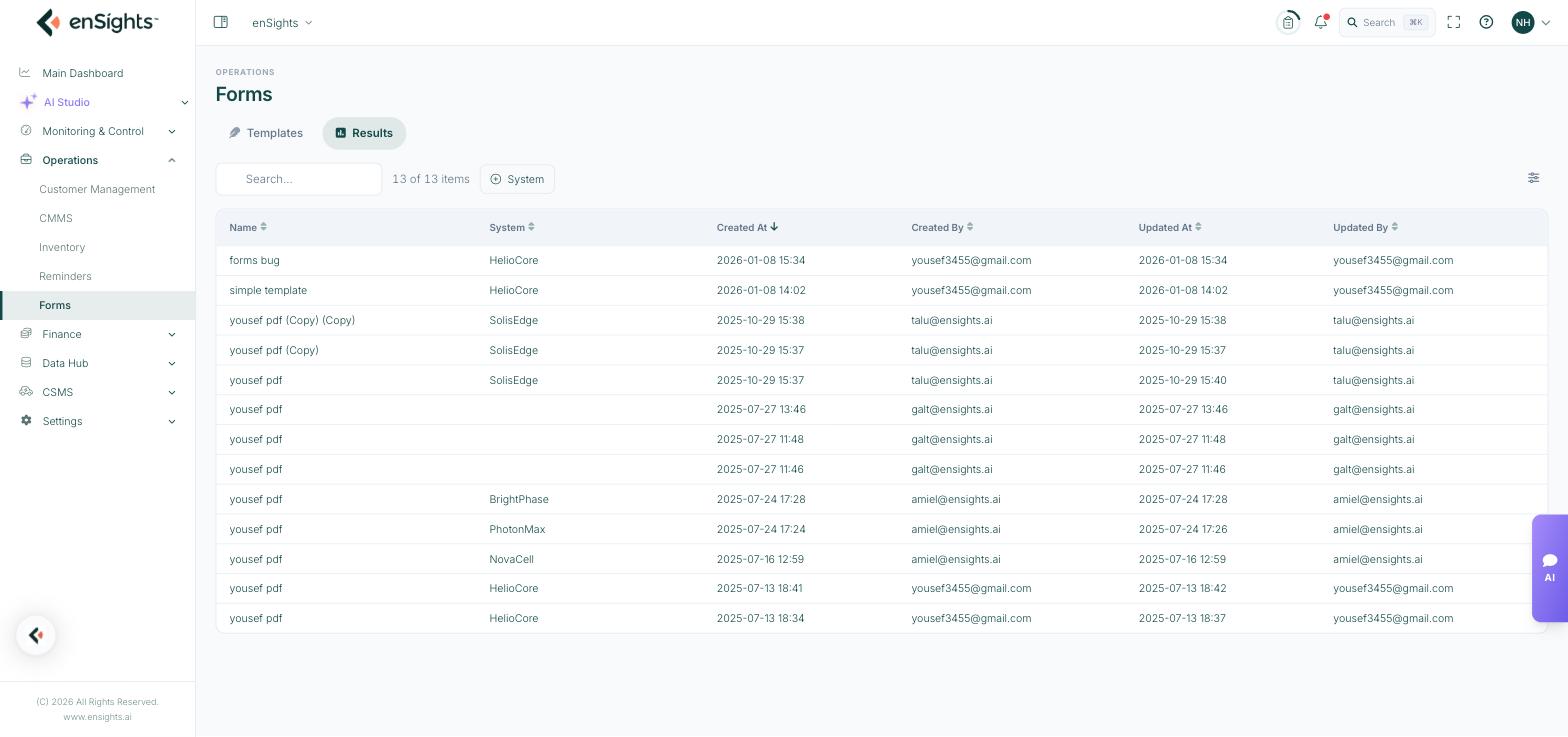
Form results, one row per submission.
The list
- Name — the template that was used.
- System — the site the submission belongs to. Blank means the form was completed outside a system context.
- Created At / Created By — when it was submitted and by whom.
- Updated At / Updated By — the last edit, where the template allows edits after submit.
Search finds a submission by name; the System filter narrows to one site; the column picker adds the rest.
Why the pairing matters
Because each result carries its system and its timestamp, the list doubles as the site's inspection history. "When was this site last inspected, and by whom" is a filter, not an email thread. And because forms are attached to service calls, a completed form is also the evidence that a job was actually done — the pairing an auditor, an insurer or a customer will ask for.
Common tasks
Find a site's last inspection. Filter by System and sort by Created At descending.
Check a technician's submissions. Add the Created By column and sort.
Answer a warranty query. Locate the commissioning or maintenance form for that system and open its attachments.
Audit a month's work. Sort by Created At and compare against the service calls closed in the same period.
Common questions
A submission has no system.
The form was completed without a system context — usually opened directly rather than from a service call.
Can a result be corrected?
Only if the template has Allow Results Edits After Submit switched on. The change is recorded in Updated At and Updated By.
Why do two results have the same name?
The name is the template's, not the submission's. Use System and Created At to tell them apart.