SMA (Ennex & Sunny Portal)
To Connect SMA systems to Ensights, follow the next steps:
- Send Ensights the username of the "Owner" of the system as designated on SMA. Notice - this user must be an owner and admin of the system in order to share data via API.
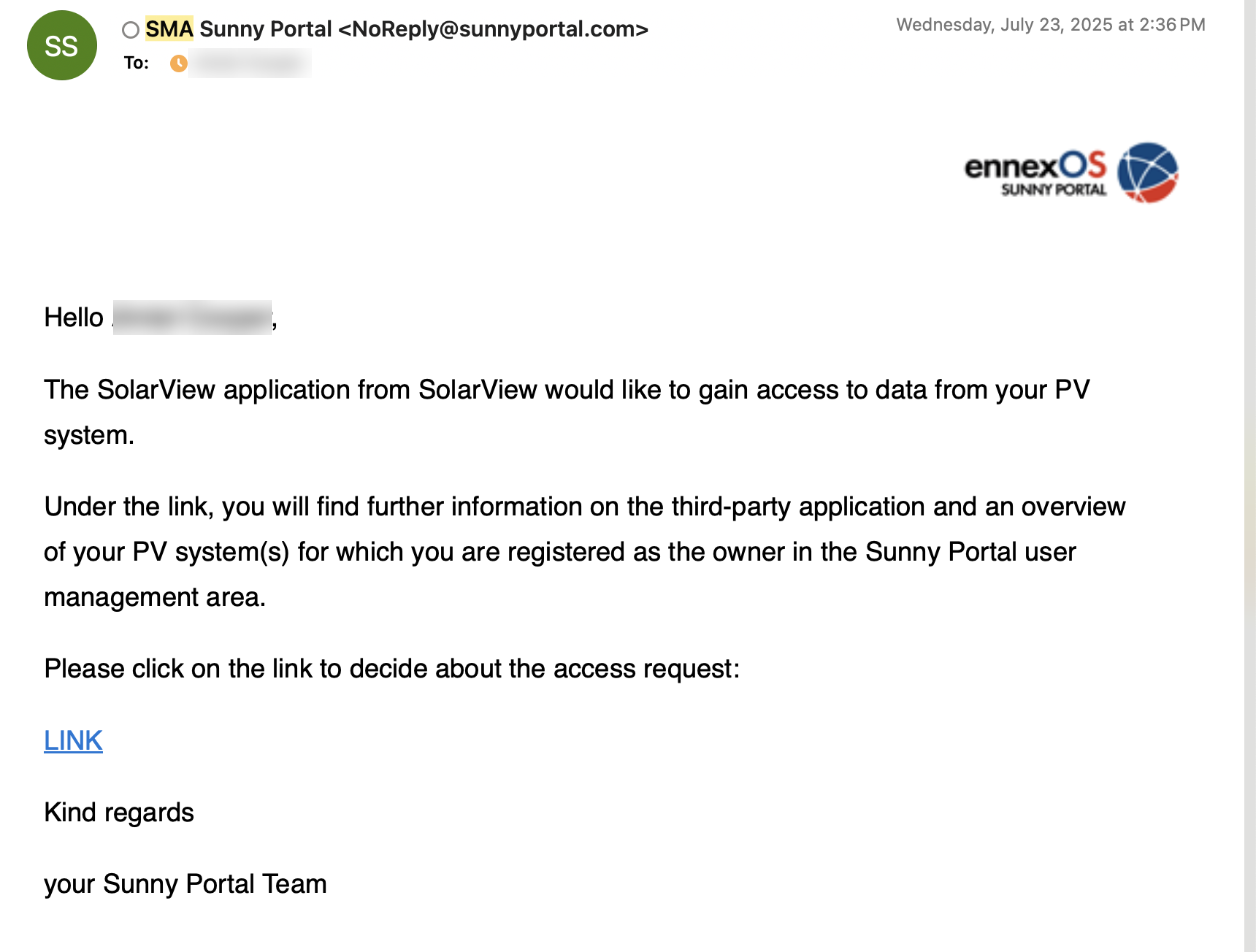
- Once Ensights submits the username, that user will receive an email with a link to SMA platform to approve Ensights as an authorized third-party.
- Update Ensights support once you have confirmed the email. Thats it! the connection is created.
How do I know what role I have and who is the owner?
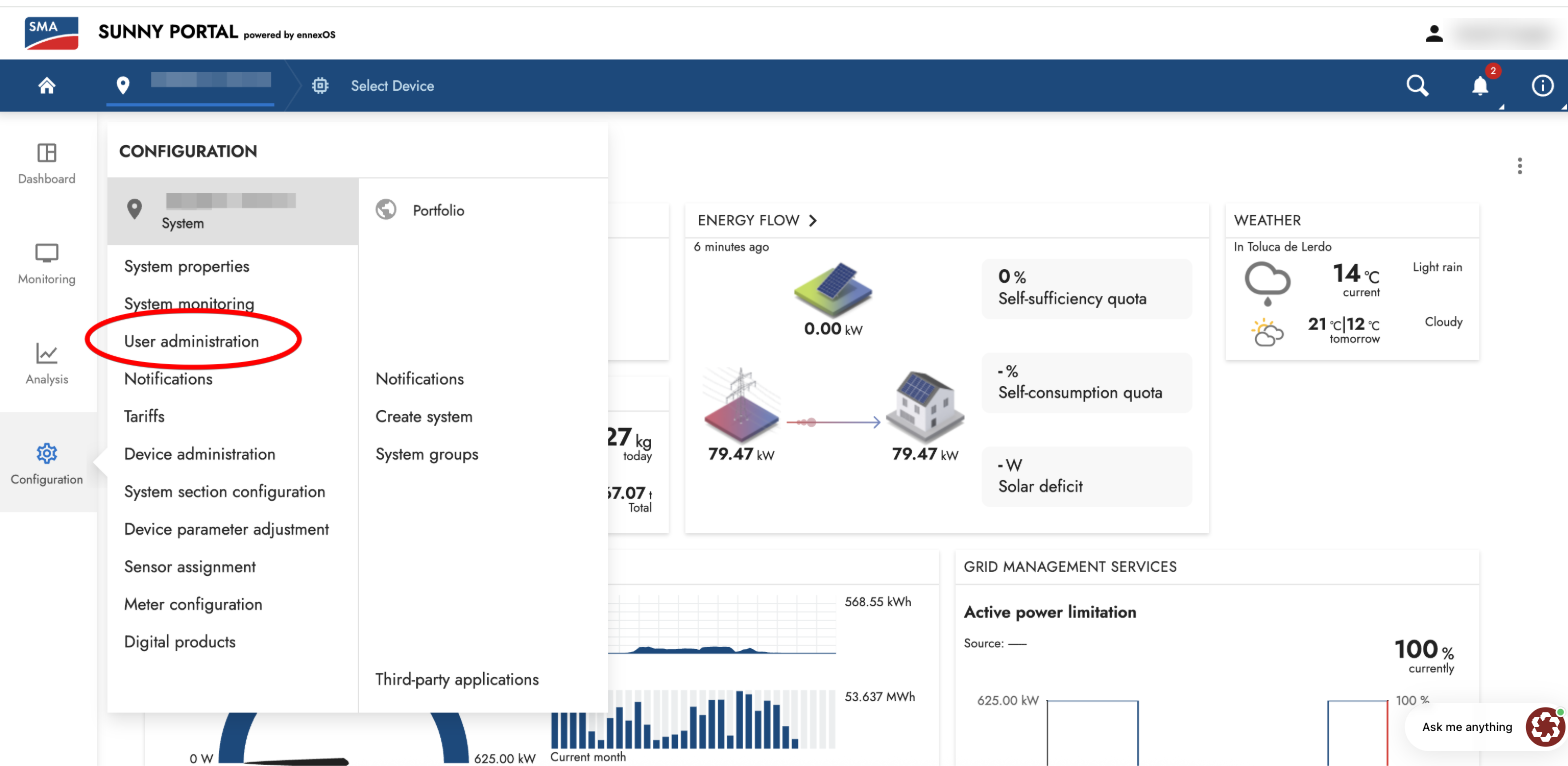
In the new Ennex platform: Navigate to the relevant sytem, click on "settings" → "User Administration": You will only have this tab if you are an admin user. If you aren't please turn to your installer or owner to help you get the necessary access.
In the list of systems, look for your user and make sure it has the "Owner" icon:
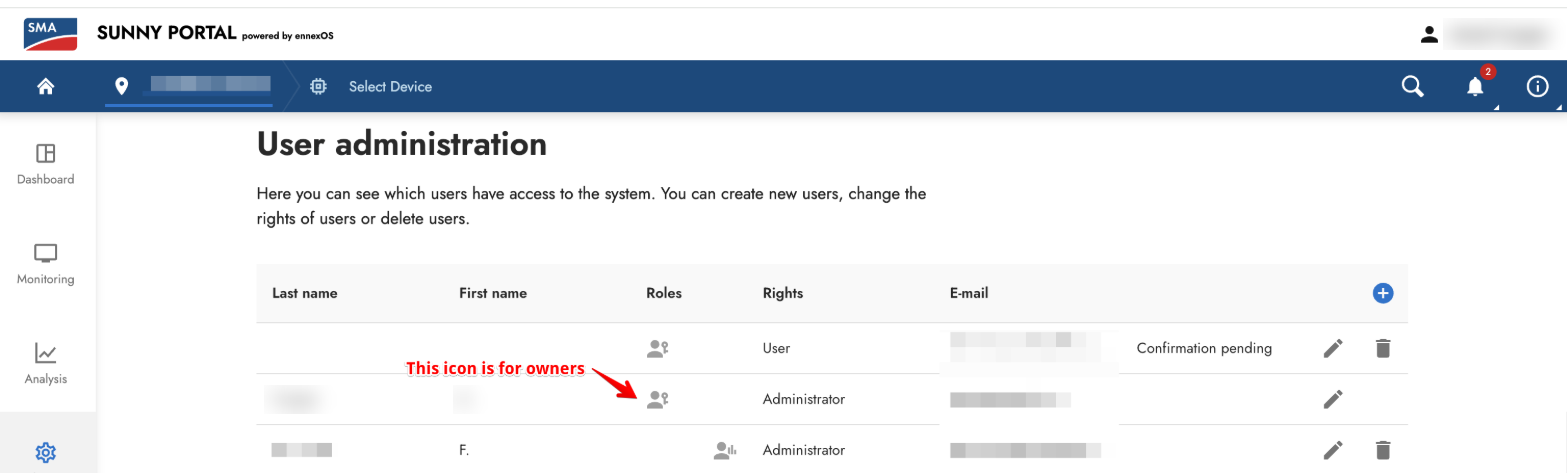
If you are an Admin, you can appoint yourself as owner, there are no limits on the amount of owners.
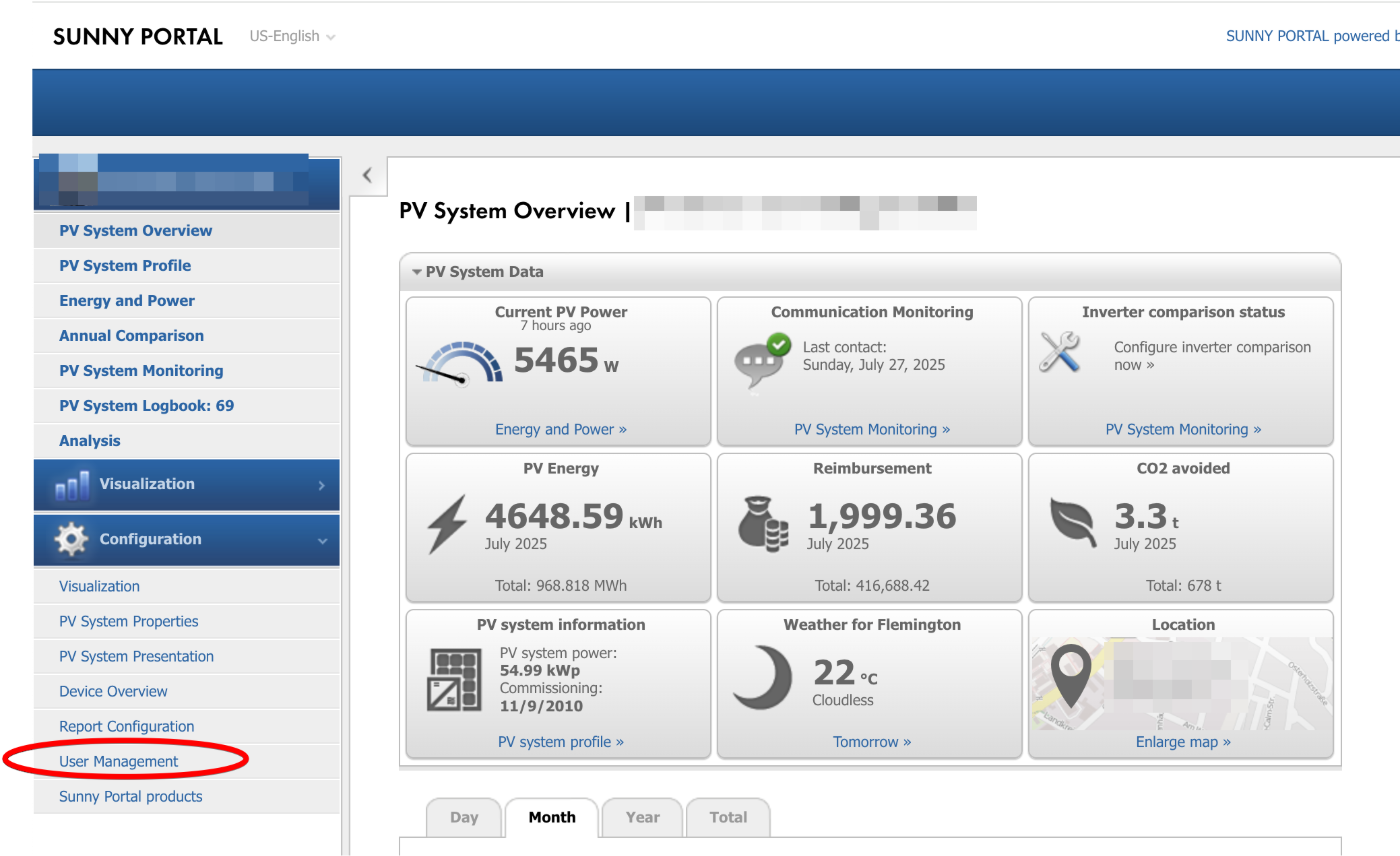
In the old Sunny-Portal platform, it is the same Idea - you can access the user list here:
How do I know which systems are approved for third-party sharing:
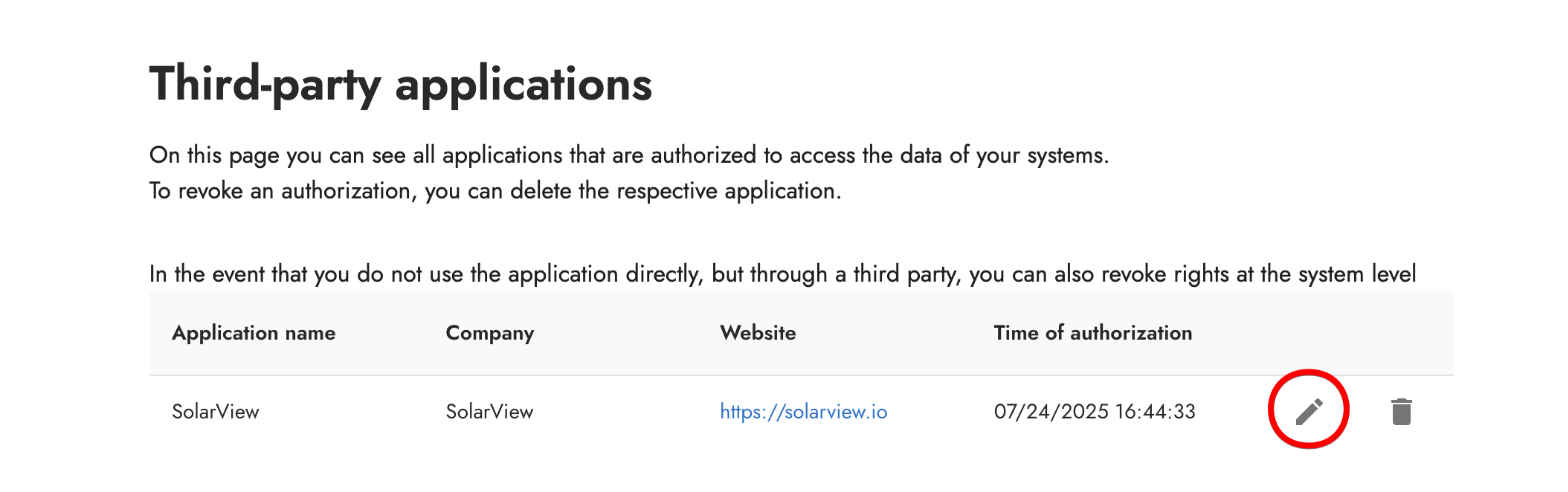
Navigate to "Settings" → "Third-party integrations":
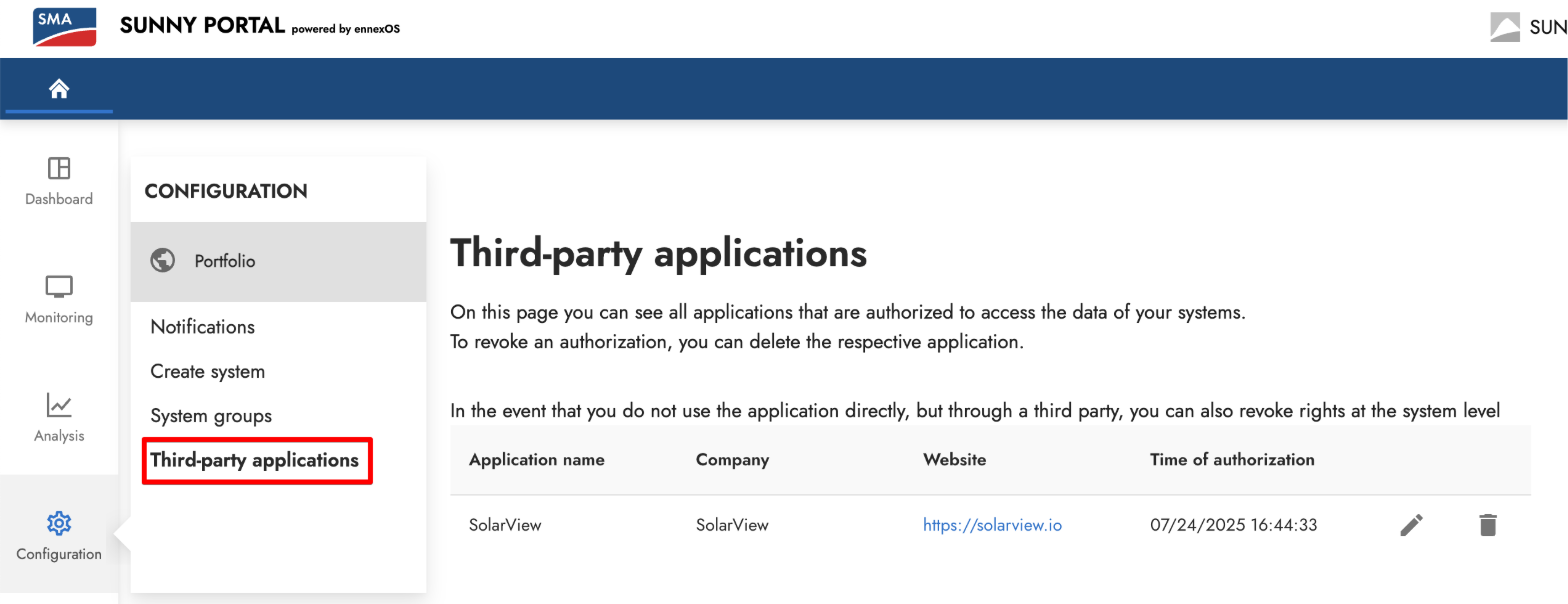
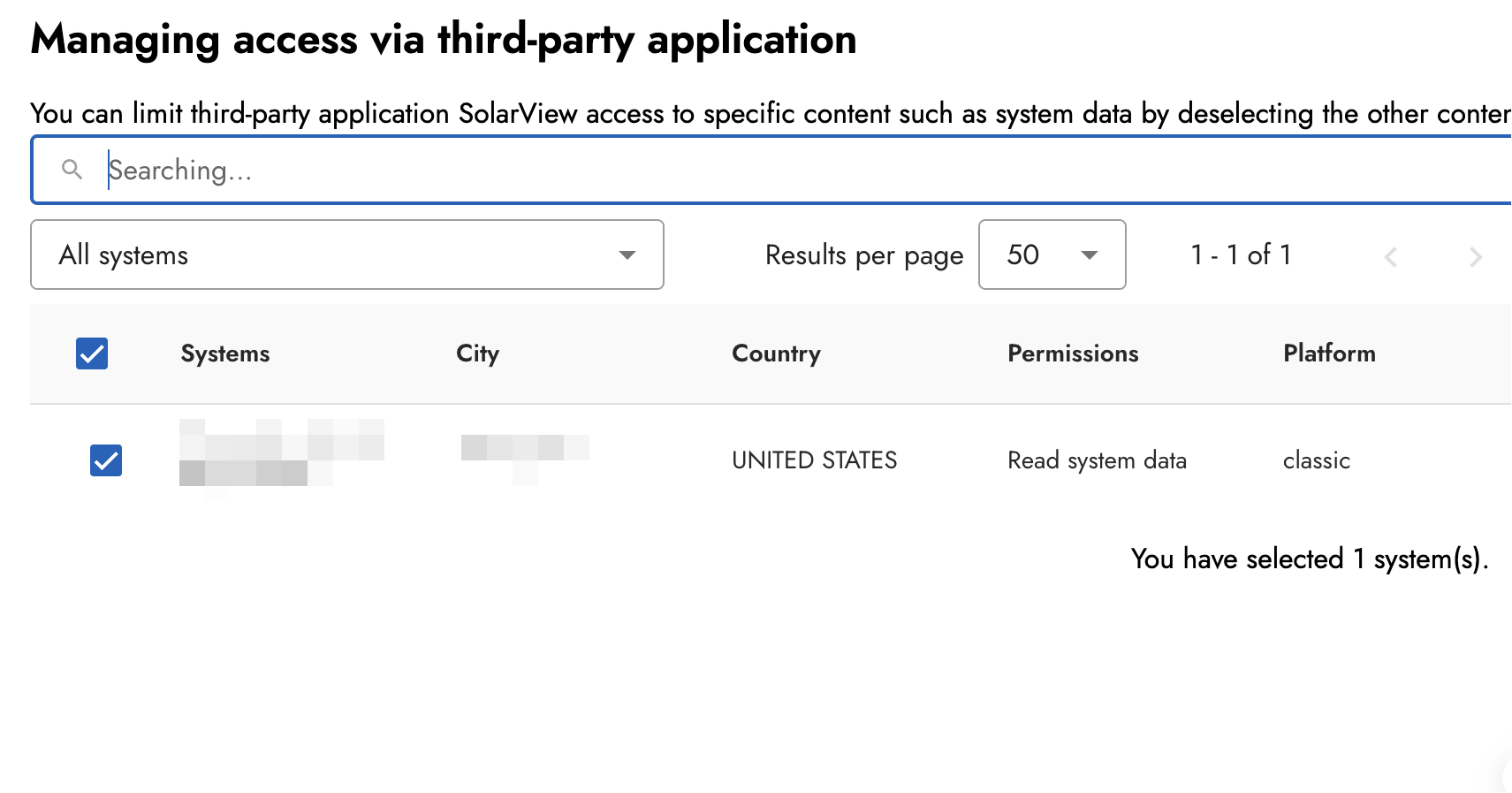
Click on the "edit" button and choose the relevant systems. Only systems where the user is an owner will show in the list.