
CMMS: Service Providers
Operations → CMMS → Service Providers
Who belongs here
Service Providers are the people who do the work: your own technicians, subcontracted engineers, and cleaning crews. Adding someone here is what makes them selectable as an assignee on a service call or a cleaner on a cleaning — and, where they use the technician app, what gives them their jobs.
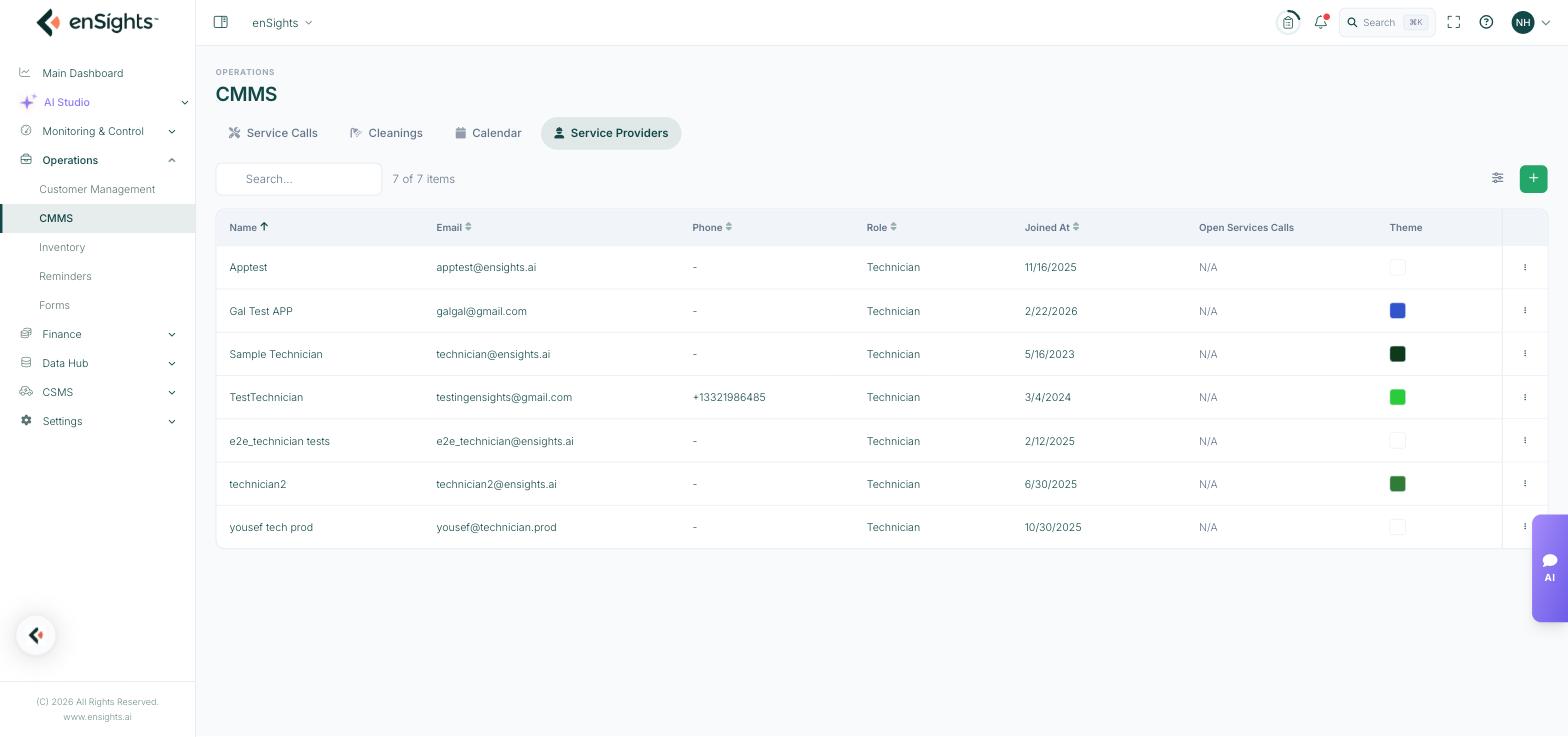
The service provider list.
The list
- Name, Email, Phone.
- Role — Technician or Cleaner.
- Joined At.
- Open Services Calls — current workload at a glance, which is the honest way to decide who gets the next job.
- Theme — the colour that identifies this person on the calendar and in grouped views. Give people distinct colours; it is what makes a week view readable.
Adding one
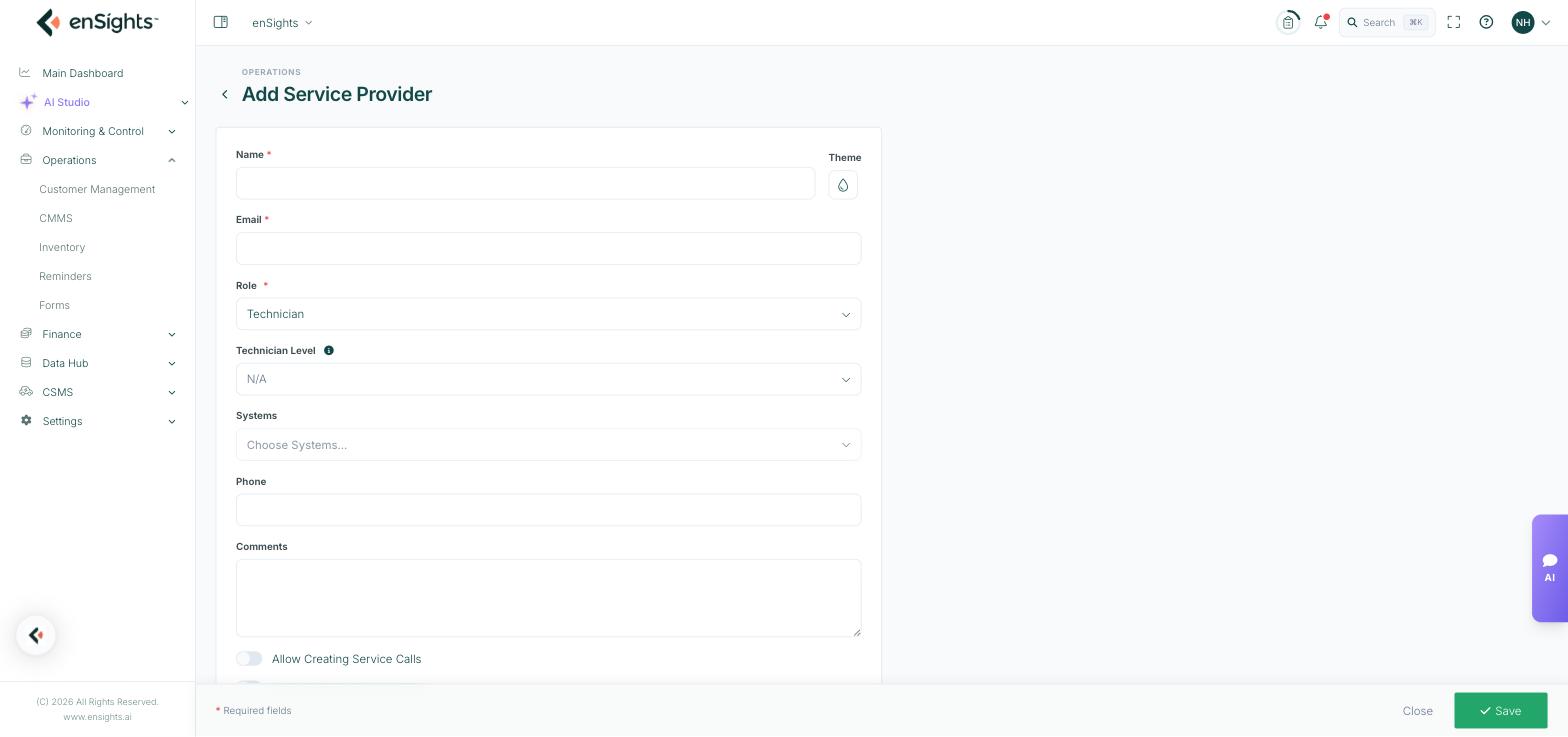
The Add Service Provider form.
- Name and Email (both required) — the email is their identity in the portal and the app.
- Role — Technician or Cleaner. The role decides where they can be selected: cleaners appear on cleanings, technicians on service calls.
- Technician Level — N/A or Level 1 to 4. Use it to record capability so dispatch can match the job to the skill.
- Systems — scope the person to specific sites. Leave empty for someone who works across the fleet; set it for a subcontractor who should only see their own region.
- Phone and Comments.
- Theme — their colour.
- Allow Creating Service Calls — let them raise their own jobs. Useful for a trusted lead technician; leave off for subcontractors you want dispatching centrally.
- Allow Deleting Service Calls — leave off in almost every case. Deletion destroys maintenance history.
Common tasks
Onboard a technician. Add them with role Technician, set a level and a colour, and decide the two permission toggles. Assign their first job from the service call list.
Limit a subcontractor. Set Systems to the sites in their contract.
Balance the workload. Sort by Open Services Calls before assigning.
Set up cleaning crews. Add them with role Cleaner so they appear in the cleaner picker.
Common questions
Someone is missing from the assignee list.
Their role is Cleaner, or they are scoped to different systems than the one on the call.
Can a person be both a technician and a cleaner?
Role is single-valued. For someone who does both, use Technician and record the rest in Comments.
What does the theme colour affect?
How their jobs are coloured on the calendar and in grouped views — cosmetic, but it saves real time in dispatch.