
EMS site: Policies
Fleet Management → EMS Sites → a site → Policies
What a policy is
A policy is a standing instruction to the site's controller. Nothing on an EMS site moves without one: if the Dashboard shows Active Policy: N/A, the equipment is idle by definition, not by fault.
The tab has two sub-tabs — Storage Policies and Inverter Policies — and a footer with Save Changes and Cancel. Edits are held locally until you save, and leaving with unsaved work raises a guard dialog: You have unsaved changes, proceed anyway? with Cancel and Discard & Close.
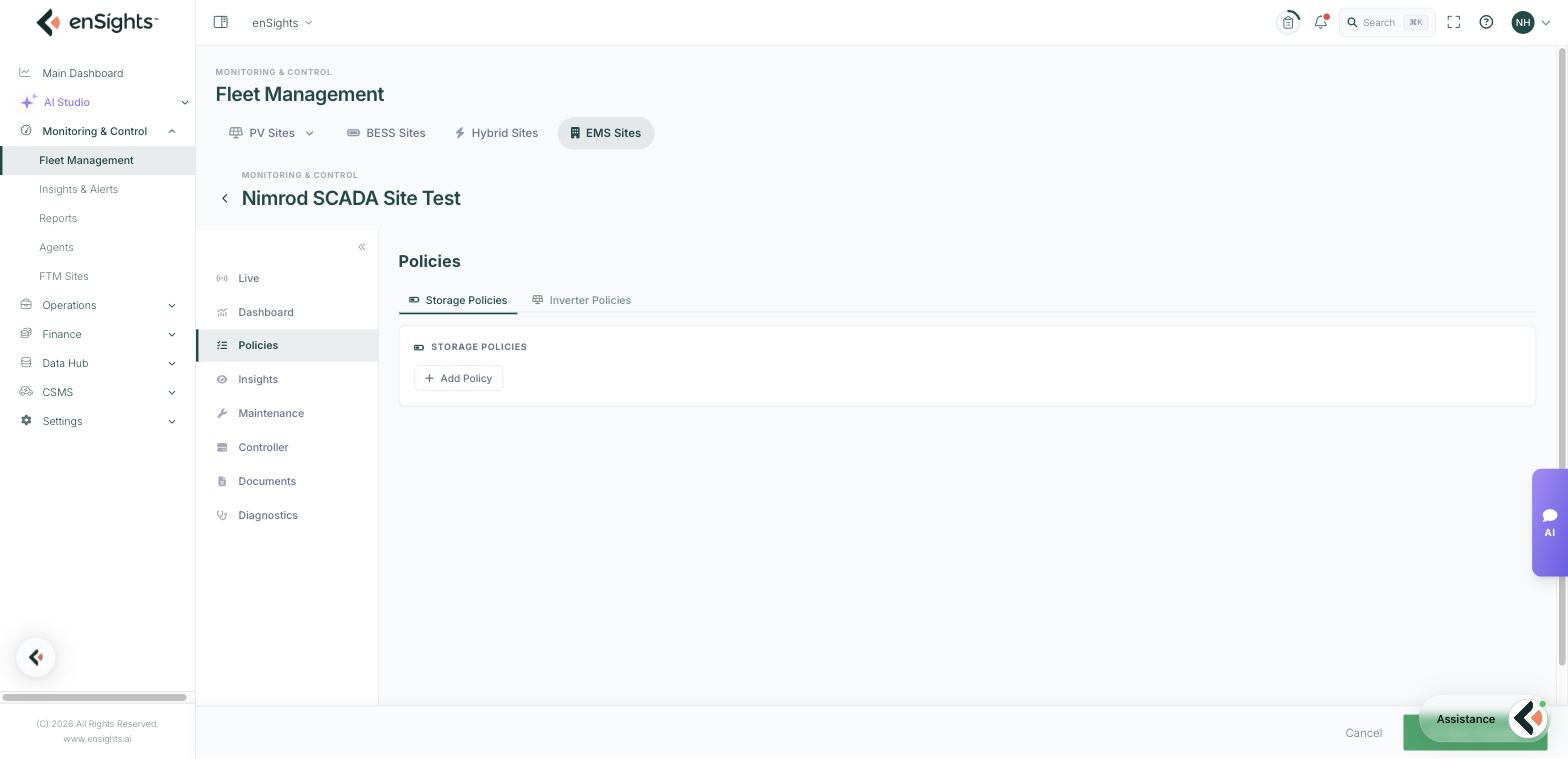
Storage policies
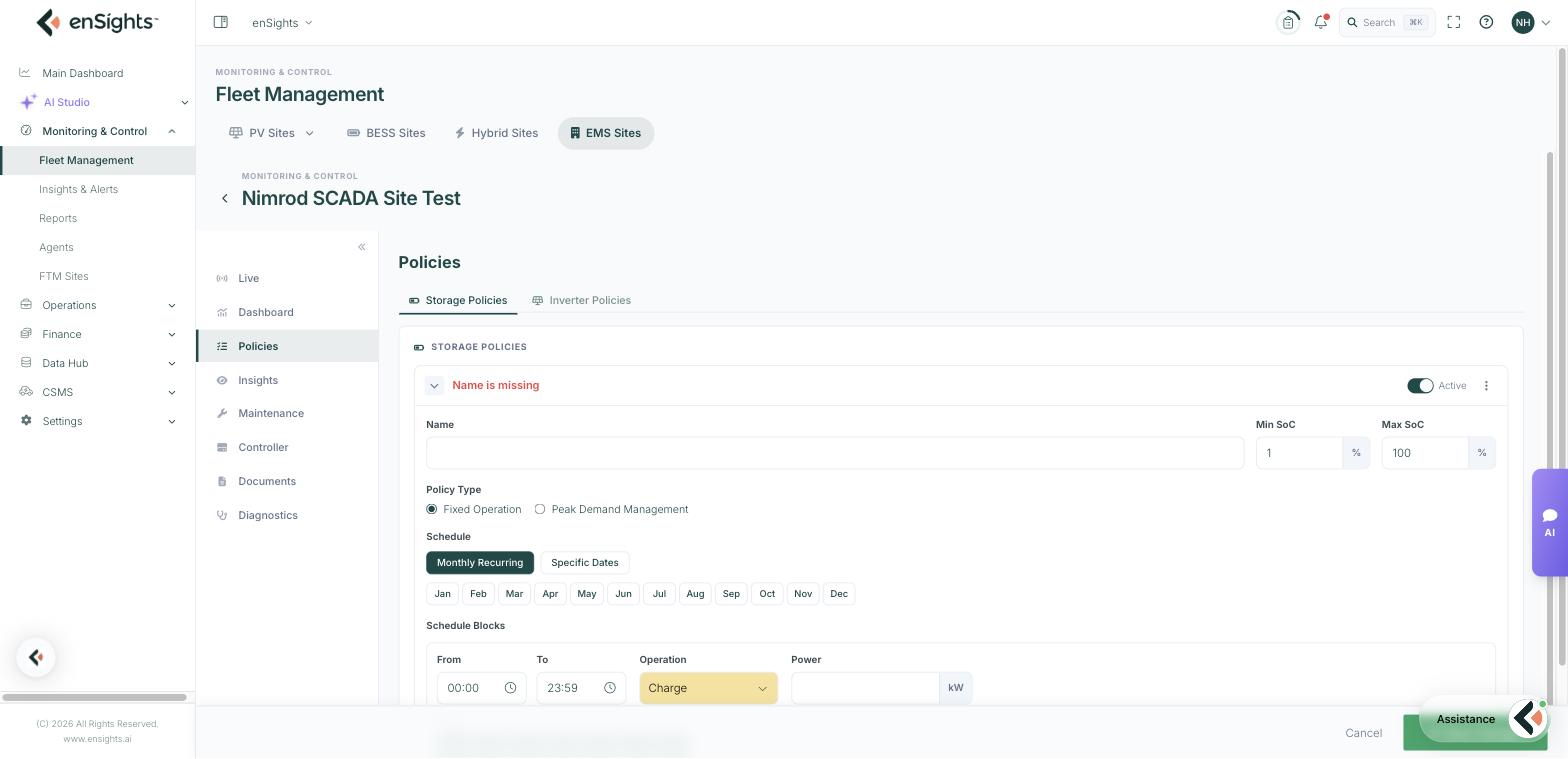
Add Policy creates one. Until you name it the header reads Name is missing, which is also what stops it saving.
The policy header
- Name — name it for its job ("Night charge", "Evening peak discharge", "Summer demand management").
- Min SoC and Max SoC (%) — the band the battery must stay inside. These are the safety rails: no schedule block will take the battery below Min or above Max, so a reserve for backup or a cycling limit for warranty is enforced here rather than in every block.
- Active toggle — whether the policy is in force. Keep seasonal policies defined but inactive rather than deleting them.
- The ⋮ menu holds per-policy actions such as duplicating or removing.
Policy Type
- Fixed Operation — the battery follows your schedule: charge, discharge or cap export at set times.
- Peak Demand Management — the EMS discharges to hold site demand below a threshold, deciding the timing itself. Use this where the value is in avoiding a demand charge rather than in following the clock.
Schedule
Choose Monthly Recurring — with Jan…Dec chips, so a policy can apply only in the months you select — or Specific Dates for a one-off window.
Schedule blocks
Each block is one instruction:
- From and To — the daily window (00:00–23:59 by default).
- Operation — Charge, Discharge or Grid Feed Limit.
- Power (kW) — the rate for the operation, or the cap for a feed limit.
- Days — Sun…Sat chips, so weekdays and weekends can differ.
Add Schedule Block adds more. A normal arbitrage policy is two blocks: charge overnight at a modest rate, discharge across the evening peak. Blocks should not overlap in a way that gives the battery two contradictory instructions for the same minute.
Inverter policies
Add Inverter Policy creates a curtailment rule:
- Name.
- Total Power (kW) — the combined cap for the inverters in the policy.
- Inverters — the list of the site's inverters with a checkbox and its own kW value each, plus Select all. This is how a total cap is shared out, or how one inverter is limited while the rest run free.
Inverter policies are what you reach for when a grid operator imposes an export cap, or when a transformer or cable section needs protecting during a fault.
Common tasks
Set up simple arbitrage. Add Policy → name it → Min/Max SoC → Fixed Operation → Monthly Recurring with all months → block one: Charge 00:00–06:00 at the charge rate, Sun–Sat → block two: Discharge 17:00–21:00 → Active on → Save Changes. Confirm Active Policy on the Dashboard afterwards.
Protect a backup reserve. Raise Min SoC so no discharge block can eat into the reserve.
Curtail export for a grid instruction. Either an inverter policy with a total power cap, or a storage block with Grid Feed Limit — the inverter policy if generation must be held back, the feed limit if storage can absorb it.
Run a one-off event. Use One-time Policy… from the site's row menu on the EMS Sites list rather than editing a recurring policy.
Retire a policy for the season. Switch Active off and save; it keeps its configuration for next year.
Common questions
I saved a policy but nothing happens.
Check the Active toggle, that today falls inside the selected months and days, that the clock is inside a block, and that the battery is not already at its SoC limit. Then confirm the controller is connected on the Controller tab.
Two policies overlap — which wins?
Avoid it. Overlapping instructions for the same minute make behaviour hard to predict; keep one policy active per objective and use the month and day chips to separate them.
Why is my policy not saving?
An unnamed policy shows Name is missing in red and blocks the save.