
Import contract terms from a PPA
What this does
enSights tracks revenue and losses per site, but none of it is calculated until the site's contract is in the platform. Every PPA is written differently, so getting the rates, dates and escalation in has always meant reading the PDF and typing them by hand.
Now you drop the signed contract onto the PPA record and enSights reads it for you. The contract name, start and end dates, duration, escalation, rate tiers and notable clauses land in the form, ready for you to check. Nothing is saved until you click Save Changes.
Where to start
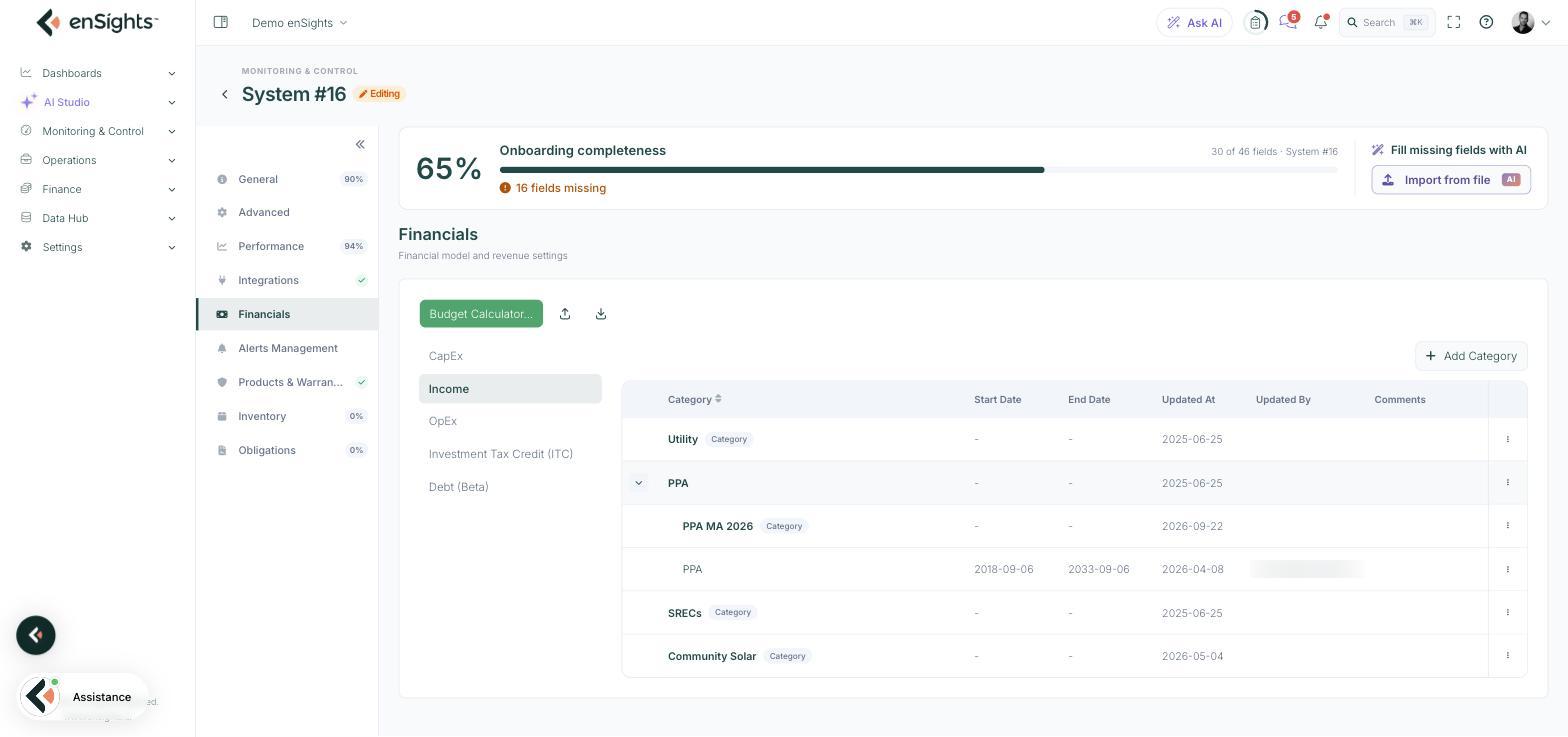
Open the PV system in edit mode and go to the Financials section. Under Income you will find the PPA category with the site's contracts listed beneath it. Expand it with the arrow on the left of the row.
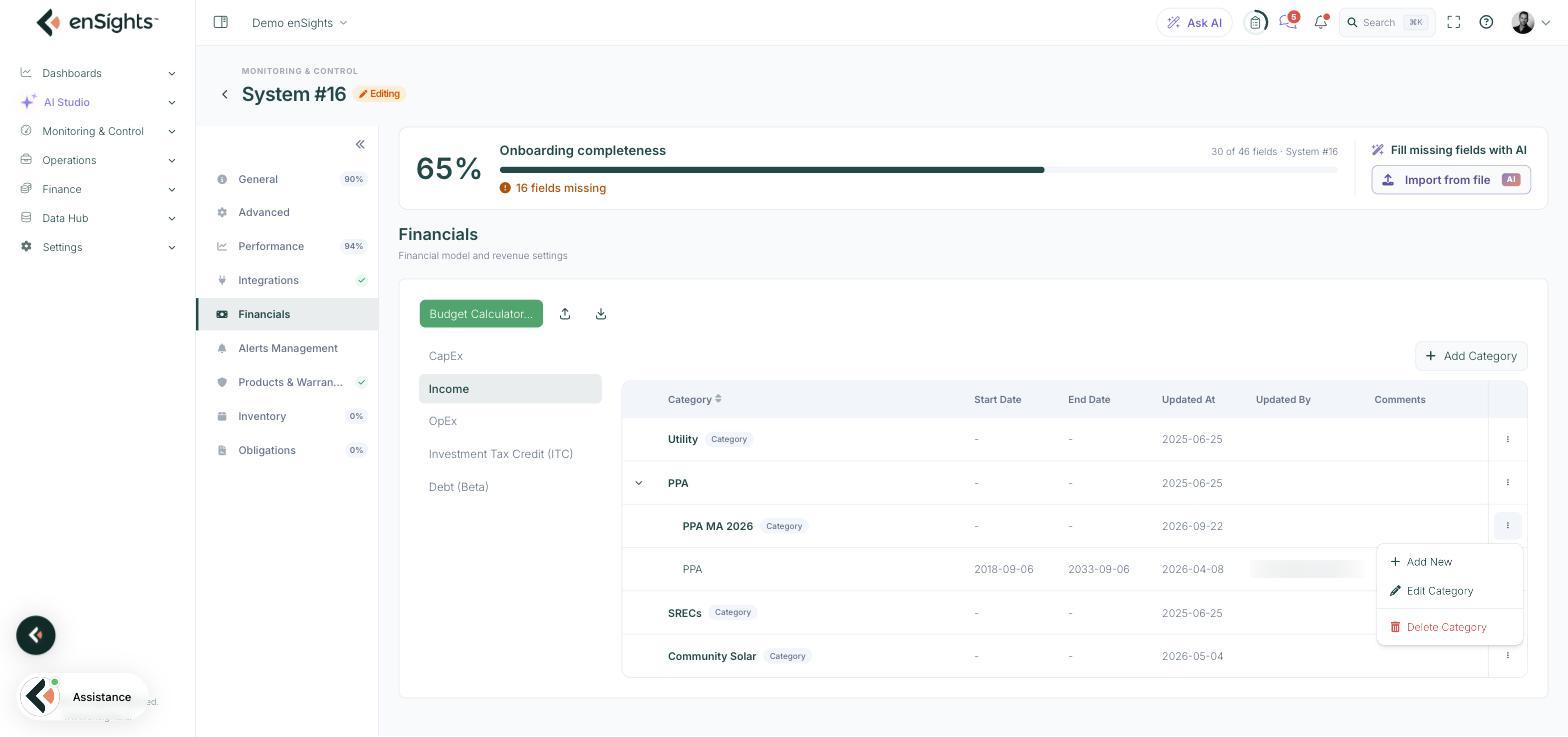
Open the row menu (⋮) of the PPA group you want the contract in and choose Add New. To re-read a contract into an existing record, open that record instead.
Import the contract
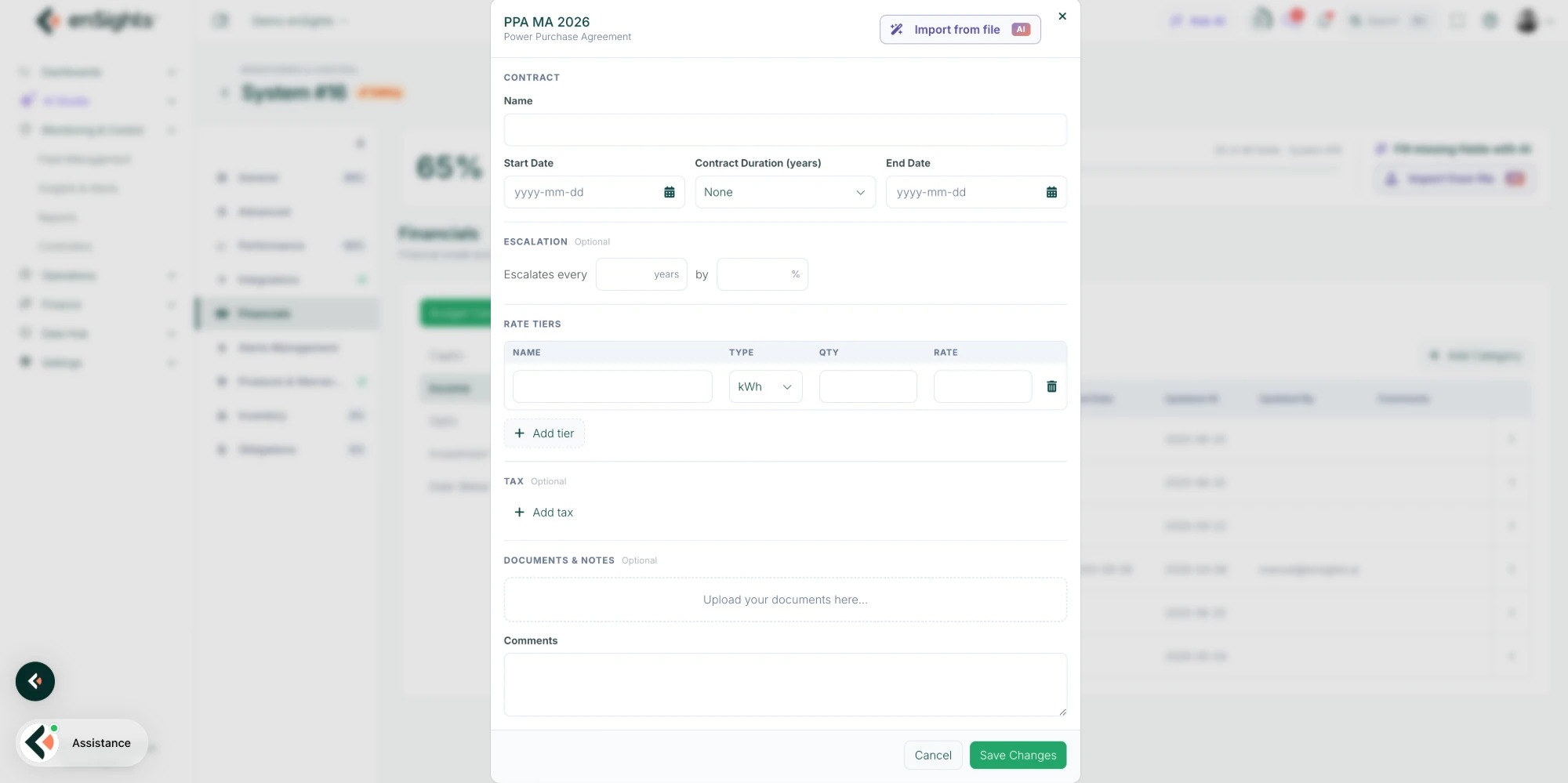
The PPA form opens. It has the same fields you fill by hand: Name, Start Date, Contract Duration (years), End Date, Escalation, Rate Tiers, Tax, Documents & Notes and Comments.
Click Import from file (marked AI) in the top-right corner of the form and pick the signed contract. PDF is supported, up to 10 MB.
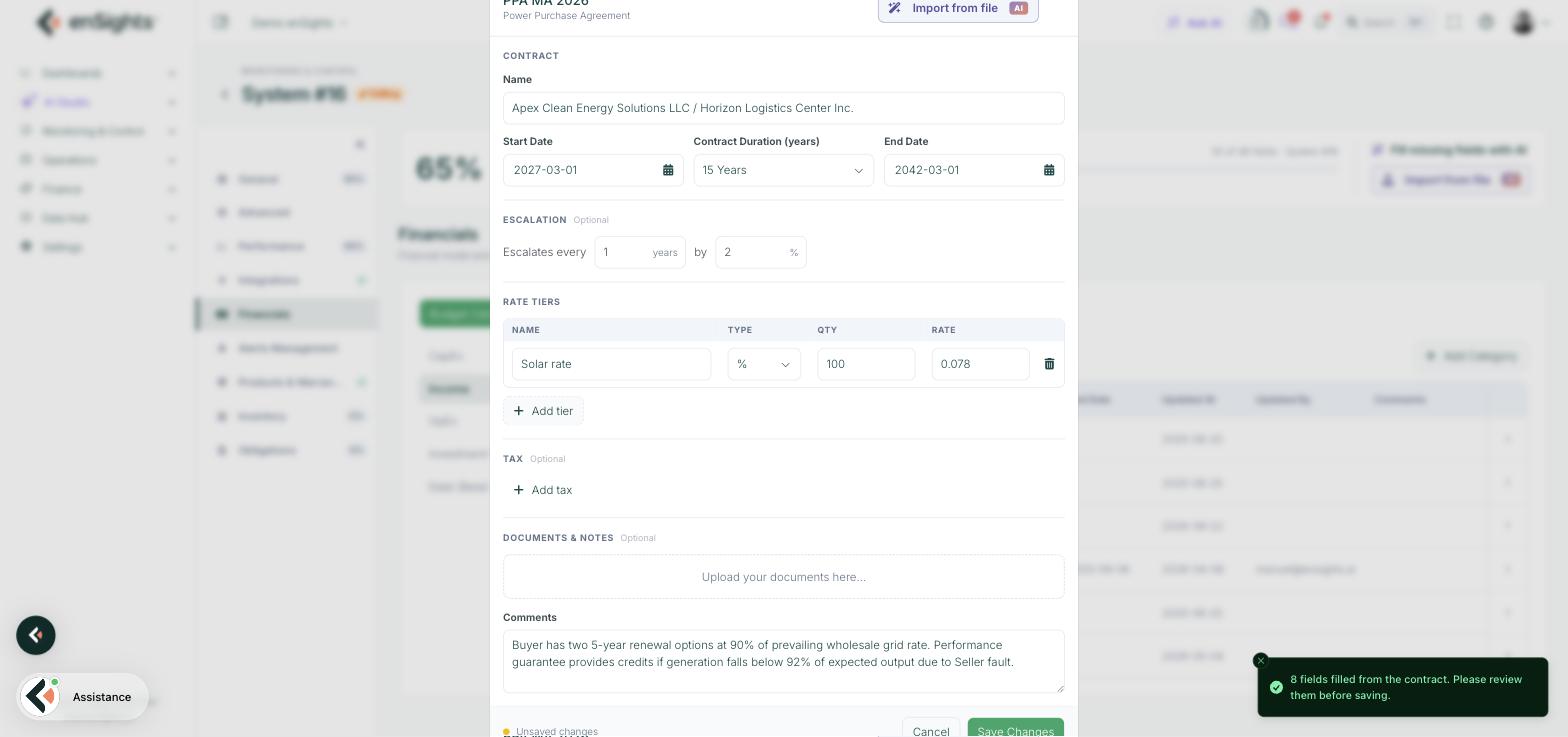
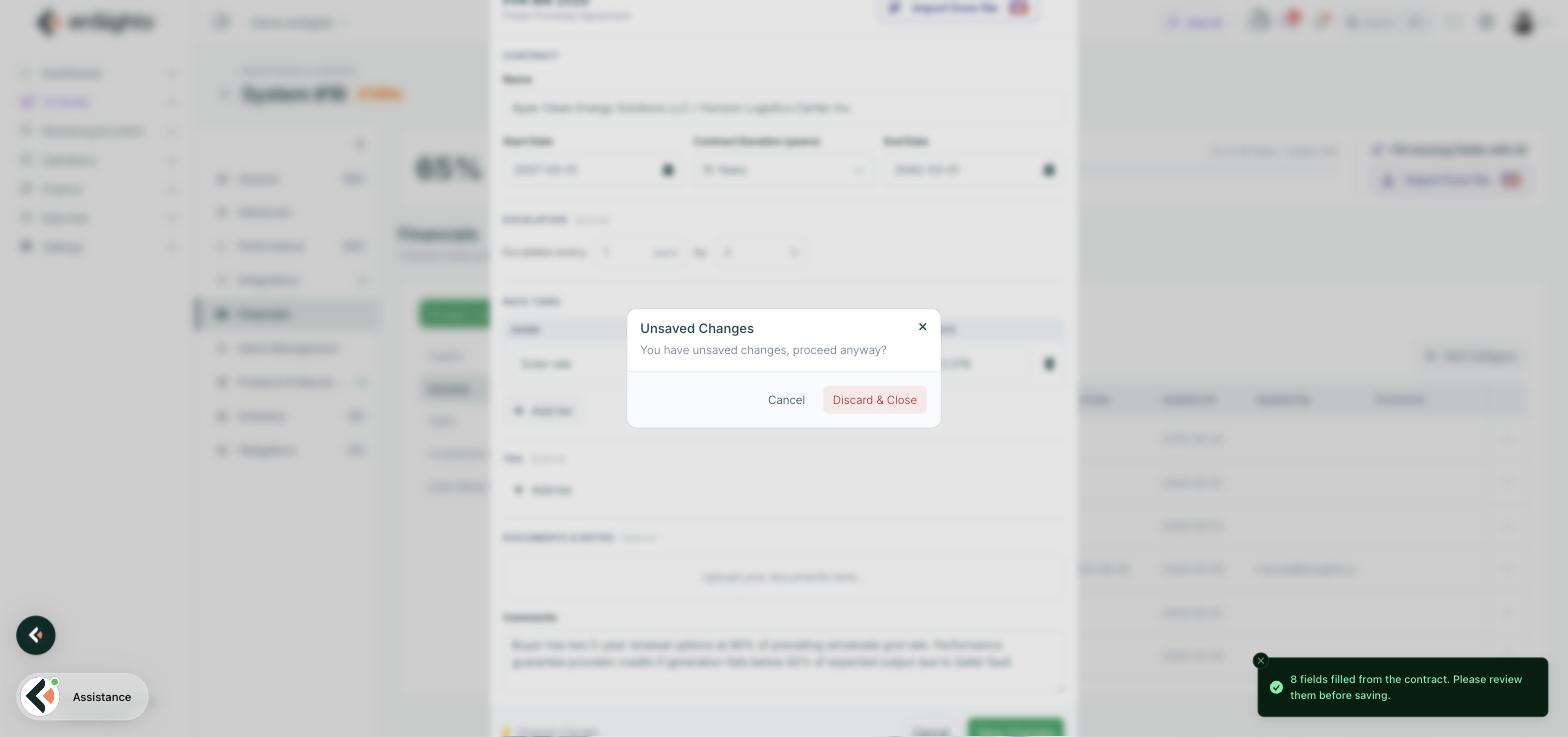
enSights reads the contract. For a typical contract this takes a few seconds. When it finishes, the form is filled and a message tells you how many fields came from the contract, for example 8 fields filled from the contract. Please review them before saving.
What gets filled
Field | Where it comes from |
|---|---|
Name | The parties to the contract, seller and buyer. |
Start Date and End Date | The term clause. When only a start date and a duration are stated, the end date is worked out from them. |
Contract Duration (years) | The term clause, in whole years. |
Escalates every … by … | The escalation clause. Only fixed percentage escalation is supported. |
Rate Tiers | The rate clause and the rate schedule exhibit, one row per tier. |
Comments | Clauses that have no field of their own, such as renewal options, performance guarantees, minimum take or billing terms, copied in as text so the information is not lost. |
Tax stays empty when the contract says nothing about tax. Add it by hand with Add tax if it applies.
Review, then save
Every imported value is an ordinary form field. Check each one against the contract and correct anything the read got wrong, in particular the rate tier Type, Qty and Rate, which depend on how the contract words its pricing. Then click Save Changes.
If you click Cancel after an import, enSights warns that there are unsaved changes. Discard & Close throws the imported values away and the record is exactly as it was.
How to
- Add the contract for a new site. Financials → Income → expand PPA → ⋮ → Add New → Import from file → pick the PDF → check the fields → Save Changes. Revenue in the P&L Tracker and invoicing use the new terms from the next calculation.
- Replace a renegotiated contract. Open the existing PPA record, click Import from file and pick the new PDF. The imported values overwrite the fields in the form. Check them, then save. Cancel to keep the old terms.
- Keep the contract itself with the record. After importing, drop the same PDF into Documents & Notes so anyone opening the record later can read the source.
- Check a term against the contract. Open the PDF alongside the form. The Comments field lists the clauses enSights found but could not place, which is a quick way to see what the read covered.
Notes
- Power purchase agreements only in this version. Lease, SREC, feed-in and O&M agreements still need to be entered by hand. Support for other solar and storage contract types is coming.
- A scanned contract is an image and has no text to read. Upload the original PDF.
- Index-linked escalation and time-of-use rates have no field in the PPA record. Flat and tiered rates with fixed percentage escalation are supported.
- One contract per upload, and one site per contract. A contract covering several sites has to be imported on each site.
- Setting up the technical side of a system from a PVsyst report works the same way from the Onboarding completeness banner. See Set up a system from a PVsyst report.